Emulator vs Phone for Mobile Gaming: Honest Trade-offs
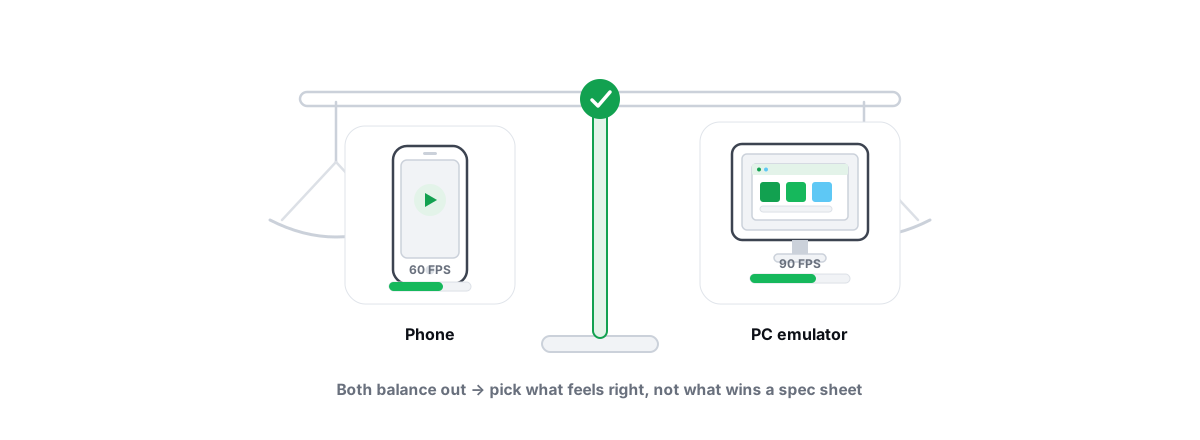
Emulator vs phone gaming isn't a "which is better" question — it's a trade. An emulator hands you a mouse, a keyboard and a big screen. A phone gives you native efficiency, real thermals and no virtual-machine tax. The right call depends on the game you play and what you're chasing.
This is the honest version. No "emulators destroy phones" hype, no "real gamers use a phone" snobbery. Just the actual mechanisms, the matchmaking reality most articles skip, and where each one wins.
Where an emulator genuinely wins: input and screen
The biggest real advantage of an emulator isn't raw performance — it's the input devices. Key-and-mouse mapping turns a touchscreen game into something closer to a PC shooter: discrete keys for actions, and a mouse for aiming that no thumb on glass can match for precision and speed.
In PUBG Mobile or Call of Duty Mobile, mouse aim is a structural edge over touch. That's exactly why those publishers separate emulator players (more on that below). The advantage is real enough that the games treat it as its own category.
The screen is the other clear win. A 24-inch monitor at a desk is easier on your eyes and hands than a 6-inch panel held at arm's length for an hour, and you sit upright instead of hunching over.
- Precise aim — mouse beats thumb-on-glass for tracking and flicks.
- Discrete controls — dozens of mappable keys vs a cluttered touch HUD.
- Bigger, steadier screen — less eye strain, better situational awareness.
- No battery anxiety — your PC isn't running on a 4,500 mAh cell that drains in 40 minutes.
- Recording and streaming — trivial on a PC; on a phone it eats the same resources the game needs.
If your reason for using an emulator is "mouse aim and a big screen," that's a legitimate advantage, not marketing. Everything below is the cost of getting it.
Where the phone wins: efficiency, thermals, no VM tax
A phone runs the game natively on an ARM chip built for it. An emulator runs a full Android virtual machine on x86 hardware, translates instructions, and renders through your desktop's graphics stack. That virtual machine is overhead the phone simply doesn't pay.
This is the part emulator fans gloss over. To match a mid-range phone's smoothness, an emulator often needs a genuinely capable PC. A flagship phone from the last two years will out-game a weak laptop running the same title through BlueStacks or LDPlayer, because the laptop burns cycles on virtualization that the phone spends on the game.
Thermals cut the same way. Phones throttle under sustained load — but so do laptops, and a laptop running an emulator pegs CPU, GPU and disk for the whole session. On a thin laptop, expect fan noise, heat, and thermal throttling that quietly drops your frame rate. Learn to read your CPU and GPU temps so you can catch throttling before it tanks a match.
The matchmaking reality: emulator-only lobbies
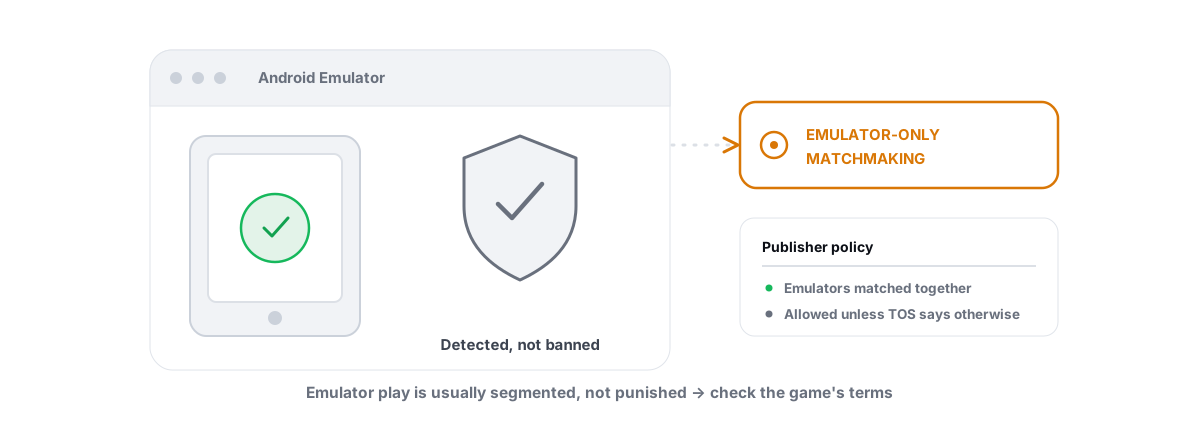
Here's the fact most "best emulator" lists bury: in several big titles, you don't get matched against phone players when you use an emulator. The game detects the emulator and puts you in emulator-only matchmaking.
PUBG Mobile and BGMI are the clearest example. Emulator players are pooled together so phone players aren't facing mouse aim. That's deliberate competitive integrity, and it's permanent publisher policy — not a bug you can tweak away.
What this means in practice:
- Your "mouse aim advantage" mostly evaporates in those games — everyone in your lobby has it too.
- Queue times can be longer, because the emulator pool is smaller than the phone pool.
- Some events and ranked rewards differ or are limited for emulator players, depending on the title and region.
So if your whole plan was "use mouse aim to climb against thumb players," the games that matter most have already closed that door. The emulator still gives you a comfortable big-screen setup — it just doesn't hand you a free edge over phones in the titles that detect it.
Ban and detection policy by game publisher
Emulator support is set per game, by the publisher. There's no universal rule, and no tool changes it. Roughly three buckets exist:
| Policy | What happens | Examples (general pattern) |
|---|---|---|
| Allowed + separated | Emulators permitted, but matched in emulator-only lobbies | PUBG Mobile / BGMI, some BR titles |
| Allowed, mixed | Emulator play tolerated, often pooled with PC/cross-play | Several strategy and gacha titles |
| Restricted or banned | Emulator detection blocks login or risks account action | A number of competitive shooters restrict it |
The line that gets people banned is trying to hide the emulator. Spoofing device identifiers to look like a phone, or running tools that mask the VM to dodge detection, is exactly the kind of evasion anti-cheat systems flag — and that can get an account actioned even where plain emulator use would have been fine.
Be honest with yourself about which bucket your game is in before you invest in a setup. If a title detects emulators on purpose, respect that — it's the publisher's policy, not something you can or should outsmart. Our deeper write-up on whether playing on an emulator is bannable goes title by title.
A legitimate optimizer makes the emulator run faster. It does not — and should not — hide the emulator from the game. Anything that masks the VM to beat detection is a ban risk by design.
This is the same principle behind anti-cheat-safe optimization generally: improving performance is fine, faking your environment is not. For the full picture on whether tuning tools get accounts banned, read do PC optimizers get you banned.
Hardware cost: what a smooth emulator setup demands
An emulator isn't free performance — it's a VM you have to feed. To get a phone-like 60 FPS (or 90/120 in titles that allow it), you need real hardware headroom and a few non-negotiable settings.
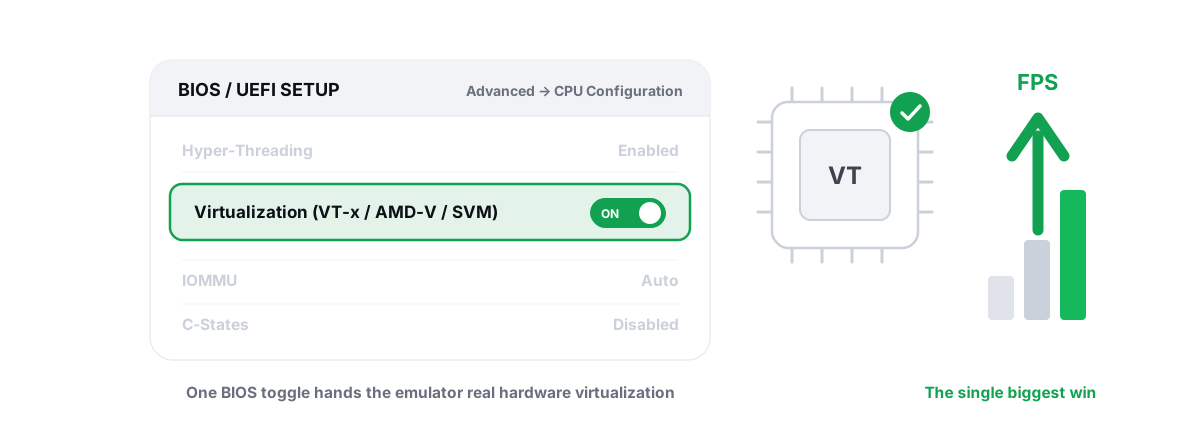
The single biggest win: CPU virtualization
Enable hardware virtualization in your BIOS — Intel calls it VT-x, AMD calls it SVM / AMD-V. Without it, the emulator falls back to software translation and runs badly no matter how strong your CPU is. This one toggle is usually the difference between a stutter-fest and a smooth session. Our guide on enabling VT-x / AMD-V for emulators walks through the BIOS steps.
RAM, cores and the renderer
Allocate sensibly — don't max every slider. A rough starting point on a typical 16 GB machine:
- RAM: 4 GB to the emulator is plenty for most games; 6 GB for heavy 3D titles. Giving it 12 GB on a 16 GB PC starves Windows and makes things worse.
- CPU cores: 4 is the sweet spot for most games. More isn't automatically better — leave cores for the host OS.
- Resolution / DPI: match your game. 1080p looks great but costs GPU; if you're GPU-limited, drop to 720p before you blame the emulator.
- Frame-rate cap: set a target your hardware can actually hold (60 is realistic on mid hardware; 90/120 needs a strong GPU and a game that supports it).
- Renderer: on NVIDIA, OpenGL or DirectX usually wins; on AMD, Vulkan is often smoother; on Intel iGPUs, OpenGL tends to be the safe pick. Test both — the "best" renderer genuinely varies by chip and game.
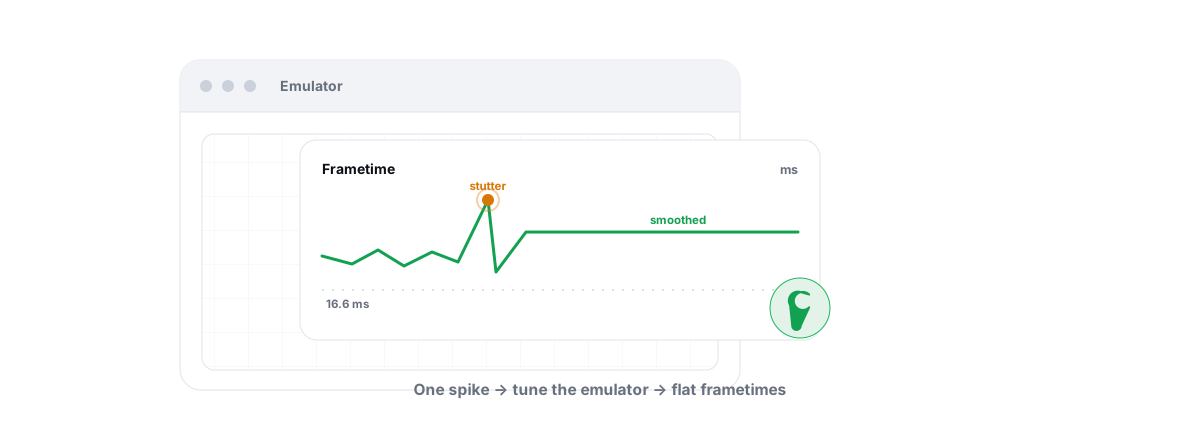
If your emulator stutters, the fix is rarely "more RAM." It's more often a bad renderer choice, a frame cap your GPU can't hold, virtualization left off, or background junk stealing cycles. Chasing the high end, see how to actually get 90–120 FPS in an Android emulator; for the persistent micro-stutters, fixing emulator lag and stutter.
Disk and background load
An emulator hammers your disk, and on a slow HDD that shows up as stutter and long load times. An SSD helps a lot. If your C: drive is full, the whole system slows — clearing real junk (verified, allow-listed, not placebo) and checking what's actually filling your C: drive is worth the ten minutes.
When an emulator makes sense and when it doesn't
Strip away the tribalism and it comes down to your game and your hardware.
An emulator makes sense when:
- You play strategy, gacha, idle, or simulation games where mouse-and-keyboard genuinely improves play and the publisher allows mixed lobbies.
- You want a big screen, easy multitasking, or multiple instances (allowed games only).
- You have a capable PC with virtualization on, and you're fine being in emulator-only lobbies for the BR titles that separate them.
- You want to record or stream without melting your phone.
The phone makes sense when:
- You play a fast competitive shooter that separates or restricts emulators — you'll fight the same mouse players anyway, so why pay the VM tax.
- Your PC is weak. A modern phone beats a low-end laptop running a virtual machine, full stop.
- You value zero setup, portability, and native efficiency over input precision.
- The game detects emulators and you don't want any account risk.
How BRUTAL makes the emulator path smoother, not magic
If you've decided an emulator is right for your game, the goal is to remove the friction the VM adds — not to fake anything. That's the only kind of help worth trusting.
BRUTAL Optimizer detects six Android emulators — GameLoop, BlueStacks, LDPlayer, Nox, MEmu and MuMu — and ships tier-aware profiles for popular titles that set the emulator's resolution, CPU cores, RAM and frame-rate target to sane values for your hardware (LOW / MID / HIGH / ULTRA), with renderer guidance matched to your GPU vendor. It also applies a network QoS policy for the game's ports. On the Pro side, the Guardian background service can auto-detect a running emulator, apply the matching profile, raise the emulator's CPU/IO/memory priority and timer resolution, and pop the free FPS overlay so you can see your 1% lows and frametimes over the emulator.
Two things it deliberately does not do. It never hides the emulator from a game, and it never helps evade anti-cheat — masking a VM is a ban risk, full stop. And it's user-mode only: no kernel driver, no DirectX hook, no injection, so it runs alongside Vanguard, EAC and BattlEye. Every registry change is reversible, and it attempts a System Restore point before the big ones — here's how to create a restore point yourself if you'd rather do it manually.
Choosing honestly for your game and goals
There's no universal winner — only the right tool for your specific game, your hardware, and what that game's publisher allows.
If you play a BR shooter that separates emulators, the "edge" you'd get is canceled out and the phone is often the cleaner path. If you play a strategy or gacha title that welcomes mixed play, the emulator's mouse, screen and multitasking are a real upgrade. If your PC is weak, the phone wins regardless. And if a game detects emulators on purpose, take that as the answer.
Whatever you pick, the fundamentals are the same: virtualization on, sane settings, a renderer that suits your GPU, and a system that isn't choked by junk and background load. If you go the emulator route, BRUTAL Optimizer can take the tuning grunt-work off your plate honestly — performance only, anti-cheat-safe, every setting change reversible, and free for the parts that matter. It won't make a virtual machine lighter than a phone, and it won't pretend to. That's the point.
Frequently asked questions
Is an emulator better than a phone for mobile gaming?
It depends on the game. An emulator wins on input precision and screen size with mouse-and-keyboard, but a phone runs the game natively without the virtual-machine overhead an emulator pays. A weak PC plus an emulator is usually worse than a modern phone.
Do emulator players get matched with phone players?
Often not. Titles like PUBG Mobile and BGMI detect the emulator and place you in emulator-only matchmaking, so your mouse-aim advantage is canceled out because everyone in that lobby also has it. This is permanent publisher policy, not something a tool changes.
Can you get banned for playing on an emulator?
It varies by game. Some publishers allow emulators (separated or mixed), others restrict or ban them. The clearest ban risk is trying to hide or spoof the emulator to dodge detection, which anti-cheat systems flag as evasion. Plain emulator use is only as safe as the game permits.
What is the single biggest emulator performance fix?
Enabling CPU virtualization in your BIOS: Intel VT-x or AMD SVM. Without it, the emulator falls back to slow software translation regardless of how strong your CPU is. It is usually the difference between constant stutter and a smooth session.
Does BRUTAL Optimizer hide an emulator from a game?
No. BRUTAL improves emulator performance only. It never hides the emulator and never helps evade anti-cheat because masking a virtual machine is itself a ban risk. It is user-mode, attempts a restore point before big changes, and every setting change is reversible.
Keep reading
 Anti-Cheat & Safety
Is Playing on an Emulator Bannable? The Honest Answer
Emulators are detected on purpose and usually just routed to emulator-only matchmaking - masking the emulator is what actually gets you banned.
 Emulators
Enable Virtualization for Emulator Speed: BIOS Guide
Enabling CPU virtualization in BIOS is the single biggest emulator speedup most people skip. Per-vendor steps plus the Hyper-V conflict nobody mentions.
 Emulators
Fix Android Emulator Lag and Stuttering
Diagnose the real cause of emulator lag and stutter with a five-check sequence instead of guessing at random tweaks.
Stop guessing. Measure it.
BRUTAL Optimizer is the honest way to speed up Windows — 17 free modules, a real FPS overlay, verified disk cleanup and drive health. No kernel driver of our own, no game hooks, every setting change reversible.