Are Tiny11, Atlas OS & Debloat Scripts Safe in 2026?
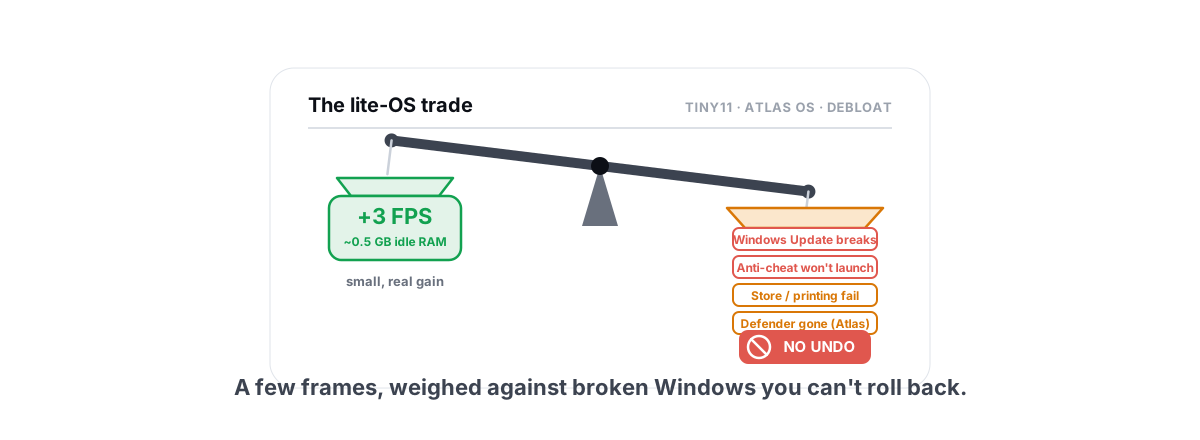
Tiny11 and Atlas OS look like free FPS sitting on a download page. The honest version: the gains are real but small, the breakage is real and sometimes permanent, and there is no undo button on an image you already installed.
Are Windows debloat scripts safe, and is Tiny11 or Atlas OS worth it in 2026? Short answer: sometimes, for a narrow audience, and almost never on your main gaming PC. Windows 10 hit end of support in October 2025, so a fresh wave of people are staring at a 24H2/25H2 install they don't like and reaching for a "lite" build. This is the side-by-side you need before you flash one: what these builds remove, what you genuinely get back, what they break, and where the line sits between a smart tweak and a one-way trip.
What Tiny11, Atlas OS and debloat scripts actually remove
They sound like one category. They aren't. Group them by how deep they cut, because the depth is exactly what decides your risk.
Debloat scripts (Win11Debloat, the bloat-removal half of the Chris Titus utility, O&O ShutUp10++) run on top of your existing Windows. They uninstall Store apps, flip telemetry and privacy registry keys, disable some scheduled tasks and services, and pull Recall/Copilot off 24H2/25H2. They don't touch the install image. Most of what they do, you could do by hand.
Tiny11 is a repacked Windows 11 ISO. The maker strips packages out of the install media itself before you ever boot it: Edge, the Store (in older builds), Teams, Widgets, a pile of inbox apps, sometimes the recovery environment. You install a smaller Windows from the start. Tiny11 Core goes further and rips out servicing components, which the author openly labels as not for daily use.
Atlas OS is a playbook applied to your own clean install (so it sidesteps Microsoft's licensing problem with redistributing an ISO). It disables Defender, Windows Update behavior, a long list of services and scheduled tasks, telemetry, and a number of security mitigations, all aimed at one number: lower latency. It's the most aggressive of the three by a wide margin.
The real performance gain (and why it's small)
Here's the part the YouTube thumbnails won't tell you straight. On a modern PC, a clean Windows 11 install is not your FPS bottleneck. Your GPU is. The handful of background apps these builds remove were mostly idle, and idle processes don't steal frames.
Realistic numbers from honest side-by-side testing: a few FPS in some titles, often inside run-to-run variance. RAM-at-idle drops by a few hundred MB to maybe a gigabyte. The thing people actually feel isn't average FPS at all, it's slightly cleaner frametimes because there's less random background churn fighting for the CPU. That's a real effect, and on a weak or old machine it's more noticeable than on a current build.
Where the latency builds genuinely move the needle is input lag, and the biggest single contributor there is the security mitigations they disable, not the missing Store app. Turning off VBS/memory integrity and Spectre-class mitigations is measurable. But that's a specific toggle you can flip yourself, on a normal Windows install, and turn back on. You don't need a rebuilt OS to get it.
The risks: Windows Update, Store, printing, anti-cheat
This is where the cost shows up, and it's not theoretical. The deeper the build cut, the more of normal Windows quietly stops working.
- Windows Update breaks or stalls. Atlas changes Update behavior on purpose; aggressive Tiny11 variants strip servicing components. The result is a machine that won't take a feature update, or fails a cumulative update with a cryptic error months later when there's a real security patch you need.
- The Store and app installs fail. No Store means no Store-delivered games, no app updates through it, and a chain of "this needs a component that isn't there" errors. Reinstalling the Store onto a build that removed it is fiddly and not always clean.
- Printing, scanning, Wi-Fi captive portals, Bluetooth pairing lean on services and inbox components these builds disable. People hit "my printer just won't install" weeks later and never connect it to the script they ran in March.
- Defender is gone on Atlas. By design. You're now on an unpatched-mitigations, no-real-time-AV box. For a gaming-only machine some people accept that; for the PC you also bank and email on, it's a bad trade.
- Anti-cheat refuses to launch. The big one for gamers, and it has its own section below.
None of these announce themselves on day one. They surface weeks later as "why is this broken," long after you've forgotten the cause. That delay is the real danger: you can't connect the symptom to the script.
Why there's no undo button on a debloated image
A debloat script you ran on a normal install is partly reversible. You can reinstall most Store apps, flip the registry keys back, re-enable the services. Partly. Some of these scripts don't track exactly what they changed, so "revert" is a best-effort guess, not a clean restore.
A debloated image is a different animal. When components were removed from the install media before you booted, they're not sitting there disabled, they were never installed. There is no toggle. Getting them back means sourcing the packages and side-loading them, or in practice, reinstalling Windows from a normal ISO. That's your undo button: a full reinstall.
The thing that makes these builds risky isn't any single tweak. It's that the dangerous ones are baked into an image with no rollback, while the same gain is available as a reversible toggle on normal Windows.
This is the whole argument for doing it the boring way. Every meaningful tweak in Atlas or Tiny11 has a reversible equivalent you can apply to a stock install and undo if it bites you. Before you touch any of them, take a System Restore point. It's the difference between "oops, roll back" and "reinstall Windows tonight."
Anti-cheat flags from modified system files
Kernel-level anti-cheats (Vanguard for Valorant, the kernel mode of Easy Anti-Cheat and BattlEye for Fortnite, Apex, many others) check the integrity of the system they're running on. They care about things these builds change directly.
Vanguard's documented hard requirements on Windows 11 are TPM 2.0 and Secure Boot, and it trips when it finds Defender removed, system files tampered with, or Secure Boot disabled — exactly the kind of changes Atlas makes. Disabling VBS/memory integrity (core isolation) on its own generally does not block Valorant; it's a tolerated latency tweak. The danger from a build like Atlas is the broader removal of integrity and Secure Boot features plus Defender, not the VBS toggle by itself. Other kernel anti-cheats trip on the same things: disabled Secure Boot, tampered system files, or missing/altered services they expect to query.
It's usually not a ban; it's a refusal. The game won't start, or it throws an integrity error and tells you to fix your system. But "won't launch" on a fresh lite OS, with no clean install to fall back to and no idea which of fifty disabled services did it, is its own kind of misery. We unpack the bright lines in the anti-cheat-safe optimization guide, and the headline is simple: don't disable the things anti-cheat is checking for.
The honest middle path: reversible tweaks
Almost everything good about these builds is reproducible on a normal, fully-updated Windows 11 install, with an undo button. That's not a compromise, it's the better deal.
| What the lite build does | The reversible version on normal Windows |
|---|---|
| Removes Recall, Copilot, inbox apps | Uninstall them yourself; Recall/Copilot removal on 24H2/25H2 is a few clicks |
| Disables telemetry & tracking | Privacy registry toggles you can flip back to default |
| Kills "bloat" services | Disable the safe ones only; most of the famous list does nothing |
| Strips startup clutter | A startup manager that disables (not deletes) entries |
| Disables VBS for lower latency | One reversible toggle, applied with eyes open about anti-cheat |
| Shrinks disk footprint | Clean allow-listed junk with verified freed bytes, not guesswork |
The principle is reversibility. Anything you change should be something you can put back without reinstalling Windows. This is exactly the lane we cover in detail elsewhere: real tweaks, every one undoable, a restore point before anything big.
This is also the reason a tool like BRUTAL Optimizer exists in the first place. It's a user-mode wrapper over the same Windows tools (registry, powercfg, bcdedit, fsutil, DISM, SFC) with per-module undo and a System Restore point attempted before big changes. It runs alongside Vanguard, EAC and BattlEye because it adds no kernel driver, no hooks, no injection. You get the latency wins (including controlled VBS/timer/USB tuning) as toggles you can reverse, not as a one-way image.
Who these builds are actually for
They're not useless. They're just badly matched to most of the people downloading them. Honestly, here's the fit.
- A genuinely ancient or 2-4GB potato being repurposed as a single-task box (a kiosk, a retro emulation station, a kid's offline machine). Less Windows running really does help here, and you don't care about Update or the Store. Pair it with our low-end PC picks if it's an emulation build.
- A throwaway VM or test bench you'll wipe anyway. No data, no anti-cheat games, nothing to lose. Perfect.
- An offline, air-gapped machine where missing Defender and broken Update are acceptable because it never touches the internet.
That's the real audience. Notice who's not on it: the person with a current GPU (an RTX 50 or RX 9000-class card) who plays online games on the same PC they also use for everything else. If that's you, a lite OS is a lot of risk for a couple of frames you probably won't notice.
Our verdict for the average gamer
Tiny11, Atlas OS and debloat scripts are not scams, and the people who build them are often genuinely skilled. The problem is the trade. You're handing over Windows Update, the Store, printing, Defender and anti-cheat compatibility, with no clean rollback, in exchange for a few FPS and cleaner frametimes you can get a safer way.
For a daily gaming PC, that's a bad bargain. Keep a normal, updated Windows 11. Apply the specific, reversible tweaks that actually help, after a restore point. Check your real bottleneck before assuming the OS is the problem, because nine times out of ten it isn't. And if the machine is a genuine potato or a throwaway, then sure, a lite build is the right tool, just go in knowing there's no undo.
If you want the gains without the gamble, BRUTAL Optimizer does the honest version: 17 free modules of reversible tweaks, verified disk cleaning, an anti-cheat-safe FPS overlay with 1% lows, and a System Restore point attempted before anything serious. No kernel driver, no fake boosters, every change you make is one you can take back. That's the whole point of the boring path: you get to change your mind.
Frequently asked questions
Is Atlas OS safe for Valorant and Fortnite?
Often no. Vanguard requires TPM 2.0 and Secure Boot on Windows 11, and it trips when Defender is removed, system files are tampered with, or Secure Boot is disabled, which is exactly what Atlas changes. Disabling VBS or memory integrity alone is a tolerated latency tweak and usually does not block the game by itself. The usual result of an Atlas-style build is a launch refusal or integrity error, not a ban, and the fix is re-enabling the integrity and Secure Boot features the build removed. On a fresh lite OS with no rollback, that is painful. For an online gaming PC, stick to a normal Windows install with reversible tweaks.
How much FPS does Tiny11 actually add?
On a modern PC, very little. Honest side-by-side testing shows a few FPS at most, often inside run-to-run variance, plus a few hundred MB to about a gigabyte less RAM at idle. The thing you might feel is slightly cleaner frametimes from less background churn, which matters more on weak or old hardware. If you are GPU-bound, removing idle apps changes almost nothing.
Can you undo a debloated Windows image?
Mostly not cleanly. A script run on a normal install is partly reversible: you can reinstall Store apps and flip registry keys back. But a repacked image like Tiny11 never installed the removed components, so there is no toggle to bring them back. In practice the undo button is a full reinstall from a normal ISO. Take a System Restore point before any tweak so you have a real rollback.
What breaks on Atlas OS or Tiny11?
Common casualties: Windows Update stalls or fails on aggressive builds, the Store and Store-delivered installs error out, printing, scanning, Bluetooth pairing and Wi-Fi captive portals stop working, and Defender is removed entirely on Atlas. These rarely break on day one; they surface weeks later, long after you forget the cause.
Is there a safe alternative to debloating Windows?
Yes. Almost every meaningful tweak from a lite build has a reversible equivalent on a normal, fully updated Windows 11 install: uninstall Recall and Copilot, flip privacy toggles, disable only the safe services, and apply latency tweaks like VBS control as toggles you can reverse. Take a System Restore point first, and you keep Windows Update, the Store, printing and Defender.
Keep reading
 Windows Performance
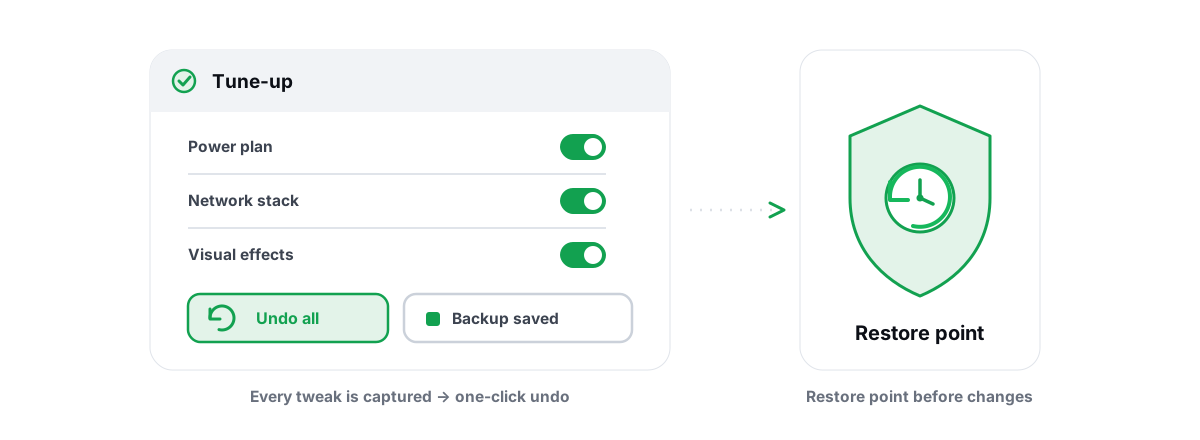
Optimize Windows for Gaming Safely, No Bricking
The safety-first way to optimize Windows for gaming: restore points, reversible tweaks, and skipping the scripts that brick your install.
 Anti-Cheat & Safety
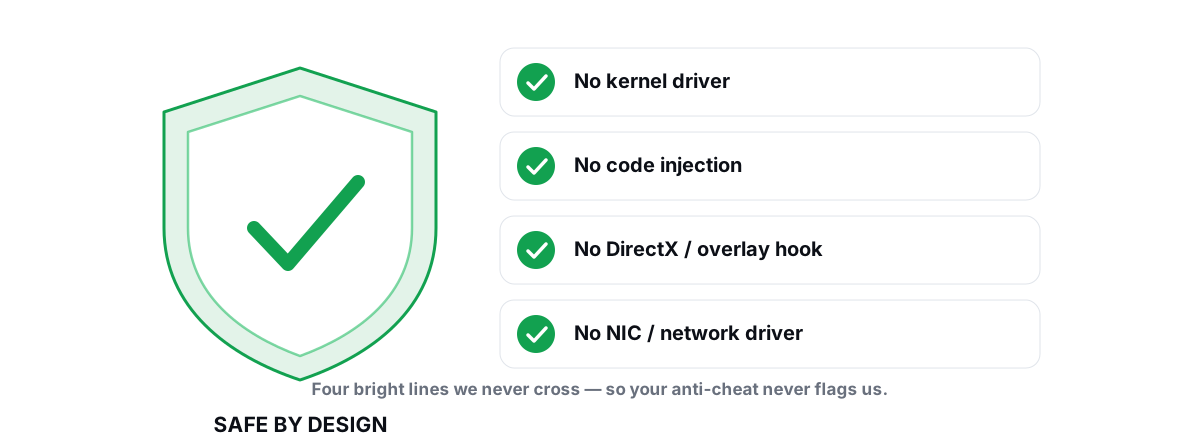
Anti Cheat Safe Optimization: The 4 Bright Lines
The four bright lines that separate safe user-mode tweaks from the tools that get your game account flagged.
 Windows Performance
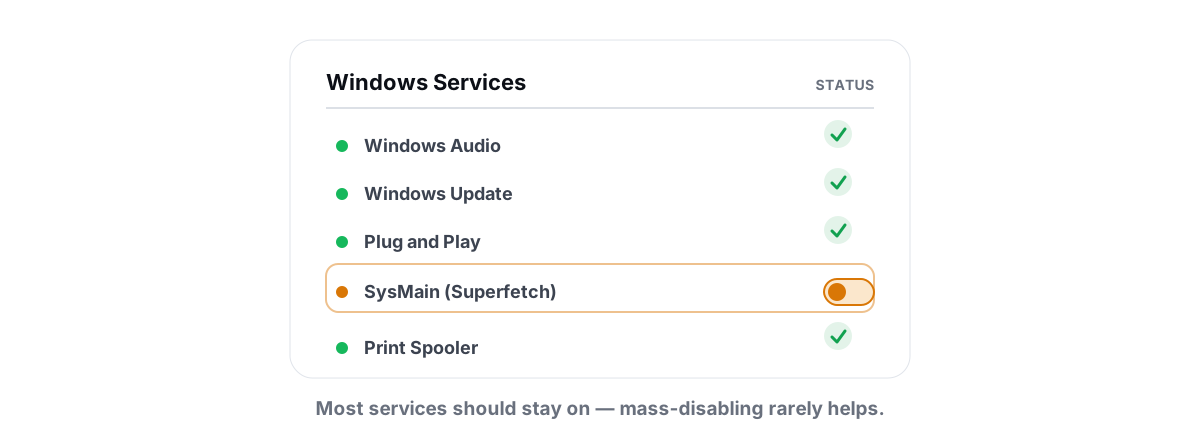
Windows Services to Disable for Performance: Honest List
Most viral service-disabling lists are copy-pasted nonsense. Here is what is actually safe to stop and what to leave alone.
Stop guessing. Measure it.
BRUTAL Optimizer is the honest way to speed up Windows — 17 free modules, a real FPS overlay, verified disk cleanup and drive health. No kernel driver of our own, no game hooks, every setting change reversible.