Is Frame Generation Worth It? Input Lag Explained
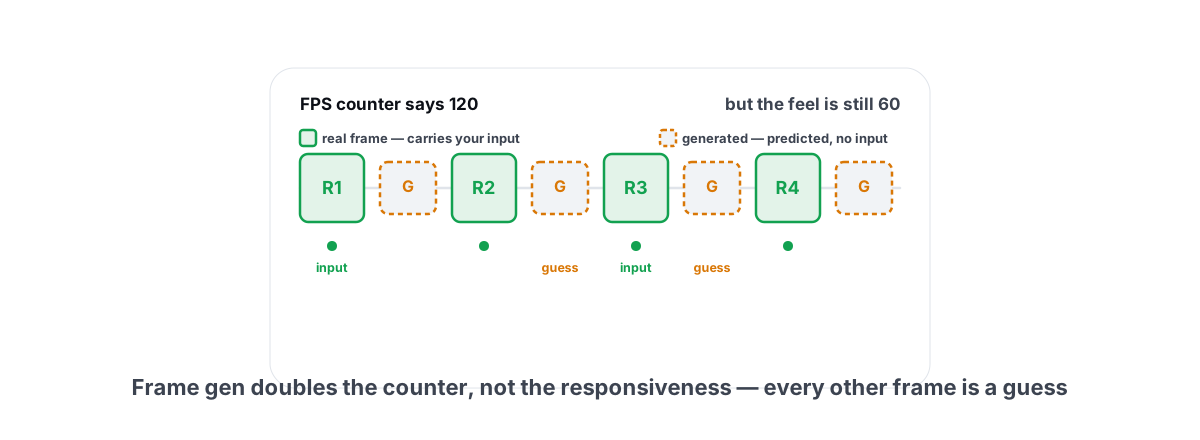
Is frame generation worth it? Input lag explained for 2026: frame gen makes your FPS counter jump and your timeline look smoother, but it does not make the game respond faster — and in a fast shooter that gap is something you can feel. The "fake frames" argument is loud and mostly half-right. Here's where frame gen genuinely earns its place, where the added latency works against you, and how NVIDIA's Reflex 2 Frame Warp changes the math.
The short version up front, so you can stop reading if that's all you need: frame gen is a smoothness feature, not a responsiveness feature. Turn it on for single-player games where your real framerate is already high. Be careful with it in competitive play. And never use it to rescue a base framerate that's already too low.
How frame generation actually creates frames
Your GPU renders two real, sequential frames. Frame gen takes those two, looks at the motion between them using motion vectors and an optical-flow estimate, and synthesizes one or more brand-new frames to slot in between. DLSS 4 Multi Frame Gen on RTX 50-series can insert up to three. AMD's FSR 3/4 frame gen and Intel's XeSS 2 frame gen each insert one.
The counter roughly doubles (or quadruples, with Multi Frame Gen). The motion on screen looks visibly smoother. But here's the catch the marketing skips: those inserted frames are guesses based on past motion. The game's simulation never ticked for them. Your mouse and keyboard did not touch them. They are pixels, not gameplay.
A generated frame shows you where the engine predicts things moved, not where your input made them move. It's a smoother picture of a moment that never actually got simulated.
That's the whole reason the "fake frames" label stuck. It's unfair in one sense — the pixels are real and the smoothness is real — and fair in another, because those frames carry zero new information about what you just did. Once you hold that distinction in your head, every trade-off below becomes obvious.
The latency it adds, measured
To insert a frame between two real ones, the GPU has to hold the newest real frame back. It can't show you frame R2 immediately, because it needs R2 to interpolate the in-between frame first. That hold is where the latency comes from.
So the picture gets faster while the feel gets slower. Picture a game running at 60 real FPS, roughly 16.7 ms per frame. Turn on single-frame generation and the counter reads 120. But your click-to-photon latency is still anchored to that 60 FPS render cadence, plus the interpolation hold — typically several milliseconds. You're looking at 120 and feeling worse than a clean 60.
| Scenario | FPS counter | What your input rides on | Felt responsiveness |
|---|---|---|---|
| 60 FPS native, no frame gen | 60 | Every frame is real | Baseline |
| 60 FPS base + frame gen (2x) | 120 | Still the 60 FPS cadence + hold | Slightly worse than 60 |
| 120 FPS native (rendered for real) | 120 | Every frame is real | Clearly better than 60 |
| 40 FPS base + frame gen (2x) | 80 | The 40 FPS cadence + hold | Mushy — looks 80, feels under 40 |
The exact millisecond cost depends on the game, the GPU and the implementation, but the shape is always the same: frame gen never lowers latency, and usually raises it a little. A real 120 FPS and a frame-gen 120 FPS are not the same thing in your hands, even though the overlay shows the same number. This is the single most important fact in the whole debate, and it's why a frametime/latency-aware overlay matters more than a raw FPS readout — see how to reduce input lag you can actually feel for the fundamentals.
Where it shines: single-player at high base FPS
None of the above means frame gen is useless. It means it has a correct use, and that use is real.
The ideal case: a single-player or slower-paced game, a high-refresh monitor (144 Hz, 240 Hz), and a real base framerate of 60 or higher. Think a story-driven RPG, a flight or racing sim, an open-world game with heavy ray tracing. You've got plenty of GPU horsepower producing a solid base, but you can't quite saturate a 144 Hz panel natively. Frame gen fills that gap and the motion gets genuinely smoother.
Why it works here:
- The base is high, so the latency cost is small in relative terms. A few extra milliseconds on top of a 60 FPS base is barely perceptible in a game that isn't twitch-reactive.
- The artifacts hide. The smaller the gap between two real frames, the less the algorithm has to invent, so generated frames look cleaner at a high base.
- You don't need millisecond reflexes. Nobody's losing a ranked match to a 6 ms hold in a single-player adventure.
Where it hurts: competitive shooters
Now flip every condition. Competitive Valorant, CS2, Apex, Fortnite, Marvel Rivals — fast games where you flick, peek and react in single-digit-millisecond windows. Here frame gen's trade is exactly backwards.
You don't want a prettier picture of where things probably are. You want the freshest possible real frame and the lowest possible click-to-photon latency, because that's what decides duels. Frame gen adds latency and shows you interpolated frames that your aim can't actually trust — the crosshair and HUD are where interpolation artifacts show up worst, since the algorithm has to guess at fast-moving overlapping layers.
There's a second reason it backfires in this genre: competitive shooters are usually CPU-bound or already running at 200+ real FPS on decent hardware. You don't need frame gen to fill a monitor — you're already past it. Adding it just trades real responsiveness for a bigger number you don't need. For the settings that actually help these games, our per-title guides for CS2, Valorant and Apex are the better read, and the broader Windows-side latency work lives in the low-latency competitive settings guide.
Reflex 2 Frame Warp and what it offsets
This is the genuinely new 2026 piece, and it changes the conversation enough to be worth understanding properly.
The original Reflex (and AMD's Anti-Lag) reduce latency on the submission side — they keep the render queue short so the CPU doesn't get too far ahead of the GPU, trimming the backlog that adds lag. That's why NVIDIA bundles Reflex with DLSS Frame Generation: it claws back roughly what the interpolation hold adds, so frame-gen latency often lands near the non-frame-gen baseline. Better than the naive math, but still not better than the same FPS rendered for real.
Reflex 2 Frame Warp goes further and works differently. Instead of only shortening the queue, it takes the latest mouse input right before the frame is sent to the display and geometrically re-projects (warps) the already-rendered frame to match where your view should now be pointing, filling the small disoccluded edges with an inpainting pass. In effect, a frame that was rendered a few milliseconds ago gets nudged to reflect input that arrived after rendering finished.
The result NVIDIA shows is a large cut in the time between your mouse moving and the screen reflecting it — on the order of halving Reflex-on latency in supported titles. That matters here for two reasons:
- It attacks latency at the display end, where frame gen adds its hold. Frame Warp can offset much of the responsiveness penalty frame gen introduces, narrowing the gap between "looks 120" and "feels 120."
- It's an aiming-feel feature, not a frame-count feature. Frame Warp doesn't invent gameplay frames; it re-aligns a real one to your latest input. That's a fundamentally more honest trade than interpolation.
Two honest caveats. Frame Warp is per-game — the developer has to integrate it, so it only helps in titles that ship support, and the rollout through 2026 is partial. And it doesn't make frame gen free in competitive play; it shrinks the penalty, it doesn't erase it. If Frame Warp is available in a game you play, it's the more interesting toggle than frame gen itself — it lowers real latency rather than padding the counter.
The "fake frames masking bad optimization" critique
The angrier half of the 2026 debate isn't really about latency. It's about how frame gen gets used by studios. The complaint goes: a game ships running poorly, the developer slaps "DLSS 4 Multi Frame Gen" on the box, the marketing claims a huge FPS number that's mostly interpolated, and the recommended specs quietly assume frame gen is on. The "fake frames" then paper over a renderer that should have been optimized in the first place.
This critique is largely correct, and it's worth saying plainly. When a publisher's official benchmark shows "240 FPS" that's really a 60 FPS base multiplied 4x, that's a misleading number. A 60-to-240 Multi Frame Gen result feels like 60, not 240, because every fourth frame is the only one carrying your input. Selling it as 240 is selling smoothness as responsiveness, and they are not the same product.
Two things can be true at once:
- Frame generation is a legitimate, useful feature with a correct use case.
- Using it to inflate marketing numbers, or to ship a game that can't hit a playable base framerate without it, is a real problem — and it's fair to be annoyed about it.
The defense against the marketing is simple: judge a game by its real base framerate before frame gen, not the inflated counter. If a game can't hold a comfortable native (or upscaled) framerate on your hardware, frame gen won't fix the feel — it'll just hide the problem behind a smoother-looking but equally laggy picture. Stutter and frametime spikes, in particular, frame gen can actually worsen, because interpolating across an already-uneven cadence amplifies the unevenness. If your real problem is hitching, fix that first — our frametime-spike guide and shader-stutter guide are the right starting point, not frame gen.
A simple rule for turning it on
You can skip every nuance above and just run this checklist. Turn frame generation ON only when all three are true:
- Your real base framerate is already 60+. Measure the base with frame gen off. If it's under ~50–60, fix that first with upscaling or lower settings. Frame gen on a weak base feels mushy and looks worse.
- You have frames to fill. A high-refresh monitor (120 Hz+) you can't saturate natively. If you're already hitting your refresh ceiling with real frames, frame gen just adds latency for nothing.
- The game isn't twitch-competitive. Single-player, co-op, slower-paced, or you genuinely don't care about ranked latency. If duels decide your night, leave it off.
And always pair it with Reflex (NVIDIA) or Anti-Lag (AMD) — those aren't optional polish, they're what keeps the latency from getting noticeably bad. If the game offers Reflex 2 Frame Warp, turn that on too; it helps regardless of whether you use frame gen.
Our honest verdict by genre
| Genre / situation | Frame gen? | Why |
|---|---|---|
| Single-player RPG / open-world, 60+ base | Yes | Smoother motion, latency cost barely matters here |
| Racing / flight sim, high base | Yes | Fills a high-refresh panel; inputs aren't millisecond-critical |
| Cinematic / story games | Yes | Pure visual smoothness, no downside that matters |
| Competitive FPS (CS2, Valorant, Apex) | No | Adds latency, HUD artifacts, and you don't need the frames |
| Any game with a low base (<50 real FPS) | No | Mushy feel, worse artifacts — fix the base first |
| Any game that stutters / spikes | No | Frame gen amplifies uneven frametimes — fix stutter first |
| You have Reflex 2 Frame Warp available | Separate toggle | Turn it on regardless — it cuts real latency, frame gen or not |
The takeaway that survives all the noise: frame generation is a smoothness tool that became a marketing weapon. Used correctly — single-player, high base, high-refresh monitor — it's a real and pleasant feature. Used as a crutch for a weak framerate or a competitive crutch, it makes the game feel worse than the number suggests. Reflex 2 Frame Warp is the genuinely exciting 2026 development, because it attacks real latency instead of inflating a counter.
None of this needs an app — these are toggles in each game's own graphics menu, and that's where 100% of the benefit lives. Where an honest tool helps is the surrounding groundwork: a current GPU driver so the feature exists and behaves, Hardware-Accelerated GPU Scheduling on so frame gen can even engage, clean frametimes so the base it builds on is stable, and an overlay that measures the result. BRUTAL Optimizer's free, anti-cheat-safe FPS overlay reads the Windows display present rate via the D3DKMT graphics API — no injection, no hook — so it runs alongside Vanguard, EAC and BattlEye, and it shows you 1% lows and frametimes so you can tell a smoother picture from a more responsive game. It never fakes a frame and never counts one as performance, because that's the whole point.
Frequently asked questions
Is frame generation worth it?
It depends on the game. Frame gen inserts predicted frames between real ones, so the FPS counter jumps and motion looks smoother, but the generated frames carry no new input and add a little latency. It is worth it in single-player games where your real framerate is already 60 or higher and you have a high-refresh monitor to fill. It is a poor choice for competitive shooters or for rescuing a low base framerate.
Does frame generation increase input lag?
Yes, slightly. To insert a frame between two real frames, the GPU holds the newest real frame back until it interpolates the in-between one, which adds a few milliseconds on top of your real framerate. Reflex and Anti-Lag offset most of it on the submission side, and Reflex 2 Frame Warp cuts real latency further, but frame gen is never as responsive as the same FPS rendered for real.
What is Reflex 2 Frame Warp?
Reflex 2 Frame Warp takes your latest mouse input right before a frame is sent to the display and geometrically re-projects the already-rendered frame to match where your view should now point, then inpaints the small edges. It attacks latency at the display end, which is where frame gen adds its hold, so it can offset much of the responsiveness penalty. It is per-game and only helps in titles that ship support.
Should I use frame generation in competitive shooters?
No. Fast games like CS2, Valorant and Apex are decided in single-digit-millisecond windows, and frame gen adds latency while showing interpolated frames your aim cannot trust. Crosshair and HUD artifacts show up worst there too. Most competitive titles also already run at 200-plus real FPS on decent hardware, so you do not need the frames in the first place.
Are frame generation FPS numbers fake?
The pixels are real and the smoothness is real, but the inserted frames carry no new input and the game never simulates them. When a publisher advertises a huge FPS figure that is mostly interpolated, that number is misleading because it sells smoothness as responsiveness. Judge a game by its real base framerate with frame gen off, not the inflated counter.
Keep reading
 Gaming & FPS
DLSS vs FSR & Frame Gen: Free FPS or Fake Frames?
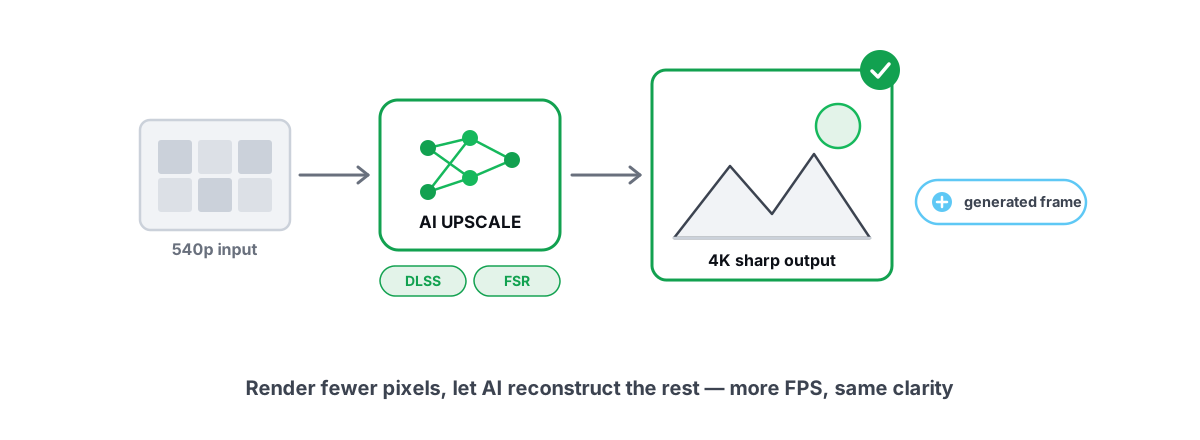
Upscaling gives real FPS by rendering fewer pixels; frame generation adds smoothness but costs latency. Here is when each is worth it.
 Gaming & FPS
How to Reduce Input Lag You Can Actually Feel
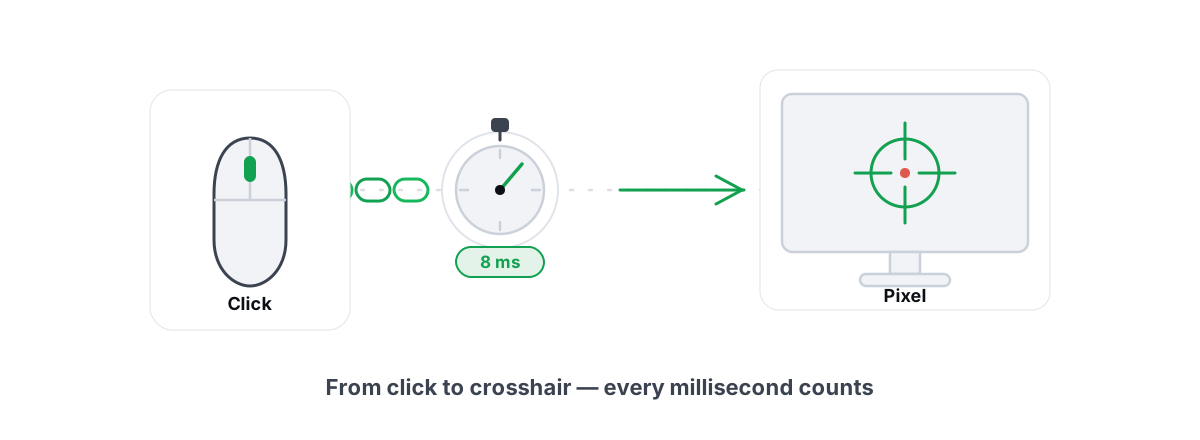
The real chain of input lag from click to photon, and which milliseconds you can actually feel versus the placebo tweaks.
 Gaming & FPS
Best Windows Settings for Competitive Gaming (Low Latency)
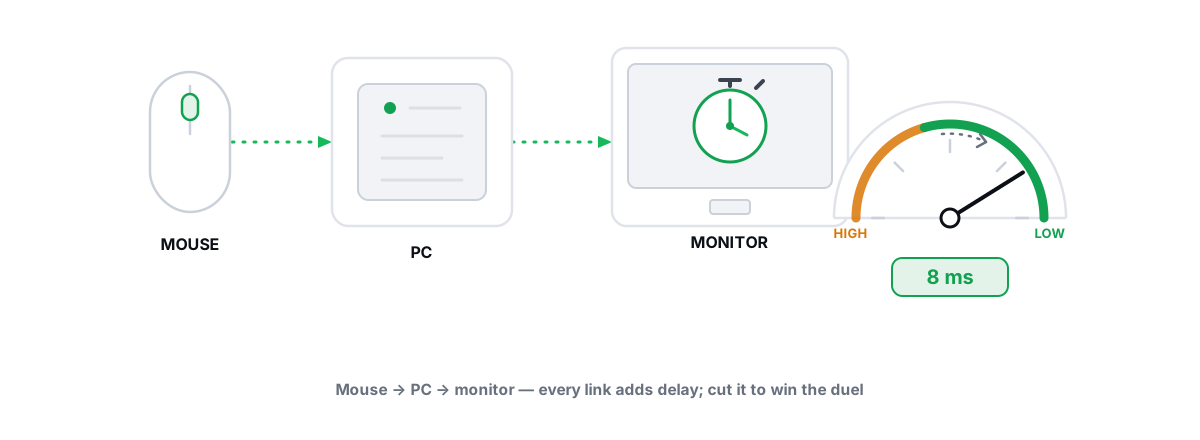
Real low-latency Windows config for esports, every lever reversible and anti-cheat-safe, plus the famous tweaks that are pure placebo.
Stop guessing. Measure it.
BRUTAL Optimizer is the honest way to speed up Windows — 17 free modules, a real FPS overlay, verified disk cleanup and drive health. No kernel driver of our own, no game hooks, every setting change reversible.