Fix Shader Stutter: Why New Games Hitch
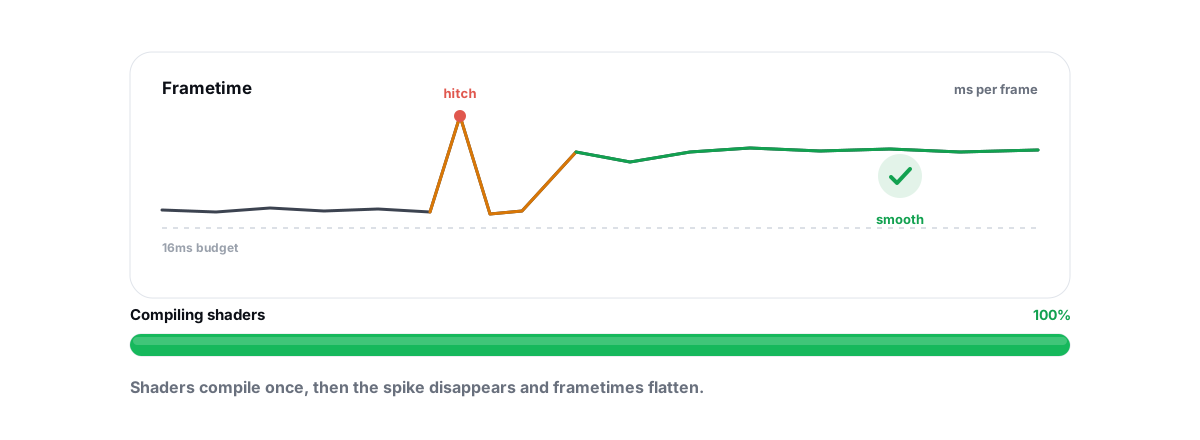
You launch a brand-new game, the average FPS looks fine, and yet every time a new effect, weapon, or enemy appears the screen lurches for a fraction of a second. That's almost always shader stutter — the game compiling code on the fly the first time it needs it. It's a game-engine problem, not a "dirty PC" problem, and no optimizer can patch a developer's broken shader pipeline.
This guide explains what a shader actually is, why compiling one hitches the frame, and how to tell shader stutter apart from the two things people constantly confuse it with: traversal stutter and ordinary frametime spikes. You'll learn the pre-compilation steps that genuinely help, when clearing the shader cache is the right move and when it just wastes 20 minutes, and where any tool's honest limits sit.
What a shader is and why compiling it hitches
A shader is a small program that runs on your GPU. It decides how a surface looks — how light bounces off wet asphalt, how smoke scatters, how a muzzle flash glows. Modern games ship thousands of them.
Shaders are written in a high-level language, but your specific GPU can't run that directly. The driver has to compile each shader into machine code for your exact GPU model and driver version. That compilation is real CPU work, and it takes time — sometimes a few milliseconds, sometimes much longer for a complex shader.
Here's the catch. If the game compiles a shader the instant it's first needed — say, the first time a grenade explodes — that CPU work happens during the frame that needs the result. The frame can't finish until the shader is ready, so it blows out from a tidy 8 ms to 40, 80, sometimes 200 ms. You see one hard hitch. Then it's smooth there forever, because the result gets cached.
Shader stutter is the cost of compiling a shader on the frame that first needs it. The fix is to pay that cost before the frame needs it — not to clean your PC.
This is why a new game stutters worst in its first hour and smooths out as you play. You're slowly walking the engine through every effect, forcing each shader to compile once. The pattern — hitch on first encounter, smooth on every encounter after — is the signature of shader compilation, and it's how you'll identify it below.
Shader stutter vs. traversal stutter vs. frametime spikes
People lump all hitching together and then chase the wrong fix. These are three different problems with three different causes. Get the diagnosis right before you touch anything.
| Type | What triggers it | Tell-tale sign | Can you fix it? |
|---|---|---|---|
| Shader compilation stutter | A new effect/material appears for the first time | Hitches once per new thing, then smooth there forever | Partly — pre-compile or let the cache fill |
| Traversal stutter | Moving fast into a new area; the engine streams assets | Hitches as you cross zone borders, repeats every time | Mostly the engine's job; faster storage + more RAM help a little |
| Frametime spikes | Background process, thermal throttle, CPU/GPU contention | Random hitches unrelated to what's on screen | Yes — this is the PC-side one you can actually tune |
Traversal stutter is the engine, not you
Traversal stutter (the term got popular with Unreal Engine 5 titles) happens when you move into a new part of the map and the engine has to load and spawn assets right then. Unlike shader stutter, it repeats — cross the same zone border again and it hitches again, because the engine keeps streaming. A faster SSD and more RAM headroom can soften it, but the core fix is the developer's: better streaming and asset pooling. If a game is famous for "UE5 stutter," you're mostly waiting on a patch.
Frametime spikes are the part you control
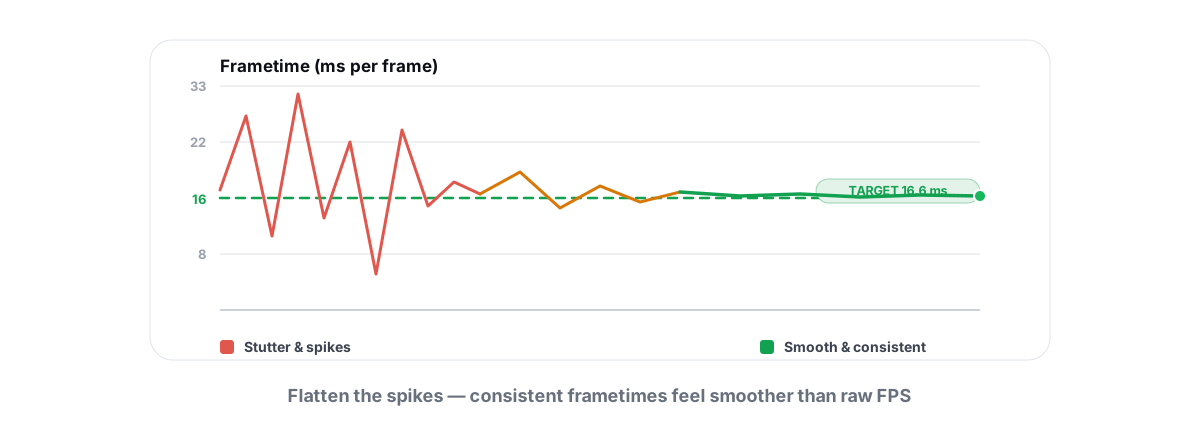
The third kind isn't about the game at all. A background updater wakes up, your CPU thermal-throttles, or something hammers your disk — and a frame gets starved of resources. These spikes are random with respect to what's on screen, which is how you spot them. This is the one category where PC tuning genuinely helps, and we cover it in depth in how to fix stuttering and frametime spikes. Don't aim shader-cache fixes at a throttling problem — you'll just waste an evening.
Pre-compilation steps and shader-cache settings
The honest fix for shader stutter is to compile shaders before you need them, so the hitch never lands mid-fight. You have a few levers, and most of them are in the game and the driver — not in any cleanup tool.
Let the game's pre-compile step finish
Many well-built engines run a shader pre-compilation pass on first launch, after a driver update, or after a game patch. You've seen the screen: "Compiling shaders… 64%." It looks like a loading delay, and people skip or alt-tab away from it. Don't. That pass is doing exactly the work that otherwise becomes in-game stutter. Let it finish, every time it appears.
Set the driver shader cache to unlimited
Your GPU driver keeps a disk cache of already-compiled shaders so it never has to compile the same one twice. On NVIDIA it's Shader Cache Size in the Control Panel; on AMD it's Shader Cache in Adrenalin. The right setting is the largest available — "Unlimited" on NVIDIA, "AMD optimized" or On for AMD. A small or disabled cache means shaders get evicted and recompiled, so stutter that should have happened once keeps coming back. We walk through these in the NVIDIA Control Panel settings guide and the AMD Adrenalin settings guide.
Or just play through it deliberately
If a game has no pre-compile pass, the low-tech method works: load a match or area and spend the first 10–20 minutes triggering effects on purpose — shoot every weapon, throw every grenade, visit varied environments. You're filling the cache by hand. Annoying, but it's the same mechanism the pre-compile screen automates, and it's free.
When clearing the shader cache actually helps
This is the most misused tweak in the whole topic. Clearing the shader cache deletes every compiled shader so the game has to recompile them from scratch. On a healthy system that adds stutter back for a while, because you just threw away work the game already did.
So clearing helps in exactly one situation: when the cache is corrupt or stale. Symptoms of a bad cache are specific — visual glitches like flickering textures or black artifacts, shaders that stutter on surfaces you've already seen many times, or crashes tied to rendering. That's different from normal first-encounter stutter, which clearing will never fix.
When the cache genuinely is the problem, you have two scopes:
- The driver's global cache — NVIDIA stores compiled shaders under
%LOCALAPPDATA%\NVIDIA\DXCache(andGLCache); AMD uses%LOCALAPPDATA%\AMD\DxCache(andDXCache/GLCache). Deleting these forces a clean rebuild for every game. - A game's own cache — many engines keep per-game shader caches in their install folder or under
%LOCALAPPDATA%. Clearing only that game's cache is the surgical option when one title misbehaves and the rest are fine.
After clearing, expect the stutter to return briefly while the cache refills, then settle. If it doesn't settle, the cache was never your problem — go back to the diagnosis table above. A disk-cleaning tool that removes GPU shader caches is fine for this, but it should treat it as the cautious operation it is. BRUTAL Optimizer's Disk Cleaner keeps GPU shader caches as a separate, off-by-default category and refuses to clear them while a game or emulator is running, precisely because wiping a cache mid-session forces shaders to recompile and makes stutter worse for the next half hour.
Why a driver update can reset (and fix) the cache
A GPU driver update almost always invalidates the shader cache on purpose. Compiled shaders are tied to the exact driver version, so when the driver changes, the old cached binaries are no longer valid and the driver discards or ignores them.
That's why the first session after a driver update often stutters like a fresh install — every shader recompiles against the new driver. It's expected, not a regression, and it smooths out within a session or two.
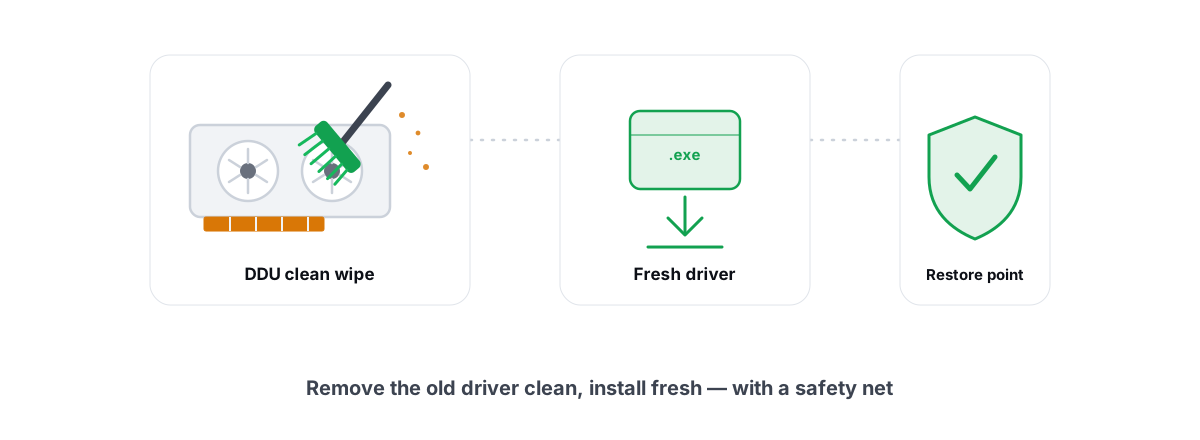
The upside is the same mechanism doubles as a fix. If a corrupt cache was causing glitches, a clean driver update wipes it and forces a known-good rebuild. When a game's rendering is genuinely broken, a clean reinstall of the driver (with the old one fully removed) is the reset button — covered in doing a clean GPU driver install with DDU and the gentler routine in how to update GPU drivers safely. Just know the trade: you trade one stuttery session for a clean slate, and that's usually worth it after a buggy driver.
What an optimizer can and can't do here
Be clear-eyed about this, because the marketing in this space is dishonest. A PC optimizer cannot change how a game compiles its shaders. It can't rewrite the engine's render thread, can't make the driver compile faster, and can't pre-warm a cache the game itself doesn't expose. If a game ships a bad shader pipeline, that's a developer fix — usually a patch — and no third-party tool reaches inside the game to repair it.
What a tool can honestly do lives at the edges:
- Clear a corrupt shader cache safely — as a deliberate, game-aware action, not a blind "speed up" sweep.
- Make driver updates easy so the cache rebuilds against the latest, least-buggy driver.
- Reduce frametime-spike stutter — the PC-side category — by trimming background contention, keeping thermals in check, and freeing real disk space so streaming isn't fighting a full drive.
- Measure it so you can tell whether a change did anything, instead of guessing.
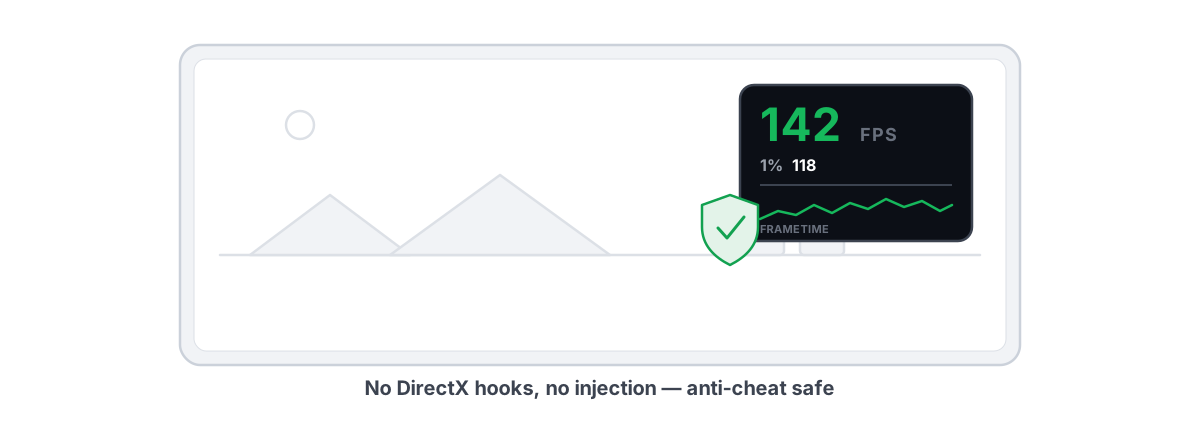
That last point is where a tool earns its place. None of this touches the game's process, hooks its renderer, or loads a kernel driver — which is the whole reason an honest optimizer can run next to Vanguard, Easy Anti-Cheat, and BattlEye without drama. If account safety is your worry, start with the bright lines of anti-cheat-safe optimization. And before any larger system change, take a System Restore point so the change stays reversible.
Measuring it: 1% lows and frametime graphs
You cannot fix what you can't see, and average FPS hides shader stutter completely. A single 120 ms hitch barely moves a one-second average, but it's the exact thing that makes a game feel broken. You need two numbers.
The 1% low is the FPS at the 99th percentile of your frametimes — meaning your worst 1% of frames were at least that slow. A shader hitch lives right there. If your average is 140 FPS but the 1% low is 35, those compilation stutters are dragging your worst frames into the dirt even though the average looks great.
The frametime graph shows it visually. Smooth play reads as a flat ribbon. Shader stutter shows up as isolated tall spikes that appear when something new enters the scene and then stop recurring once that shader is cached — that "spikes then settles" shape is your confirmation. Traversal stutter spikes at the same map spots every pass; frametime-spike stutter is scattered and random.
The catch is that the overlay has to read frames safely. A counter that injects into the game to measure it is the same behavior anti-cheat flags. The safe approach reads frame-present events from outside the game — DWM composition or D3DKMT present statistics — and never touches the game's memory. BRUTAL Optimizer's free overlay works this way and shows FPS, frametimes, and 1% lows; the reasoning is in the anti-cheat-safe FPS overlay guide. Use it to confirm a fix: replay the same area before and after, and watch whether the spikes flatten.
Realistic expectations for the first hour of a new game
Set your expectations before you blame your hardware. A new game, or a game you just updated, or a game after a driver update, will stutter more for the first stretch. The engine is compiling shaders for your specific GPU as you encounter content, and there's no way around the fact that this work has to happen once.
What's normal versus what's a real problem:
- Normal: hitches in the first 30–60 minutes that fade as you see more of the game; a rough first session after a driver update; a "compiling shaders" screen on first launch.
- A real problem: stutter on the same effects you've seen a hundred times; hitching that never improves no matter how long you play; visual glitches or crashes alongside the stutter (a corrupt cache); hitches that are clearly traversal or frametime spikes wearing a shader-stutter costume.
If the stutter never settles, it's either an engine issue you wait out for a patch, a corrupt cache you clear once, or a PC-side frametime problem you can actually tune. That last bucket is the only one a tool legitimately improves — by reducing contention and keeping your frametimes flat, not by some magic that "fixes shaders."
If you want to chase the part that's yours — flatter frametimes, fewer background spikes, an honest FPS overlay to prove it worked — BRUTAL Optimizer's gaming side does the measurable, reversible work and skips the snake oil. It won't fix a developer's shader pipeline, and it won't claim to. It'll show you the truth on a frametime graph and help with the part of stutter that's actually under your control.
Frequently asked questions
What is shader stutter?
It is a hitch that happens when a game compiles a shader the first time it is needed, such as the first explosion or new material you see. The frame cannot finish until the shader is ready, so it spikes from a few milliseconds to tens or hundreds, then runs smooth on every encounter after because the result is cached.
Does clearing the shader cache fix stutter?
Only when the cache is corrupt or stale, with symptoms like flickering textures, artifacts, or crashes tied to rendering. On a healthy system, clearing the cache adds stutter back temporarily because the game has to recompile every shader from scratch. It will never fix normal first-encounter stutter.
Why does my game stutter more after a driver update?
A GPU driver update invalidates the shader cache because compiled shaders are tied to the exact driver version. The first session after an update recompiles every shader against the new driver, so it stutters like a fresh install and then smooths out within a session or two. It is expected, not a regression.
What is the difference between shader stutter and traversal stutter?
Shader stutter hitches once per new effect and then stays smooth there forever. Traversal stutter hitches when you move fast into a new area as the engine streams assets, and it repeats every time you cross the same boundary. Traversal stutter is mostly the engine developer's job to fix, though faster storage and more RAM can soften it.
Can a PC optimizer fix shader stutter?
No tool can change how a game compiles its shaders or rewrite the engine's render thread. An honest optimizer can clear a corrupt shader cache safely, make driver updates easy so the cache rebuilds clean, reduce PC-side frametime-spike stutter, and measure results with an anti-cheat-safe FPS overlay. It cannot patch a developer's bad shader pipeline.
Keep reading
 Gaming & FPS
How to Fix Stuttering in Games (Frametime Spikes)
Stutter is a frametime problem, not an average-FPS one — isolate the real causes and confirm each fix with 1% lows.
 Hardware & Drivers
Clean GPU Driver Install with DDU: When and How
When a clean DDU wipe genuinely fixes GPU driver problems, when a normal update is fine, and how to do it safely and verify the result.
 Gaming & FPS
Best FPS Overlay That's Anti-Cheat Safe
Why a present-frame fps overlay is the anti-cheat-safe choice, and how to read 1% lows and frametimes properly.
Stop guessing. Measure it.
BRUTAL Optimizer is the honest way to speed up Windows — 17 free modules, a real FPS overlay, verified disk cleanup and drive health. No kernel driver of our own, no game hooks, every setting change reversible.