Is the Chris Titus Windows Utility Safe to Use?
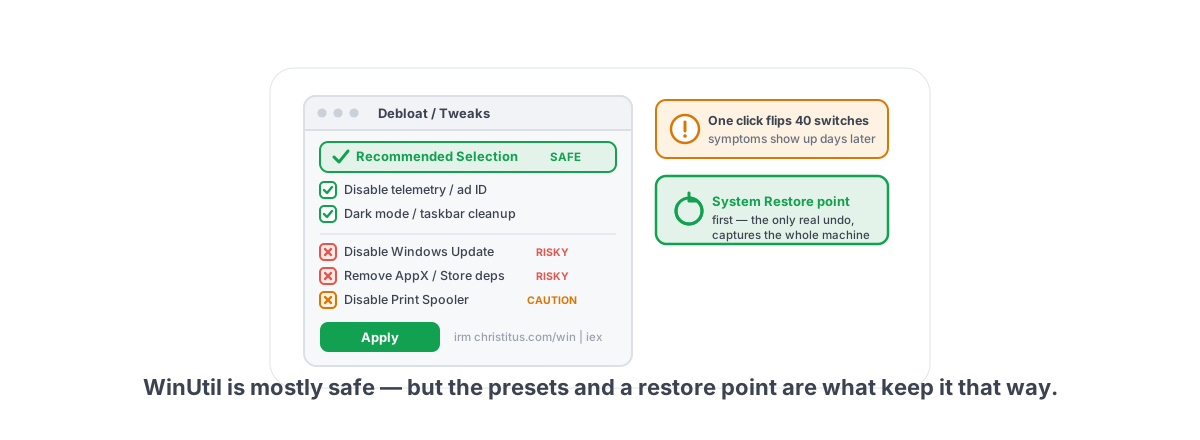
So is the Chris Titus Windows utility safe to use? Run one PowerShell line, get a menu of Windows tweaks, click "Apply," and your PC is "optimized" — that's the WinUtil pitch, and in 2026 it's still the most-recommended debloat tool on Reddit and YouTube. Short answer: it's mostly safe, genuinely useful in parts, and capable of breaking real things if you click without reading.
This is an even-handed look from someone who has run it, watched it break Windows Update on a friend's machine, and cleaned up the aftermath. No "it's malware" panic, no "just run it bro" hand-waving. What it does, what's worth using, what can bite you, and how to run it without regret.
What WinUtil actually does
WinUtil is an open-source PowerShell script. You launch it with the famous one-liner irm christitus.com/win | iex, which downloads and runs the script in memory. It opens a GUI with tabs for Install (a winget/Chocolatey app installer), Tweaks (the debloat and registry section), Config (Windows features, the updates toggle), and Updates.
The code is public on GitHub, looked at by thousands of eyes, and kept up by an active maintainer. It is not malware and never has been. The risk isn't intent — it's that a debloat menu lets you flip dozens of system switches in one click, and some of those switches cause symptoms a beginner won't connect back to the tool three days later.
Under the hood the Tweaks tab does ordinary Windows things: it writes registry keys, sets services to Manual or Disabled, removes provisioned AppX packages (the Store-delivered apps), and toggles scheduled tasks. Nothing exotic. That also means most of it is work you could do by hand — WinUtil just does 40 of them at once, which is the upside and the danger in one sentence.
irm christitus.com/win (without | iex) downloads it as text so you can look. The Essential Tweaks preset is conservative on purpose, and that's the safe lane.The genuinely useful parts
Plenty of WinUtil is good, and credit where it's due. The Install tab alone justifies keeping it around — picking apps and installing them through winget in one pass beats hunting download pages and dodging bundled junk.
The conservative tweaks are fine for most people:
- Disabling consumer telemetry and the advertising ID — real privacy wins, low risk. Our own Privacy Center covers the same toggles, and switching one back puts Windows' default back.
- Setting a sensible power plan — High Performance or Ultimate, useful if a desktop was stuck on Balanced.
- Removing genuinely useless AppX bloat — the candy-game preloads, Xbox cruft you don't use, and on 24H2/25H2 the Copilot and Recall components if you don't want them.
- Dark mode, taskbar cleanup, Explorer tweaks — cosmetic, zero risk, saves you clicking through Settings.
The Essential Tweaks preset is tuned to avoid the dangerous stuff. Stop there and the odds of breaking something are low. The danger lives in the per-item checkboxes that most tutorials tell you to "just enable all of."
What can break: Update, Store, printing
Here's where the honesty has to come in. Aggressive debloat — WinUtil's or any script's — has three classic failure modes, and they show up days or weeks later, long after you've forgotten you ran anything.
Windows Update stops working
Several debloat tweaks disable services and scheduled tasks that Update depends on, or flip the "disable updates" toggle in the Config tab. Months on, you're missing security patches, a feature update fails with a cryptic error, or you can't pull a driver that ships through Windows Update. This is the single most common debloat aftermath we see.
Microsoft Store and AppX breakage
Removing provisioned AppX packages is mostly fine — until you nuke one with a dependency. Strip the wrong framework package or remove the Store itself, and apps that rely on it stop launching: some games, the Xbox app, Game Bar, even certain capture features. Reinstalling AppX packages by hand is genuinely painful.
Printing and scanning quietly die
Print Spooler and a couple of related services get swept into "disable services for performance" lists. You won't notice until the day you need to print a boarding pass. Same story with some networking, Bluetooth, and Wi-Fi services that overzealous lists flag as "bloat."
None of this makes WinUtil reckless. It means a one-click menu hands you the power to do harm faster than you can understand it, and the symptom is disconnected from the cause in time. For the longer version of this argument, we wrote a whole piece on optimizing Windows without breaking it.
Why there's no clean undo for some tweaks
WinUtil has an Undo path for many tweaks, and the maintainer has improved it over time. But "undo" is not the same as "perfect reversal," and you should understand the gap.
Some changes reverse cleanly by re-writing a registry value. Others don't:
| Change type | How undoable? |
|---|---|
| Registry value flip (telemetry, visual tweaks) | Clean — write the old value back |
| Service set to Disabled | Reversible, but the script has to know the original startup type, not just "Automatic" |
| Removed AppX / provisioned package | No real undo — you reinstall from the Store or a system image, and provisioned packages don't always come back |
| Disabled scheduled task | Reversible if tracked; orphaned if not |
The honest version: a debloat script flips state, and a true undo needs the exact pre-change state captured before it touched anything. Scripts that write a fixed "off" value can't always restore the right "on" value, because your machine's default may not match theirs. Remove an app and there's nothing to flip back at all.
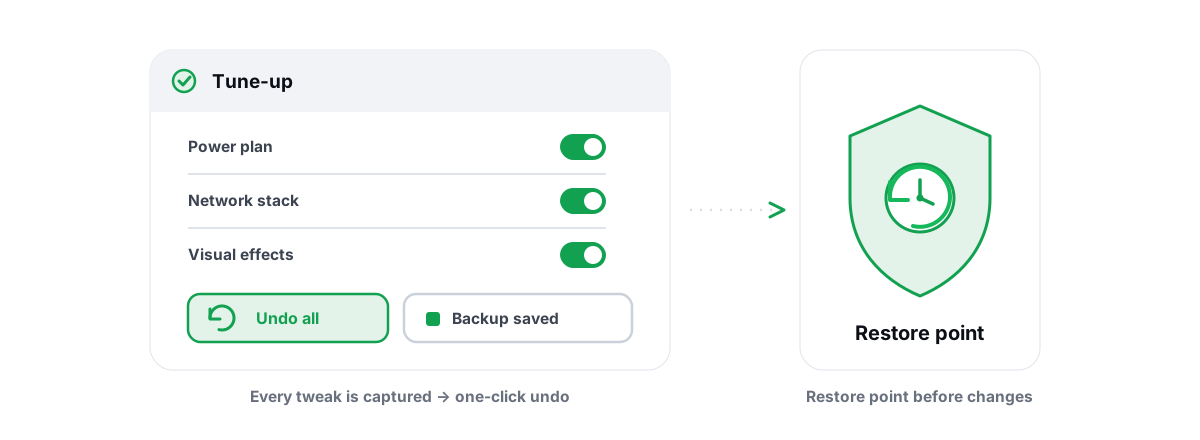
The thing that protects you isn't the tool's undo button. It's a System Restore point taken before you click anything — that's the one rollback that captures the whole machine state instead of guessing at it.
This is exactly why we built per-module undo into BRUTAL Optimizer and attempt a System Restore point before big changes — registry values are recorded as they were, so undoing a module puts back what was actually there, while its power and network commands go back to Windows' defaults. Same lesson, learned the hard way.
Running it more safely: restore point, then be selective
If you're going to run WinUtil — and it's a reasonable choice on a fresh install — do it like a technician, not a tourist.
- Take a System Restore point first. Manually. Don't trust any script to do it for you. Here's how to create one in two minutes. This is non-negotiable.
- Read the script. Run
irm christitus.com/winwithout piping toiexand skim it, or read the source on GitHub. You're checking what the exact version you're about to run does. - Use the Essential Tweaks preset. Don't check everything. The preset exists because the maintainer knows which items are safe defaults.
- Leave Windows Update alone. Skip the "disable updates" toggle unless you have a specific, time-boxed reason and a firm plan to turn it back on.
- Note what you changed. Screenshot your selections. Future-you, debugging a dead printer, will thank present-you.
- Reboot and use the PC normally for a few days before you assume it worked. Print something, open the Store, run Windows Update by hand. Catch breakage while you still remember the cause.
WinUtil vs Winscript vs full debloat images
WinUtil isn't the only viral tool, and it sits at the safe end of a spectrum. Knowing where each option lands matters.
| Tool | What it is | Reversibility / risk |
|---|---|---|
| WinUtil (Chris Titus) | Runs on your existing install; toggles tweaks, installs apps | Mostly reversible if you use presets plus a restore point. Lowest risk of this group. |
| Winscript | Similar GUI-driven tweak/debloat menu on an existing install | Comparable model; depends entirely on which items you enable. Same "read before you click" rule. |
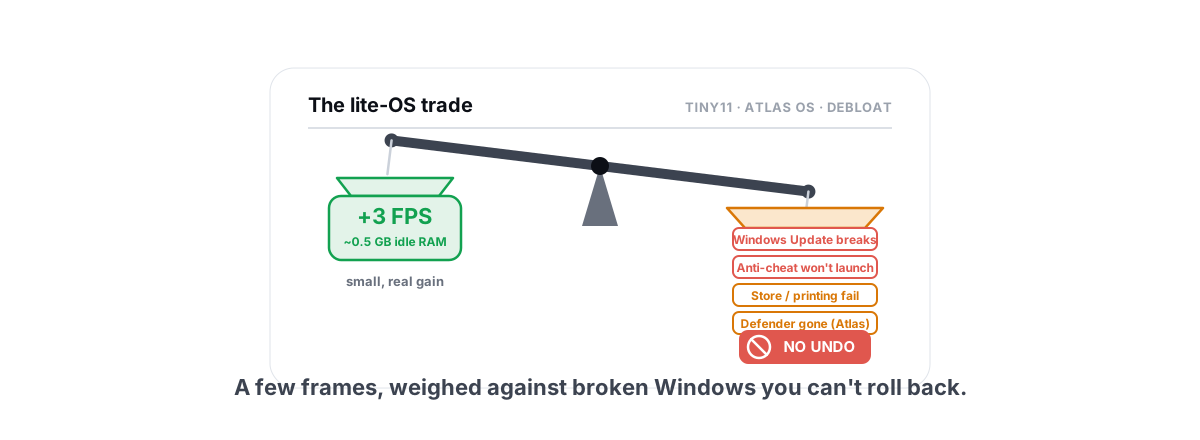
| Tiny11 / Atlas OS / Ghost Spectre | A pre-modified Windows image you install fresh | Not a tweak — a different OS build. No clean rollback; components are gone at install time. |
WinUtil and Winscript change a Windows you already trust, and you can roll it back. The custom images are a different category: you install an OS that someone else stripped, with parts removed before you ever boot it. We go deep on that trade-off in whether Tiny11, Atlas OS and debloat scripts are safe in 2026 — short version, a stripped image can break Windows Update permanently and is a security and support liability for most people.
A theme runs through all of these: the most "aggressive" service-disabling lists rarely buy you measurable FPS. We tested the big one — disabling Windows services for performance mostly doesn't move the needle, and disabling services for gaming in 2026 is more likely to break something than to gain you a frame.
Anti-cheat considerations
This part matters if you play anything with kernel-level anti-cheat — Valorant (Vanguard), Fortnite (Easy Anti-Cheat), or BattlEye titles like Rainbow Six Siege.
WinUtil itself isn't anti-cheat-flagged. It writes registry keys and toggles services — the same kind of operations Windows tooling does — and it doesn't inject into games or load a driver. Running it won't get you banned.
The real risk is indirect. Some aggressive tweaks disable security features — VBS, HVCI, memory integrity — that certain anti-cheats check for. Vanguard in particular can refuse to launch if it doesn't like your system state, and a tweak that breaks a service an anti-cheat depends on can leave a game unlaunchable. That's not a ban; it's a game that won't start until you revert.
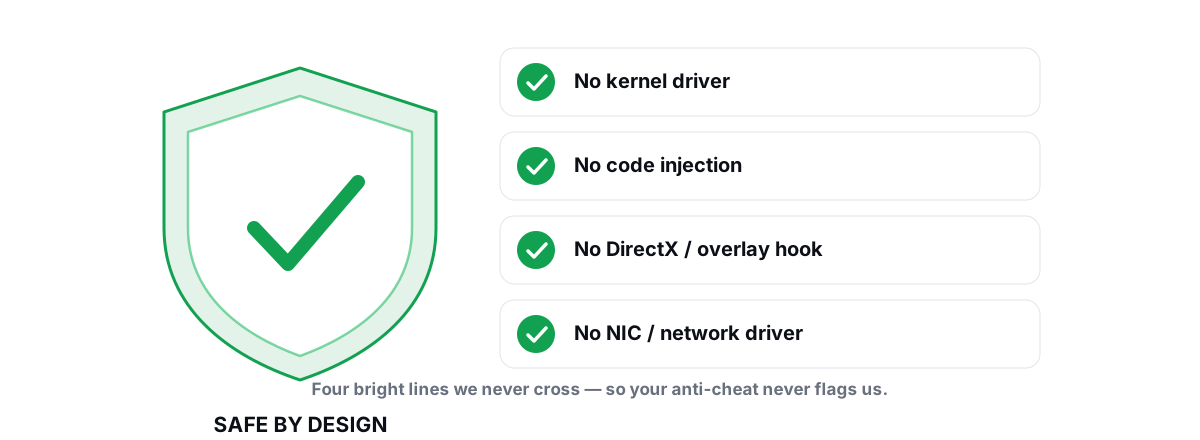
If you care about this, read our four bright lines for optimizing around anti-cheat: no kernel driver, no DirectX/present hook, no process injection, no network-stack tampering. Tools that stay inside those lines run alongside Vanguard, EAC, and BattlEye without drama. WinUtil mostly does — just don't pair it with VBS-off if your anti-cheat wants VBS on.
So is the Chris Titus Windows utility safe to use?
It's a good tool used badly by a lot of people. WinUtil is open-source, actively maintained, and the conservative presets are safe. The Install tab is genuinely handy. Used with a restore point and the Essential Tweaks preset, it's a reasonable thing to run on a fresh Windows install.
The trouble is the culture around it — "run this, check everything, profit" — not the code. The breakage we clean up always traces back to someone enabling the aggressive items, disabling Windows Update, or removing an AppX package with a dependency, then finding out weeks later when something they needed was already gone.
So: yes, it's safe enough if you treat it with respect. Take the restore point. Read the script. Use the presets. Leave Windows Update alone. And remember that a one-click "off" is not the same as a clean, captured "undo."
That last point is the whole reason BRUTAL Optimizer works the way it does. It's the honest PC optimizer for Windows 10 and 11 — each module that changes settings has its own Undo, it attempts a System Restore point before big changes, it reports verified freed bytes instead of a fake "RAM cleaned" number, and it stays inside the four anti-cheat bright lines (no driver, no hook, no injection) so it runs next to Vanguard and EAC. If you want debloat-style wins without the "what did I break three weeks ago" mystery, that's the difference. The 17 free modules and the FPS overlay cost nothing — try it before you pipe a script into PowerShell.
Frequently asked questions
Is Chris Titus WinUtil safe to run?
Mostly yes. It is open-source, actively maintained, and the Essential Tweaks preset avoids the dangerous tweaks. The risk is not the code but enabling aggressive items that disable Windows Update, kill printing services, or remove AppX packages with dependencies. Take a System Restore point first and stick to the presets.
Will WinUtil break Windows Update?
It can if you use the disable-updates toggle in the Config tab or enable tweaks that disable Update-related services and scheduled tasks. This is the most common debloat aftermath we see. Leave Windows Update alone unless you have a specific, time-boxed reason and a plan to turn it back on.
Can WinUtil get me banned in anti-cheat games?
No. WinUtil writes registry keys and toggles services and does not inject into games or load a kernel driver, so it is not anti-cheat-flagged and runs alongside Vanguard, EAC and BattlEye. The indirect risk is that disabling VBS or memory integrity can stop an anti-cheat like Vanguard from launching your game. That is a game that will not start, not a ban.
Is there a clean undo for WinUtil tweaks?
Partly. Registry value flips reverse cleanly, but removed AppX packages have no real undo and disabled services may not restore to their exact original startup type. The only reliable full rollback is a System Restore point taken before you run anything.
WinUtil vs Winscript vs Tiny11 or Atlas OS, which is safest?
WinUtil and Winscript change a Windows install you already trust and are recoverable with a restore point. Tiny11, Atlas OS and similar custom images are a different category: they install a pre-stripped OS with parts removed before first boot, which can break Windows Update permanently and is a poor fit for most users.
Keep reading
 Myths & Honest Truths
Are Tiny11, Atlas OS & Debloat Scripts Safe in 2026?
Honest side-by-side on Tiny11, Atlas OS and debloat scripts: small real gains, big risks, no rollback, versus reversible tweaks on normal Windows.
 Windows Performance
Optimize Windows for Gaming Safely, No Bricking
The safety-first way to optimize Windows for gaming: restore points, reversible tweaks, and skipping the scripts that brick your install.
 Anti-Cheat & Safety
Anti-Cheat and PC Optimization: The 4 Bright Lines
The four bright lines that separate safe user-mode tweaks from the tools that get your game account flagged.
Stop guessing. Measure it.
BRUTAL Optimizer is the honest gaming optimizer for Windows — 17 free modules, a real FPS overlay, verified disk cleanup and drive health. No kernel driver of our own, no game hooks, and per-module undo for the settings it changes.