GPN vs VPN for Gaming: They Solve Different Problems
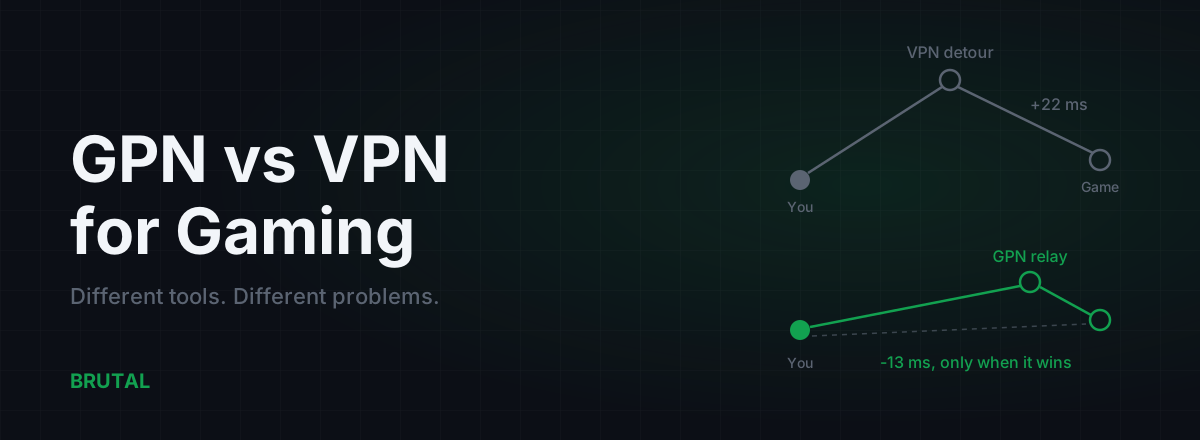
Comparing a GPN vs VPN for gaming comes down to one distinction. A VPN encrypts everything you send and routes it through a privacy server, which usually adds 5-30 ms to your ping. A GPN reroutes only your game's traffic to chase lower latency, and an honest one engages only when a measurement proves the new path beats your direct route.
What a VPN is actually built for
A VPN has one job: privacy. It wraps every packet leaving your machine in an encrypted tunnel and hands it to a server run by the VPN company. Your ISP sees an encrypted stream heading to one address. Websites and game servers see the VPN server's IP instead of yours. For that job, it works.
Everything about a commercial VPN is tuned for that job. Servers get placed where jurisdictions are friendly and streaming catalogues are interesting, not where game servers live. The app's "fastest server" button picks whatever wins a bandwidth test, which is not the same thing as the lowest latency to the Frankfurt Valorant cluster. And the tunnel carries all of your traffic: the game, your browser, Discord, and the Windows update that decides 9pm is a great time to pull 4 GB.
Some VPNs now advertise "gaming servers" or a gaming mode. Look closely and it's usually the same privacy infrastructure with a different label, sometimes with split tunneling so the game skips the tunnel entirely. Which helps, but a tunnel your game doesn't enter isn't lowering your ping either.
None of that is a flaw. It's the design. But notice that "lower my ping" appears nowhere in it.
What a GPN is actually built for
A gaming private network flips every one of those choices. It tunnels only the game's traffic and leaves everything else on your normal connection. Its relays sit near game-server hubs and internet exchanges, because proximity to the routes games actually use is the entire point. And it doesn't care who can see your traffic. It cares whether your packets arrive in 58 ms instead of 74.
The honest version measures before it acts. Smart Route, our GPN, detects which server your game is talking to (read-only, no injection, no hooks, no kernel driver), then compares the direct path against candidate relays for your connection at that moment. If a relay wins, it routes the game through it. If direct wins, it stays out of the way and writes "Direct won" on the session's Route Receipt. A ping product that never admits defeat is measuring nothing.
That distinction, measure first and route second, is what separates a real GPN from a VPN someone rebranded with an RGB logo.
GPN vs VPN for gaming, side by side
Here's the comparison in one table. If you only read two rows, read "what's tunneled" and "server placement". Between them they explain almost every ping difference you'll ever see between the two products.
| VPN | GPN | |
|---|---|---|
| Built for | Privacy and location masking | Latency, nothing else |
| What's tunneled | All traffic from your device | Game traffic only |
| Server placement | Privacy jurisdictions, streaming regions | Near game servers and internet exchanges |
| Typical ping effect | +5-30 ms, occasionally lower by accident | Lower when a better path exists, unchanged when it doesn't |
| Knows your game's server | No | Yes, that's the whole job |
| When your route is already good | Adds the detour anyway | Should stand down (ours logs "Direct won") |
| Hides traffic from your ISP | Yes | No, and doesn't claim to |
Split tunneling deserves a mention because it narrows the gap: a VPN that excludes your game from the tunnel at least stops hurting it. But excluding the game means the VPN is doing nothing for it either. No relay placed for that route, no measurement of anything. The GPN vs VPN split stays intact.
Why a VPN usually adds ping
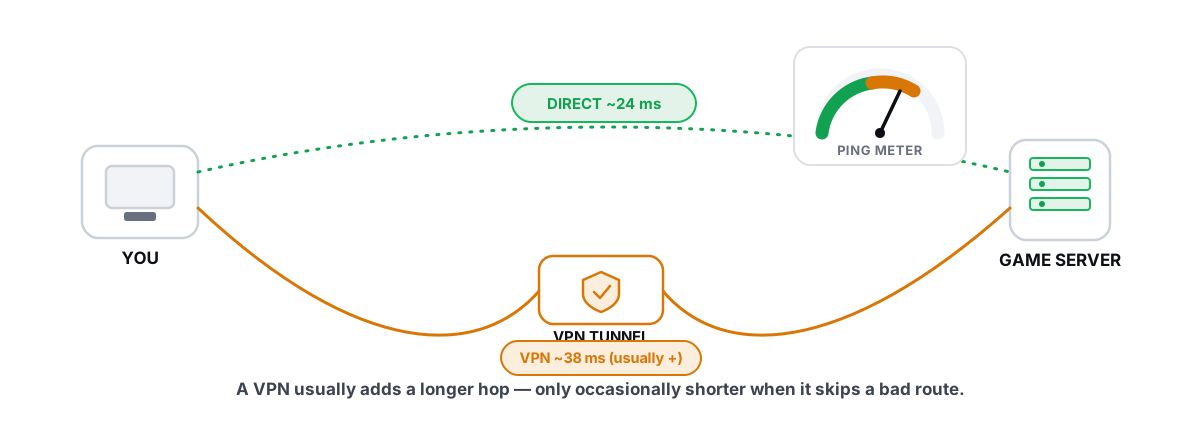
It's geometry, not encryption. Modern protocols like WireGuard cost well under a millisecond of processing on any recent CPU, so the crypto isn't the problem. The detour is. Your packets travel to the VPN server first, then on to the game server, and the VPN server is almost never sitting on the straight path between you and the game. Two legs are longer than one.
How much longer depends on the server you picked. Same city, maybe 3-8 ms. Same continent, often 10-30 ms. Pick a server in another country because it was top of the app's list, and you can double your ping without ever learning why.
There's a second cost people miss: a busy VPN exit is a shared pipe. When it's congested you don't just get higher ping, you get jitter, latency that wobbles from packet to packet. In a shooter, jitter feels worse than a stable extra 15 ms. Your aim adapts to a steady 60. It can't adapt to 40, then 90, then 55.
When a VPN accidentally lowers ping
And yet people swear their VPN dropped 20 ms, and some of them aren't wrong. We walk through the full mechanics in does a VPN lower ping for gaming, but the short version is that your ISP doesn't always pick the fastest route to a game server. Routing follows cost and peering agreements, not your scoreboard, and some paths get ugly at exactly the hours you play. If your ISP's route does a scenic tour through the wrong city, and the VPN provider happens to have better transit from its server, forcing traffic through the VPN can genuinely shorten the total path. Detour included.
Maybe one connection in ten hits a case like that, more on some ISPs, and it's fragile. The VPN company didn't place that server for your game. It can rebalance, fill up, or reroute next week, and your accidental fast path evaporates without a changelog.
Here's the part worth noticing: when a VPN lowers ping, it's doing a GPN's job by accident, and crudely. Same trick, taking a different road because the default one is bad, but with no measurement, no idea which server your game uses, and your whole connection dragged along for the ride. A GPN is that accident done on purpose: relays placed for game routes, a path chosen because a live measurement said it wins, and only the game moved.
A VPN hides your traffic. A GPN races it. Buying one to do the other's job is how you end up paying money for extra ping.
What a GPN can't do
Now the disclaimers vendors skip, ours included.
A GPN can't beat distance. Light in fiber covers roughly 200 km every millisecond, so a server 6,000 km away has a physics floor around 60 ms of round trip no matter who carries your packets. A relay can cut the waste in a bad route. It cannot cut geography.
A GPN can't fix your side of the connection either. Wi-Fi interference, bufferbloat on an overloaded router, a flaky cable, an oversubscribed apartment link: all of that happens before your packets reach any relay. If a traceroute shows the pain starting at hop 1 or 2, the problem lives in your house, and rerouting the wider internet won't touch it.
And most of the time, on a decently peered ISP, the direct route to a major game is already close to optimal. Big publishers host in well-connected data centers. The boring truth is that direct wins most sessions, which is why "Direct won" shows up so often in our own receipts. A GPN earns its keep on the minority of routes that are genuinely broken, at the hours they're broken.
Anti-cheat, regions, and account safety
Both tools work at the network layer, underneath the game. No injection, no memory reading, no modified game files, which is why routing on its own generally doesn't upset anti-cheat. We cover the details and the exceptions in are ping reducers anti-cheat safe.
The practical difference is regions. Matchmaking usually infers your location from your IP address, and with a VPN that means the exit server's IP. Connect through Amsterdam from Chennai and some games will cheerfully put you in EU lobbies at 160 ms, in a language you don't speak. A few games also side-eye accounts that hop countries daily. A GPN relay in your own region keeps your apparent location roughly where you actually are, so matchmaking behaves normally.
Neither tool gets you banned just for existing. But a VPN can quietly wreck your matchmaking region, and that's a ping problem no settings menu will fix.
Test it yourself in ten minutes
You don't have to take my word for any of this, or a VPN company's, or a GPN company's. The whole argument settles in about ten minutes with tools you already have.
Ping your game's server region a few dozen times with no tunnel running. Note the average and the spread. Connect your VPN, pick the server you'd actually use, and ping again. Most of you will watch the number climb 10-30 ms and can close this tab satisfied. If it went down instead, congratulations, your ISP's route to that region is bad. Now you know a better path exists, and you can decide whether a tool built for routing finds it more reliably than a tool built for privacy stumbled onto it.
A traceroute adds the why. It shows every hop your packets take and where the time piles up, which tells you whether the problem is your house, your ISP, or the far end. That diagnosis is worth more than any subscription, and it's free.
Which one should you actually use
Pick by the problem, not the marketing.
If you want privacy on hotel Wi-Fi, want your ISP out of your browsing history, or want another country's streaming catalogue: VPN. A GPN does none of that and shouldn't pretend to.
If you want lower ping: measure first, spend second. The ping test, traceroute, and bufferbloat tools in the free download cost nothing and work with no purchase. If your direct route already sits near the distance floor, no product on earth improves it, and you just saved a subscription. If the route is genuinely bad, a GPN is the right tool, and an honest one will show you per session whether it earned anything.
If you want both, use both, for different jobs. VPN for the browser, GPN for the game. What you shouldn't do is stack them on the same packets. Tunnel-in-tunnel pays both detours and both overheads, and it helps nobody except the two companies billing you.
The GPN vs VPN confusion survives because both get sold with the same screenshot of a falling ping number. Tunnel for privacy. Relay for speed. Whichever you pick, demand the receipts.
Frequently asked questions
Is a GPN just a VPN for gaming?
No. A VPN encrypts all your traffic for privacy and routes it through servers chosen for privacy and streaming, which usually adds ping. A GPN moves only your game traffic through relays placed near game servers, and an honest one only does it when a measurement shows the relay path is faster than direct.
Does a VPN reduce ping in games?
Usually it adds 5-30 ms because of the detour through the VPN server. In maybe one case in ten, when your ISP's route to the game server is genuinely bad, a VPN can lower ping by accident. That's the exact situation a GPN handles on purpose, with measurement instead of luck.
Can I use a VPN and a GPN at the same time?
For different traffic, yes. VPN for browsing, GPN for the game works fine. Don't stack both tunnels on the same game traffic: you pay two detours and two lots of overhead, and the result is almost always worse than either alone.
Will a GPN or VPN get me banned by anti-cheat?
Routing at the network layer doesn't touch the game's files or memory, so it's generally safe with anti-cheat. The bigger VPN risk is matchmaking: your apparent region follows the VPN exit, which can land you in distant lobbies. Terms vary by game, so check yours if you're worried.
Do I need a GPN if my ping is already low?
Probably not. If your ping sits near the distance floor for your server region and stays stable, there's nothing left for a relay to fix. A GPN pays off on routes that are broken or congested at your play times. Measure with free tools before paying for anything.
Keep reading
 Network & Latency
Does a Gaming VPN Lower Ping? The Honest Answer
A gaming VPN usually adds latency, but a bad ISP route is the rare case where it helps. Here is how to tell which you are in.
 Network & Latency
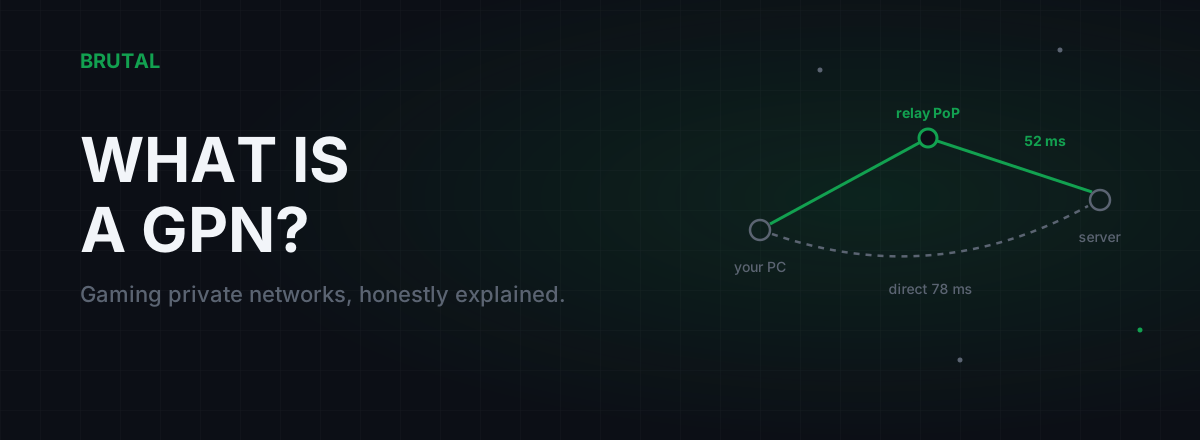
What Is a GPN? Gaming Private Networks, Honestly Explained
A GPN reroutes only your game's traffic through relay servers when that path beats your ISP's route. Here's how it works, when it helps, and when physics says no.
 Network & Latency
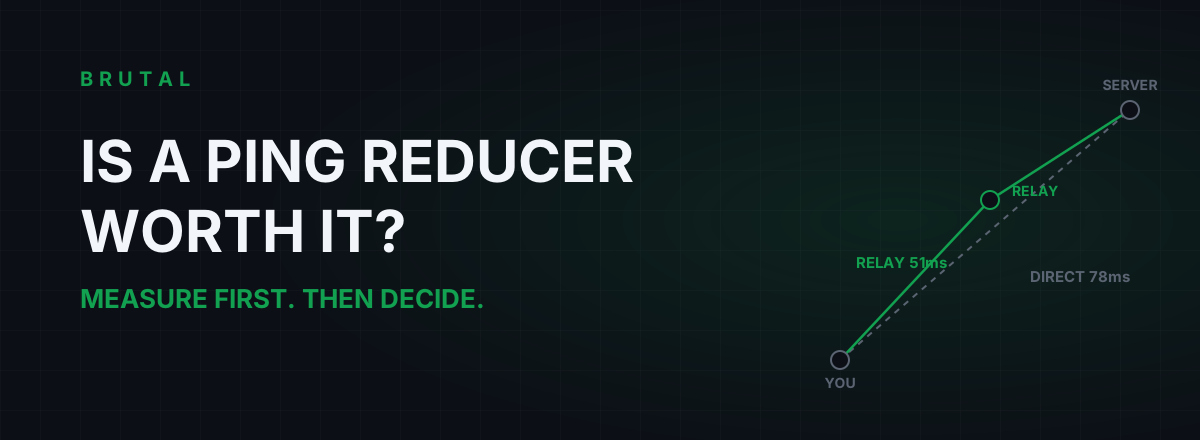
Is a Ping Reducer Worth It? A Decision You Can Test for Free
Most players don't need a ping reducer. Some genuinely do. A free ten-minute measurement tells you which one you are, before any subscription starts.
Stop guessing. Measure it.
BRUTAL Optimizer is the honest way to speed up Windows — 17 free modules, a real FPS overlay, verified disk cleanup and drive health. No kernel driver of our own, no game hooks, every setting change reversible.