How to Fix Packet Loss for Gaming, Step by Step
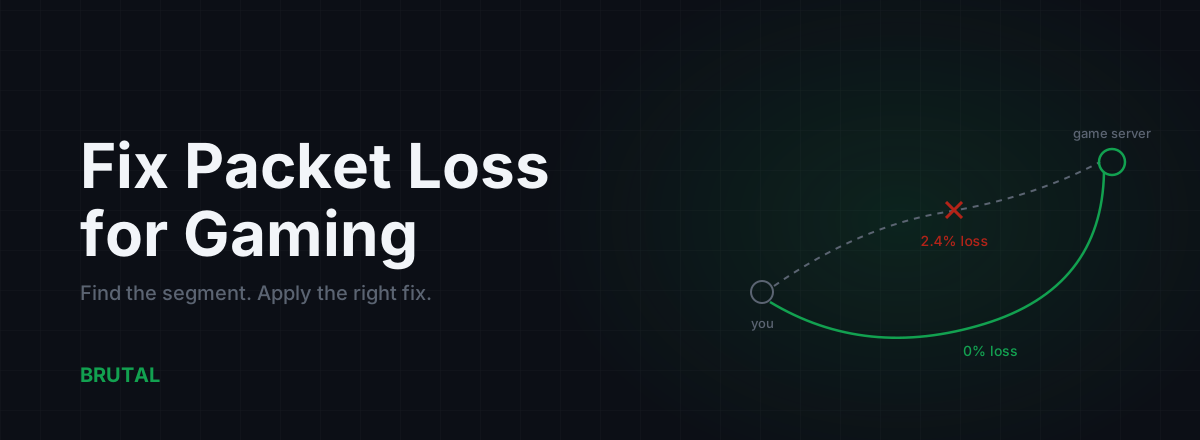
How to fix packet loss depends on where the packets are actually dying: in your own cables or Wi-Fi, in your router, on your ISP's last mile, or somewhere along the route between your ISP and the game server. Each segment has one fix that works, and fixes aimed at the wrong segment do nothing at all. So the first job is finding the loss, not rebooting things at random. Here's the whole process in order, cheapest fix first, including the one case you genuinely can't fix from your chair.
Why packet loss hurts more than high ping
Ping is delay. Packet loss is missing information. Your game can adapt to a steady 60ms of delay because every update still arrives and the netcode knows how to schedule around it. It cannot adapt to updates that never arrive.
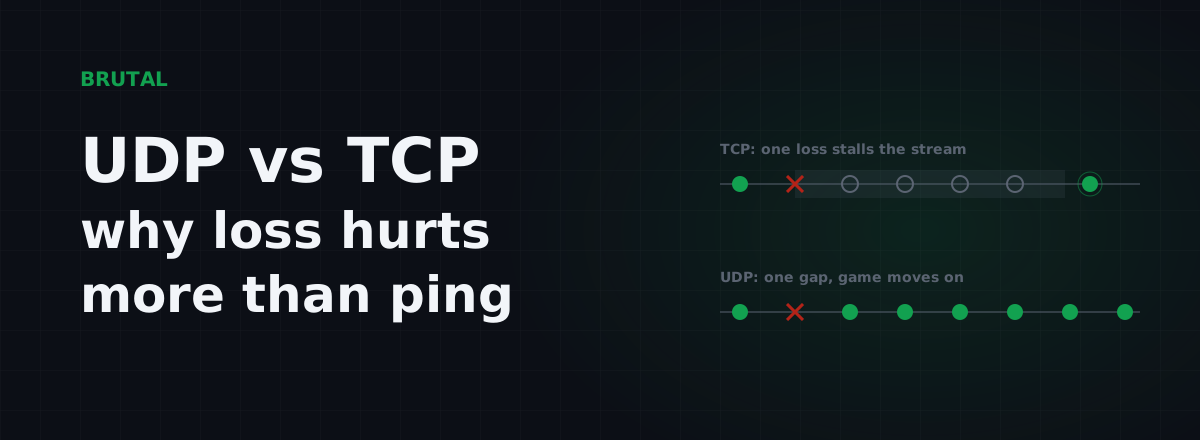
Nearly every competitive game sends its traffic over UDP, which never retransmits a lost packet. There's no time for a resend; by the time it arrived, the game state it described would already be obsolete. A lost packet is simply a hole in the game's picture of the world. You feel that hole as rubber-banding, enemies teleporting, shots that never registered, or deaths behind cover. We've unpacked the mechanics in why packet loss matters so much in UDP games, but the short version is: loss can't be hidden, only suffered.
Rough thresholds: 0.5% loss is already noticeable in shooters. 1 to 2% feels clearly bad. Past 5%, most games are barely playable no matter how good your ping looks. A 30ms connection with 2% loss plays far worse than a clean 70ms one. If your ping looks fine but the game feels broken, loss is the first suspect.
Find where the loss is before you fix anything
Fifteen minutes of measurement saves a week of guessing. The method: test loss at three points along the path, in order. The problem lives where the loss starts.
Open a command prompt (wired to the router if at all possible) and run these while the problem is happening:
ping -n 100 192.168.1.1to your router. Use your router's actual address if it differs.ping -n 100 1.1.1.1to a well-connected target just past your ISP.ping -n 100against a server near your game's region. The free tools in the BRUTAL Optimizer download include a ping test against real game regions if you don't have a target handy.
Each run ends with a loss percentage. Read them in sequence. Loss to your own router means the problem is inside your home, full stop, and nothing your ISP does will help. Clean to the router but lossy to 1.1.1.1 points at the last mile, the physical line between your home and your ISP's network. Clean on both but lossy toward the game region means the problem sits further out, in transit between networks. That's the entire diagnostic. The longer version, including how to read a traceroute without being fooled by it, is in our guide to working out whether loss is your PC or your ISP.
One trap to flag right away: when a traceroute shows 40% loss at some middle hop but every hop after it is clean, that hop is not dropping your traffic. Routers answer diagnostic pings with their spare CPU time while forwarding real traffic at full speed. Loss only counts when it starts at one hop and persists all the way to the destination.
Step 1: fix your own gear first
If the loss shows up on the very first test, to your own router, the fix is entirely in your hands. It's almost always one of three things.
Wi-Fi. The single most common cause of gaming packet loss, and it's not close. Wi-Fi is a shared radio medium. Walls, microwave ovens, Bluetooth gear and every neighboring network compete for the same air. Interference doesn't politely slow your packets down; it corrupts them mid-flight, and the resulting retransmissions show up in games as loss and jitter spikes. Signal bars won't warn you, because bars measure signal strength to the router, not how contested the air is. The gap between wireless and wired is measured and real, and we've quantified it in Ethernet vs Wi-Fi for gaming.
The cable itself. Ethernet cables fail quietly. A run crushed under a door, a broken retention clip that lets the plug half-seat, a cheap flat cable pinched behind a desk. Swap in a known-good cable before blaming anything upstream. It's a two-minute test.
The adapter. Update your network driver from the vendor's site rather than relying on whatever Windows shipped. Cheap USB Wi-Fi dongles are notorious for dropping packets once they run hot. And treat powerline adapters as suspects, not solutions: on a noisy electrical circuit they can drop packets constantly while reporting a healthy link.
Step 2: interrogate the router
Home routers are small computers that run for months without maintenance, and they tend to fail in soft, annoying ways rather than dying outright.
Reboot it. Genuinely. Not as a ritual, but because NAT tables fill up, memory fragments, and some firmware slowly leaks until packets start dropping. If a reboot fixes the loss for a few weeks and then it creeps back, that's a firmware bug or a router on its way out. Check for a firmware update, give the box some ventilation if it's hot to the touch, and if it's five-plus years old and misbehaving under load, replacement is often the honest fix. You don't need a "gaming router" for that; you need a router that doesn't drop packets.
There's one router problem that masquerades as random loss: loss that appears only when someone else is using the connection. Streaming, cloud backups, big downloads. That pattern is usually bufferbloat, where an overfilled queue in your router or modem delays and then drops game packets under load. It has a specific, free fix, covered in fixing bufferbloat with router settings. If your loss only happens while the household is busy, go there before ringing your ISP.
Step 3: how to fix packet loss on the ISP's last mile
If your home tests clean but loss appears from the second or third hop onward, the last mile is the likely culprit: the coax, DSL or fiber run between your wall and the ISP's equipment, plus the local node it lands on. Common physical causes are corroded connectors, water in an outdoor junction box, a failing modem, or an oversubscribed neighborhood node.
You can't fix any of that yourself. What you can do is make the ISP fix it, and evidence is the difference between a two-week ticket and a two-month one. Collect:
- Ping logs from a wired connection, saved with dates and times, across at least two or three days.
- The loss percentage to your own router (to prove your side is clean) and to the first hops beyond it.
- The time pattern. Loss all day suggests a line fault. Loss only from 7pm to midnight suggests congestion, which is a capacity problem rather than a fault; we explain that pattern in why the internet gets worse in the evening.
Then call and say exactly this: "I'm getting N% packet loss on a wired connection, starting at your first hop. My own equipment tests clean. I have timestamped logs. I'd like a line test." First-tier support will still ask you to reboot the router. Do it once, politely, then ask for escalation. Persistence wins these tickets; vagueness loses them.
You can't route around a broken last mile. Every packet you send still has to cross it before any clever routing gets a say.
That one is worth sitting with, because it's the hard limit of every tool in this space, including ours. If your line is dropping packets between your house and the ISP, no VPN, no relay and no gaming network can help. The packets die before they reach anyone's clever infrastructure.
Step 4: route around a lossy middle hop
Now the case where routing actually helps. Your home is clean, your last mile is clean, but loss starts deeper in the traceroute, at a handoff between networks, and persists all the way to the game server. This is transit or peering congestion: the link where your ISP hands traffic to another carrier is overloaded, usually at peak hours, and packets drop there. You can't fix someone else's congested link, and your ISP won't re-engineer its peering for one customer.
What you can change is the path. A relay server in a different location pulls your traffic onto a different set of links. Your packets travel to the relay over one path and from the relay to the game server over another, and if neither path crosses the congested exchange, the loss disappears. Honestly stated: this is the minority of packet loss cases. Most loss is Wi-Fi or the last mile. But when the loss genuinely lives mid-route, a different path is the only fix available to you at any price.
The catch is knowing whether it will help before you trust a ranked match to it. A relay can just as easily make things worse by adding distance. That's the design premise of Smart Route: it measures your direct path and the relay path side by side, on your actual connection, engages the relay only when the measurement shows a real win, and otherwise stays direct and records "Direct won" on the session's Route Receipt. The decision logic is documented in how Smart Route decides between relay and direct. Whatever tool you use, hold it to the same standard: proof for your connection, not a promise made to everyone's.
What doesn't fix packet loss
A lot of popular advice treats packet loss as a settings problem. It almost never is. Loss is physical or capacity-related: bad radio, bad copper, full queues. Settings don't repair copper.
- Closing background apps only helps if something is genuinely saturating your upload, like a cloud backup or a torrent. Discord and a browser idling in the background are not causing your loss.
- TCP registry tweaks target a protocol your game barely uses. Games run on UDP; tuning TCP window sizes for them is polishing the wrong doorknob.
- MTU fiddling fixes a real but rare problem, usually a PPPoE or tunnel misconfiguration. It will not fix radio interference or a corroded line, which is what most loss actually is.
- Buying a faster plan doesn't help unless you're saturating the plan you have. Loss is a reliability problem, not a bandwidth number. A gigabit line over bad coax drops packets just as happily as a 100-megabit one.
The segment-by-segment cheat sheet
| Segment | How it shows up | The fix | Can a relay help? |
|---|---|---|---|
| Your Wi-Fi or cable | Loss on hop 1, to your own router | Go wired, swap the cable, update the driver | No |
| Your router | Loss under load, or after weeks of uptime | Reboot, firmware, bufferbloat fix, replace if old | No |
| ISP last mile | Loss from hop 2-3 onward, on a wired test | Escalate with timestamped logs, ask for a line test | No |
| Peering / transit | Loss starts mid-route and persists, often at peak hours | A measured relay path can route around it | Yes, when measurement proves it |
| The game server | The whole lobby lags at the same moments | Nothing on your side. Wait it out or switch servers | No |
Work the list top to bottom, change one variable at a time, and re-run the same 100-ping test after every change so you know what actually moved the number. Most cases end at step 1 with a cable. Some end in a stubborn ISP ticket that takes three calls. Once in a while, the fix is a smarter route. The order matters because the cheap fixes are also the most likely ones, and knowing how to fix packet loss mostly comes down to knowing where yours lives.
Frequently asked questions
What is an acceptable amount of packet loss for gaming?
Zero is the target. Under 0.5% you probably won't notice; at 1 to 2% shooters feel clearly off, with rubber-banding and dropped hits; past 5% most games are barely playable. Unlike ping, there's no 'good enough' loss figure you should settle for on a wired connection.
Can a VPN or ping reducer fix packet loss?
Only in one specific case: when the loss happens mid-route, between your ISP and the game server, a relay on a different path can avoid the congested link. It cannot fix Wi-Fi interference, a bad cable or a faulty last mile, because your packets die before they ever reach the relay. Measure where your loss starts before paying for anything.
Why do I have packet loss with full Wi-Fi bars?
Bars measure signal strength between you and the router, not interference or congestion in the air. A neighbor's network, a microwave or too many devices on the same channel can destroy packets even at full signal. Test with an Ethernet cable for an evening; if the loss vanishes, the radio was the problem.
How do I prove packet loss to my ISP?
Run 100-packet ping tests from a wired connection, first to your router and then to a target like 1.1.1.1, and save the output with dates and times over two or three days. Loss that starts beyond your router while your own gear tests clean is on their side. Ask specifically for a line test, and escalate past first-tier support if the first call goes nowhere.
Does faster internet reduce packet loss?
Not unless you're saturating your current plan. Packet loss is a reliability problem caused by interference, faulty lines or congested links, not by your bandwidth number. A gigabit connection over damaged coax drops packets just as much as a slower one.
Keep reading
 Network & Latency
UDP vs TCP in Games: Why 1% Loss Hurts More Than 20ms
Real-time games run on UDP because waiting for a retransmit is worse than losing the packet. Why a little loss wrecks your game more than a little ping, and how to measure the real path.
 Network & Latency
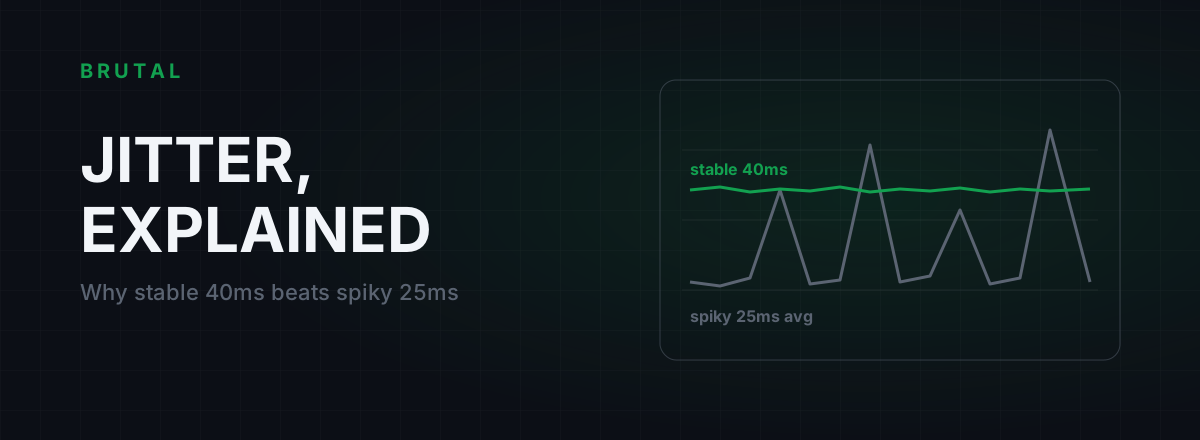
What Is Jitter in Gaming? Why Stable 40ms Beats Spiky 25ms
Jitter is the variation in your ping, and it wrecks aim and hit registration more than raw latency does. Where it comes from, how to measure yours, and the fix ladder that actually works.
 Network & Latency
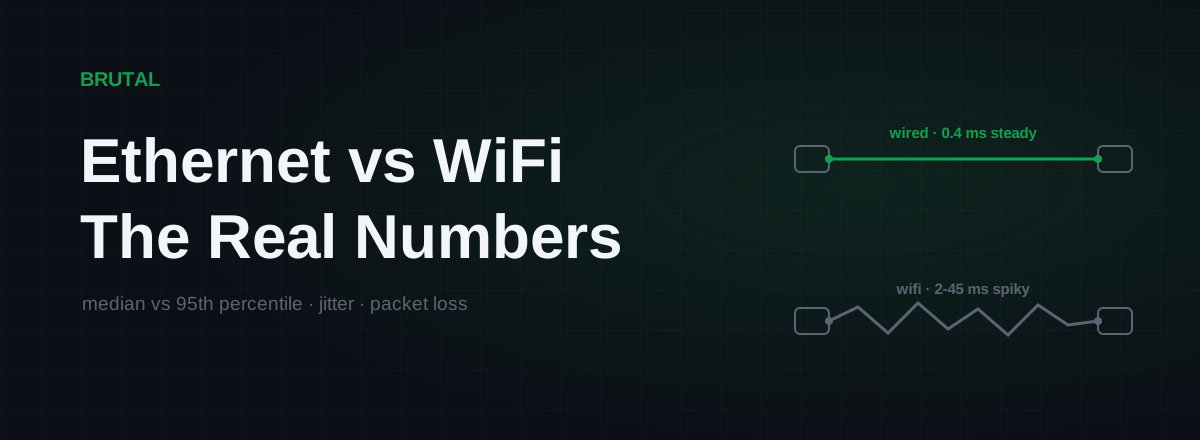
Ethernet vs WiFi for Gaming: The Real Latency Numbers
A cable saves maybe 1-3ms of average latency. The real win is jitter and packet loss. Here's when WiFi 6 close to the router is genuinely fine, and when wireless silently ruins your games.
Stop guessing. Measure it.
BRUTAL Optimizer is the honest way to speed up Windows — 17 free modules, a real FPS overlay, verified disk cleanup and drive health. No kernel driver of our own, no game hooks, every setting change reversible.