Ethernet vs WiFi for Gaming: The Real Latency Numbers
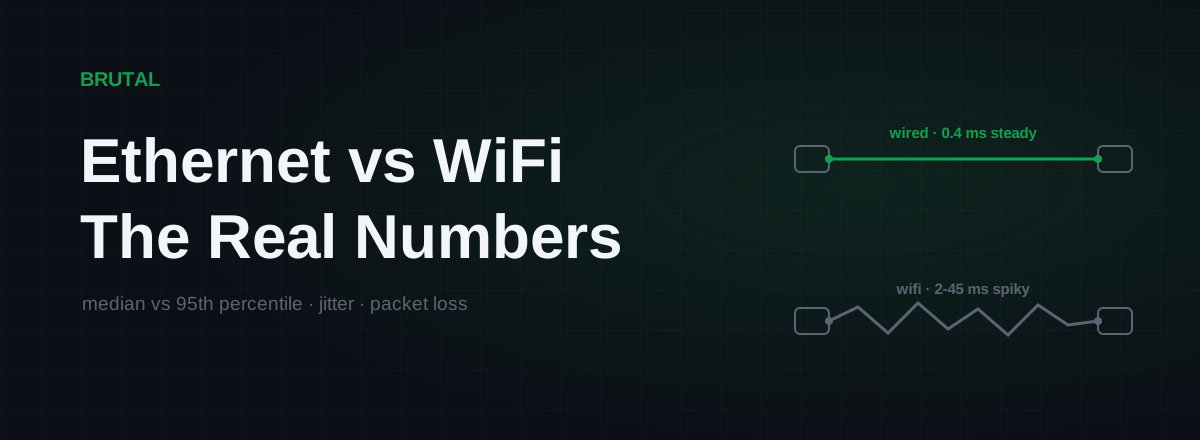
Ethernet vs WiFi for gaming has a short, honest answer: the cable wins, but not the way most articles claim. On a good WiFi 6 connection in the same room as the router, a wire saves you maybe 1-3ms of average latency, which you will never feel. What it actually removes is the spikes. On a busy evening, WiFi's worst moments can run 10-40ms behind its average with occasional packet loss on top, and those moments are the lag you feel in game.
Ethernet vs WiFi for gaming: what actually differs
Most comparisons quote average ping, and average ping is the wrong number. Your ping to a game server is dominated by the route: the physical distance, your ISP's path, the peering in the middle. The hop from your PC to your router is a thin slice of the total. Wired or wireless, that slice is usually single-digit milliseconds.
The difference lives in the distribution. A cable delivers packets with almost boring regularity: 0.2-0.5ms to the router, every time, with effectively zero loss. WiFi delivers most packets quickly, and then some percentage of the time delivers one late. How late and how often depends on distance, walls, channel congestion, and what every other radio in range is doing with the air at that moment.
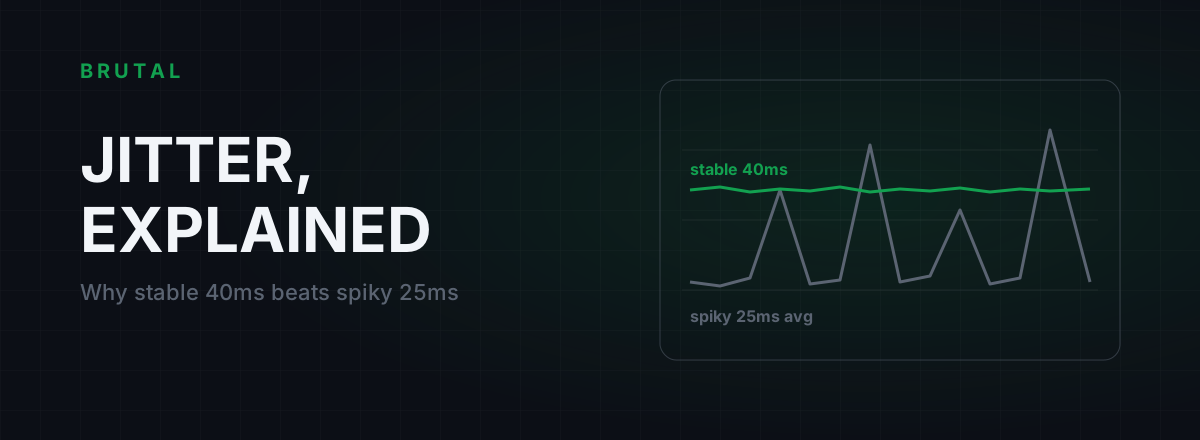
Games care about the late packet far more than the average one. A shooter exchanging updates every 15-30ms doesn't mind if every packet takes 3ms extra. It minds a lot when one packet takes 60ms and the next takes 2, because that's the rubber-banding, the shots that don't register, the enemy who saw you first. If you want the mechanics of why uneven delay hurts more than high delay, we've written up what jitter actually is and how to fix it.
One-sentence version: ethernet doesn't make your connection faster, it makes it consistent. Consistency is the thing that feels good.
The numbers you'll actually measure
Here's what the first hop typically looks like when you ping your router for five minutes on a normal evening, with other devices in the house doing normal things. These are typical home measurements, not lab figures. Yours will differ, which is exactly why you should run the test yourself before spending anything.
| Connection | Median added latency | 95th percentile under load | Typical loss |
|---|---|---|---|
| Ethernet (Cat5e or better) | 0.2-0.5 ms | 0.5-1 ms | ~0% |
| WiFi 6/6E, same room, clean channel | 1-3 ms | 5-12 ms | <0.1% |
| WiFi 5, one or two walls | 3-8 ms | 20-50 ms | 0.1-1% |
| 2.4GHz, far room, busy apartment block | 5-15 ms | 50-150+ ms | 1-5% |
That chart is the whole argument in one picture. The median bars are close together. The 95th-percentile bars are not, and competitive games live in the 95th percentile. One packet in twenty arriving 44ms late is enough to make a 60Hz update stream feel broken, even while every speed test you run comes back green.
Why WiFi adds jitter, not just latency
WiFi is a shared medium. Only one device can transmit on a channel at a time, so your game packet queues behind your phone's photo backup, the TV's 4K stream, and sometimes a neighbour's traffic on the same channel. The radio has to wait for the air to go quiet before it talks, and "quiet" gets renegotiated dozens of times a second among every radio in range.
Then there's retransmission. When a frame gets corrupted by interference, WiFi doesn't drop it and move on. It re-sends it. That's the right call for a file download and the wrong one for a game, because the packet still arrives, just 20-100ms late. Interference mostly doesn't show up as loss on WiFi. It shows up as jitter, which is sneakier, because your loss counter reads zero while the game stutters.
Distance and walls make everything worse at once. Weaker signal means the link drops to lower data rates, so each frame occupies the air longer, which means more queueing, more collisions, more retransmissions. A congested 2.4GHz channel in an apartment block is the worst case, and it's a common one. If crowded airspace is your specific problem, moving to a cleaner WiFi channel is free and sometimes fixes more than new hardware would.
None of this is bad engineering. WiFi is genuinely impressive at what it does. It's just built to share air fairly and maximize throughput, and games ask for the one thing shared air can't promise: a guaranteed quiet slot every few milliseconds.
When WiFi is genuinely fine
Plenty of people play ranked on WiFi and lose nothing measurable. Here's the honest checklist for when wireless holds up:
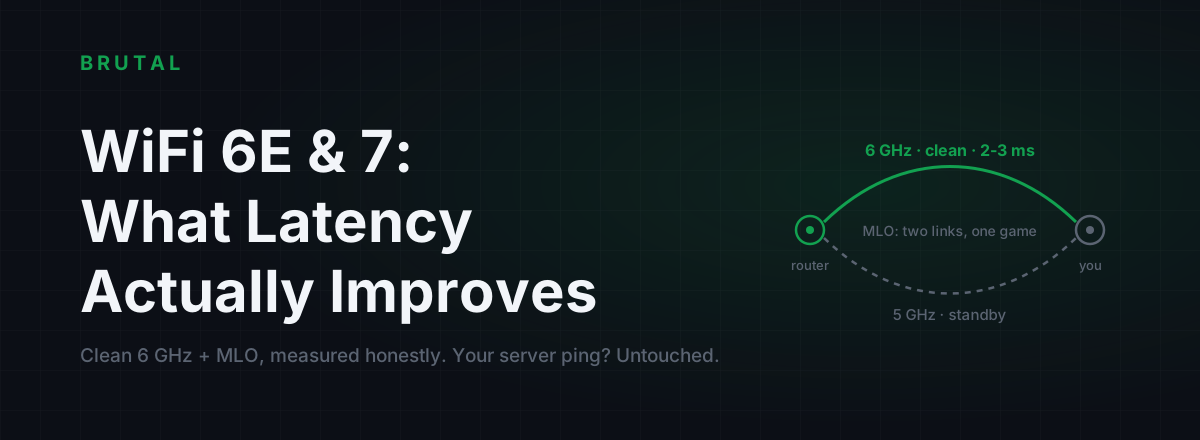
- WiFi 6 or newer on 5GHz or 6GHz. Newer standards schedule airtime far better under load. The 6GHz band is the standout because almost nobody's on it yet, so contention is near zero. We cover this in WiFi 6E and 7 gaming latency.
- Same room, or one wall at most. Strong signal keeps data rates high and retransmissions rare.
- A clean channel. Detached house in a quiet suburb: probably fine. Tower block with 40 visible networks: probably not.
- Your route is already long. If your server ping is 60ms, an extra 2-3ms of WiFi jitter is a small share of the total. On a 12ms fiber connection to a local server, the same jitter is a third of your budget.
If you tick all four, the honest measurement is that you probably couldn't tell wired from wireless in a blind test. Don't let anyone shame you into drilling holes through walls your landlord owns.
One caveat on 6GHz: it barely penetrates walls. That's why it's clean and also why it only helps in the same room. The feature and the bug are the same physics.
When WiFi silently ruins your games
The dangerous WiFi problems are the ones that pass a casual ping test.
- Adapter power saving. Laptop WiFi adapters nap between packets to save battery. Waking up costs 10-100ms, sporadically, and Windows enables this by default on many power plans.
- Background roaming scans. Your adapter periodically leaves the channel to scan for other networks. Each scan can freeze traffic for 100-300ms, once every minute or two. It looks exactly like random lag spikes.
- Mesh nodes without dedicated backhaul. Every packet crosses the air twice, doubling contention and jitter. A mesh satellite in the wrong spot is worse than direct WiFi from the main router.
- Silent 2.4GHz fallback. Move a room too far and some devices quietly drop from 5GHz to 2.4GHz, where the channel is slower and busier.
- Evening congestion. Your channel is shared with your neighbours' channels. At 9pm, everyone's streaming.
- Microwave ovens. Not a joke. They emit noise across the 2.4GHz band. If your lag correlates with dinner, that's why.
All of these produce the same complaint: "my ping is fine but the game stutters." A ten-second test averages the spikes away. If that's your exact symptom, we wrote a full diagnostic for ping spikes that only show up in game.
Test it before you buy anything
The ethernet vs WiFi for gaming question is answerable in ten minutes, on your own network, for free. Here's the method:
- Ping your router, not a website. On Windows:
ping -n 300 192.168.1.1(use your router's address). This isolates the WiFi hop from everything your ISP does. - Run it during a busy evening, with the household doing its normal streaming and scrolling. A quiet 2am test tells you nothing about 9pm ranked.
- Read the max and the spread, not the average. An average of 3ms with a max of 180ms is a jitter problem hiding behind a good mean. Any lost packets to your own router are a red flag.
- Repeat it wired, even with a temporary cable flung across the floor. Now you have your personal before-and-after, not an internet stranger's.
If you'd rather not read raw ping output, the free tier of BRUTAL Optimizer includes the measurement tools we use ourselves: ping testing, traceroute, a bufferbloat grade and a DNS benchmark. The measurements cost nothing and they're the part that actually tells you the truth.
Can't run a cable? Your real options
Renting, concrete walls, router in the wrong room: sometimes a direct run isn't happening. Ranked honestly:
MoCA runs ethernet over the coax TV wiring most homes already have, and it's the closest thing to a real cable: typically 1-3ms added with very stable jitter. Powerline is a lottery that depends entirely on your electrical circuits; good runs add 3-10ms, bad ones jitter worse than decent WiFi. Mesh with a dedicated backhaul band beats repeaters but still lives on shared air. The full breakdown with numbers is in powerline vs mesh vs MoCA for gaming.
Also reconsider whether a cable is really impossible. Flat Cat6 slides under carpets and doors, and cable clips along a skirting board are nearly invisible. A 20-meter run costs less than a takeaway. And on cable choice: any working Cat5e does gigabit with identical latency to the exotic stuff, which is the whole Cat5e vs Cat6 story in one sentence.
What doesn't help
QoS deserves one honest nuance: it helps when the bottleneck is your internet uplink being saturated, because the router can then choose which packets wait. It cannot referee the radio. If two devices are fighting for airtime, no QoS rule reaches into that fight.
Fix the first hop before you pay for anything else
Ping reducers, GPNs and game VPNs all operate beyond your router. They re-route the middle of the path between your ISP and the game server. None of them can do anything about a spiky first hop, because every packet still has to cross your air before it reaches any relay on earth.
We build one of these tools, so weigh the bias, but this is exactly why Smart Route measures before it touches anything: it compares the direct route against a relay for your actual connection and only engages when the relay provably wins. If your real problem is WiFi jitter, those measurements will mostly come back "Direct won", because the slow part is inside your house, and no honest tool should charge you to not fix it. That receipt is useful in itself. It tells you where not to spend.
A cable doesn't make your internet faster. It makes it boring, and boring wins gunfights.
So the order of operations is simple. Wire the first hop, or get it wired-adjacent with MoCA. Verify with a five-minute busy-hour test. Only once your side of the connection is boring does it make sense to ask whether the route beyond your ISP can be improved too.
Frequently asked questions
How much lower is ping on ethernet vs WiFi?
On a good WiFi 6 setup close to the router, a cable only lowers average ping by 1-3ms, which you won't feel. The real gain is consistency: a wired 95th-percentile latency stays within a millisecond of the median, while WiFi can spike 10-100ms under contention. Games notice the spikes, not the average.
Is WiFi good enough for competitive gaming?
Sometimes, honestly yes. WiFi 6 or 6E on the 5GHz or 6GHz band, in the same room as the router, on a clean channel, is close enough to wired that most players couldn't tell them apart in a blind test. Through two walls on a congested 2.4GHz channel in an apartment block, it's a different story.
Does ethernet reduce packet loss?
Yes, effectively to zero on a healthy cable. WiFi converts most interference into late packets rather than lost ones because it retransmits corrupted frames, but under heavy contention you'll still see 0.1-5% loss. Wired links on working hardware essentially don't lose packets inside your home.
Do Cat 8 or gaming-branded ethernet cables lower ping?
No. Any working Cat5e cable carries gigabit ethernet with the same sub-millisecond latency as Cat 8. Higher categories exist for 10-gigabit-plus runs in data centers, not for lower ping. Spend the money on running any cable at all, not on a fancier one.
Why is my WiFi ping fine in speed tests but bad in games?
Short tests report averages, and averages hide spikes. A 10-second ping test can look clean while your adapter naps between packets, scans for other networks, or queues behind a 4K stream every minute or two. Run a 5-minute ping to your router during a busy evening and look at the max and the spread, not the mean.
Is powerline as good as ethernet for gaming?
Usually not, and it's a lottery. Powerline depends entirely on your electrical wiring: good circuits add 3-10ms with modest jitter, noisy ones are worse than decent WiFi. MoCA over existing coax gets much closer to real ethernet. Test before you commit to either.
Keep reading
 Network & Latency
WiFi 7 Gaming Latency: What 6E and MLO Actually Fix
6GHz spectrum and MLO cut WiFi jitter, not internet ping. Real numbers for WiFi 5 through 7, and an honest test to know if the router is even your bottleneck.
 Network & Latency
What Is Jitter in Gaming? Why Stable 40ms Beats Spiky 25ms
Jitter is the variation in your ping, and it wrecks aim and hit registration more than raw latency does. Where it comes from, how to measure yours, and the fix ladder that actually works.
Stop guessing. Measure it.
BRUTAL Optimizer is the honest way to speed up Windows — 17 free modules, a real FPS overlay, verified disk cleanup and drive health. No kernel driver of our own, no game hooks, every setting change reversible.