UDP vs TCP in games: why 1% loss hurts more than 20ms of ping
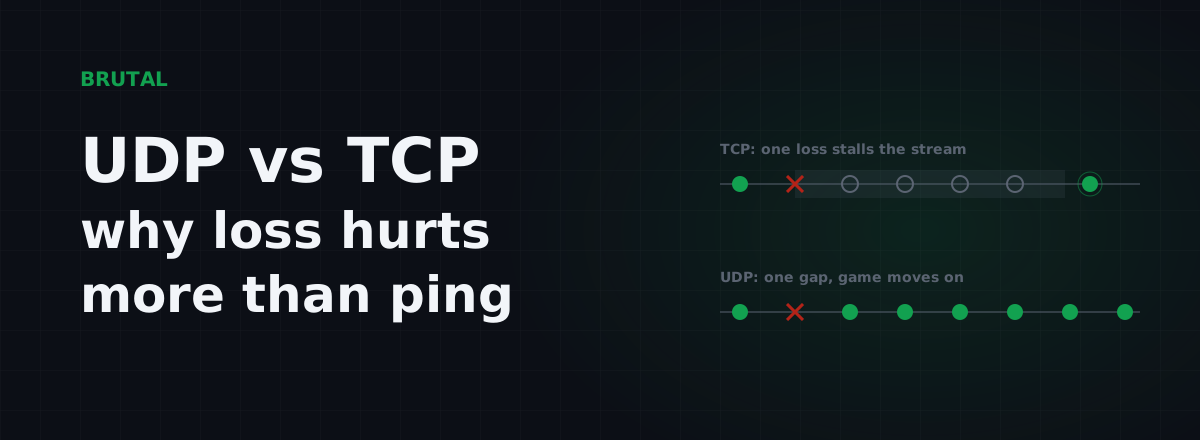
Real-time games run on UDP, and the reason is blunt: a lost packet is cheaper than a late one. That's the whole UDP vs TCP in games argument in one sentence. TCP guarantees delivery by making everything behind a lost packet wait for a retransmit, and in a shooter that wait, often 200ms or more, does more damage than the missing packet ever could.
The short answer
TCP is a reliable, ordered stream. Every byte arrives, in sequence, or the connection keeps retrying until it does. That's exactly what you want for a web page, a file download, or this article. UDP is the opposite: individual packets fired at the network with no delivery promise, no ordering, and no retransmission. If one dies in transit, nobody tells anyone.
On a clean connection the two are indistinguishable. A UDP packet and a TCP packet travel the same fiber at the same speed, so neither is "faster" in the way people usually mean. The difference only exists when something goes wrong. And on real networks, over Wi-Fi, congested evening links, and long backbone routes, something goes wrong all the time. A typical home connection quietly loses a fraction of a percent of its packets on a good day, and noticeably more under load.
So the honest framing of udp vs tcp in games isn't "which protocol is faster." It's "what happens to your match when packet number 4,183 dies somewhere inside your ISP's network." TCP's answer: everyone waits for it. UDP's answer: nobody waits, because the next packet already carries fresher information.
What TCP actually does when a packet drops
TCP numbers every byte it sends. The receiver acknowledges what it got, the sender watches those acknowledgements, and when a packet goes missing the sender eventually notices and sends it again. Two things make "eventually" painful for games.
First, the retransmit itself takes time. TCP's fast-retransmit path needs several duplicate acknowledgements to trigger, and a game sending a small trickle of packets often doesn't generate them quickly. So the loss frequently waits out the full retransmission timeout instead, which is around 200ms at minimum on most systems and can stretch past a second on a shaky connection.
Second, and worse: head-of-line blocking. TCP promises the application its data in order. If packet 2 is missing but packets 3 through 9 arrived fine, the operating system holds all of them. Your game gets nothing. From the game's point of view the network went silent for 200ms and then delivered a quarter-second of match state in one lump. That's the classic freeze-then-teleport: everyone stops, then everyone snaps to where they really are.
Notice what just happened. A single lost packet, on a connection with a perfectly good 20ms ping, produced a 200ms hole. That's a 10x penalty, paid at a random moment, by every piece of data unlucky enough to be queued behind the loss.
UDP vs TCP in games: the real trade-off
| TCP | UDP | |
|---|---|---|
| When a packet is lost | Everything behind it waits for a retransmit, 200ms or more | It's gone; the next update replaces it in 16-33ms |
| Delivery order | Strict, enforced by the operating system | None; the game sorts it with its own sequence numbers |
| A late packet is | Still delivered, even when it's useless | Discarded, because newer state already arrived |
| Header overhead | 20+ bytes per packet | 8 bytes per packet |
| What games use it for | Login, store, chat, patches, some full games | Movement, shots, snapshots: the actual match |
| The failure you feel | Freeze, then a burst of catch-up | A brief warp or one missed hit |
UDP gives game developers nothing for free, and that's the point. They rebuild only the reliability they actually need: sequence numbers so stale packets can be recognized and discarded, a small "reliable channel" for events that must arrive (a door opened, a round ended), and plain unreliable delivery for data that expires instantly, like positions. If a position update dies, retransmitting it would be pointless. A newer position is already in flight.
This isn't a niche gaming hack either. HTTP/3, the protocol your browser increasingly uses, moved from TCP to QUIC, which runs over UDP, largely to escape the same head-of-line blocking. The wider industry slowly admitted what game developers figured out in the nineties.
Why 1% loss hurts more than 20ms of ping
Run the numbers. A modern shooter sends you somewhere between 30 and 128 updates per second, and your client sends inputs back at a similar rate. Call it 60 each way. At 1% loss, that's roughly one lost packet every second across both directions. Over a 20-minute match, well over a thousand holes.
Most of them are invisible, for reasons covered in the next section. The problem is the ones that aren't, and where they land. Loss on a congested link isn't spread evenly. It clusters exactly when the link is busiest, which for you is the team fight: everyone spamming abilities, the network at its worst, packets dying in bursts at precisely the moment they cost the most. And it takes your input packets too. A lost input during a peek is a shot the server never saw. No client-side smoothing gives that back.
Now compare a flat 20ms of extra ping. It's a constant. Every packet arrives 20ms later, uniformly, forever. Your brain calibrates to constants; within a few minutes you're leading targets slightly differently and you've stopped noticing. Competitive players hop between servers with 30ms differences every week without thinking about it.
You can't calibrate to randomness. That's the whole asymmetry.
Ping is a constant tax. Loss is a random mugging.
Loss also manufactures jitter. Every conceal-and-catch-up cycle means some updates render late and then several render at once, so even the packets that arrived cleanly get displayed unevenly. If your game feels lumpy despite a decent average ping, read the jitter explainer; loss and jitter are usually two symptoms of the same sick link.
How games hide loss until they can't
Games are very good at concealing single losses, which is why 0.5% loss can feel like nothing while 2% feels broken. The tricks:
Interpolation. Your client doesn't render the newest server update. It renders 50-100ms in the past and smoothly blends between the two most recent snapshots. Lose one snapshot and the client just interpolates across a slightly wider gap. You genuinely cannot see a single dropped update in most titles. How big that buffer is depends on the server's update rate, which is its own topic; the tick rate vs ping article covers it.
Extrapolation. Lose two or three in a row and there's nothing left to interpolate toward, so the game guesses: enemies keep moving in straight lines at their last known velocity. When real data returns, everyone snaps to their true position. That snap is the rubber-banding you know and hate.
Client prediction. Your own movement is simulated locally and corrected when the server disagrees. Under loss the corrections get bigger, and past a threshold you get yanked backward through space.
The concealment budget is roughly one, maybe two consecutive lost packets. Inside that budget, loss is invisible. Beyond it, the illusion collapses all at once. That's why packet loss feels binary: fine, fine, fine, then suddenly unplayable, with hit registration failing at the same time because the server's authoritative view never received the inputs you swear you sent.
Where TCP still shows up in games
Plenty of game traffic runs over TCP, and correctly so. Login, matchmaking, the store, chat, telemetry, and patch downloads are all jobs where "every byte, in order, eventually" is exactly right and a 200ms stall is irrelevant.
Some games run entire matches over TCP. Classic MMOs are the famous example: combat is ability-queued and server-paced, so an occasional stall is tolerable. Card games and turn-based titles too. And a handful of mobile games chose TCP for the whole session because it survives hostile networks better; carrier NAT, hotel Wi-Fi, and corporate firewalls mangle or block UDP far more often than they touch TCP on port 443. That's a defensible engineering call, and it's also why some of those games feel spongy the moment your connection degrades: they inherit every TCP stall described above.
A few titles do something sneakier: they prefer UDP and quietly fall back to TCP when UDP is blocked. If a game that's crisp at home turns to mud on a hotel network while showing a fine-looking ping, a TCP fallback is a suspect worth knowing about.
To be clear about the honest version of this: TCP is not a mistake in those genres. It's only a mistake where state is perishable, and in a shooter, a MOBA, or a battle royale, state expires in milliseconds.
Measuring the real UDP path (most ping tests don't)
Here's the detail that trips people up when they try to diagnose loss: almost no common tool measures your game's actual traffic.
Standard ping uses ICMP. Routers answer ICMP with their spare change; it's deprioritized, sometimes rate-limited, sometimes dropped entirely by design. A router showing 30% "loss" to pings can be forwarding your game traffic flawlessly. TCP-connect tests, which time a handshake to port 443, pass through every firewall and give a decent read on route latency, but they're still not your game's UDP flow. Some networks shape UDP differently under load, dropping it earlier than TCP when queues fill, so a clean-looking TCP test can sit right next to a lossy UDP path.
The second trap is sample size. Loss around 1% cannot be seen in a four-probe test. A quick ping reporting "0% loss" means almost nothing; you need hundreds of probes before a 1% condition reliably shows itself. Run a long test, a couple hundred probes minimum, and look at the loss count and the latency spread together.
The best ground truth is the game's own net graph. Most competitive titles will show you loss, choke, or both, and that number is measured on the real UDP path, because it is the real UDP path. Trust it over any external tool. For what the net graph can't tell you, like where along the route the problem starts, the free download includes a long-burst ping test with loss and jitter percentiles, a traceroute, and a bufferbloat grade, and it labels how each measurement was taken so you know exactly what you're looking at.
What actually helps, and what's placebo
There is one case where rerouting genuinely helps: when the loss lives on a specific mid-path segment, like a congested peering link between your ISP and the game's host. A relay that enters the internet through a different backbone can route around that segment. That's the case Smart Route exists for, and the honest caveat comes attached: it measures the direct path against the relay for your specific connection and only engages when the relay provably wins. When direct is already clean, which is often, it stays out of the way and records "Direct won." And nothing outside your house, no relay, no VPN, no tool of ours, can fix loss happening between your PC and your router. That one's on you and a cable.
That's the practical payoff of understanding UDP vs TCP in games. It doesn't lower your ping by itself, but it aims you correctly: stop fiddling with TCP settings your match never uses, stop trusting four-probe ping tests, and start hunting the exact place where packets die. The protocol was never the problem. The loss is.
Frequently asked questions
Why do games use UDP instead of TCP?
Because game state is perishable. TCP's guaranteed in-order delivery means one lost packet stalls everything behind it for 200ms or more while it retransmits. UDP lets the game skip the loss and use the next fresh update instead. Developers rebuild the small amount of reliability they actually need on top of UDP.
Is 1% packet loss noticeable in games?
Yes, and usually more than a modest ping increase. At 60 updates a second, 1% means a hole roughly every second, and real loss clusters during fights when the network is busiest. Games conceal single drops well, but bursts cause rubber-banding and failed hit registration.
Do any games use TCP?
Plenty. MMOs, card games, turn-based titles, and almost all lobby, chat, login, and patch traffic run over TCP, where a 200ms stall is invisible. A few mobile games run whole matches on TCP because it survives restrictive networks better, which is part of why they feel spongy when your connection degrades.
Can I force a game to use UDP or TCP?
No. The protocol is baked into the game's netcode by its developers. VPNs and relays wrap your traffic in a tunnel, but inside that tunnel the game still speaks whatever it was built to speak.
How do I test packet loss to a game server?
Run a long test with hundreds of probes, not four, and watch loss and jitter together. Better still, use the game's built-in net graph, since it measures the actual UDP path. A quick ping showing 0% loss says almost nothing about a 1% problem.
Does lower ping fix packet loss?
No, they're independent problems. Ping is travel time; loss is packets never arriving at all. You can have a 15ms connection with brutal loss and a 90ms connection that's perfectly clean. The clean 90ms usually feels better in game.
Keep reading
 Network & Latency
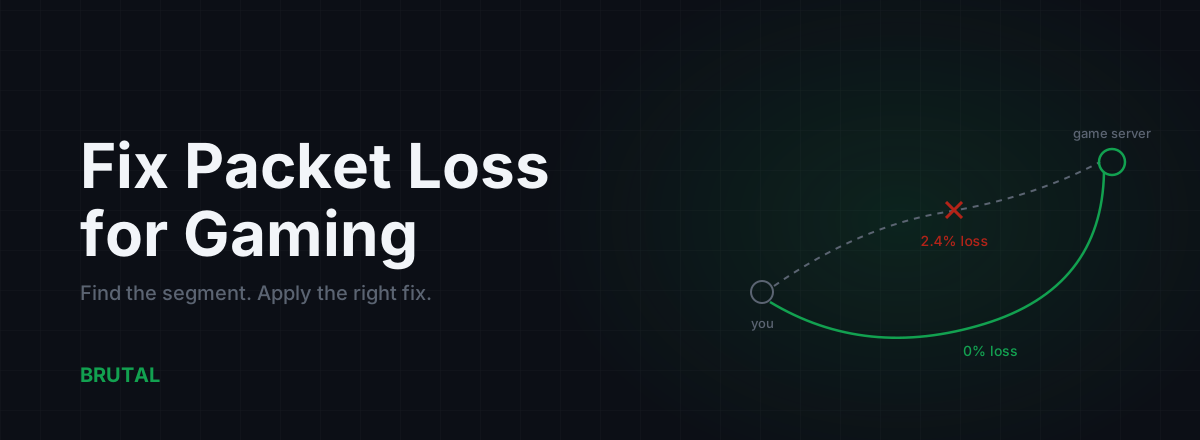
How to Fix Packet Loss for Gaming, Step by Step
Packet loss ruins games faster than high ping. Here's how to find which segment is dropping packets and fix it: cable, Wi-Fi, router, ISP escalation, and when a relay can route around it.
 Network & Latency
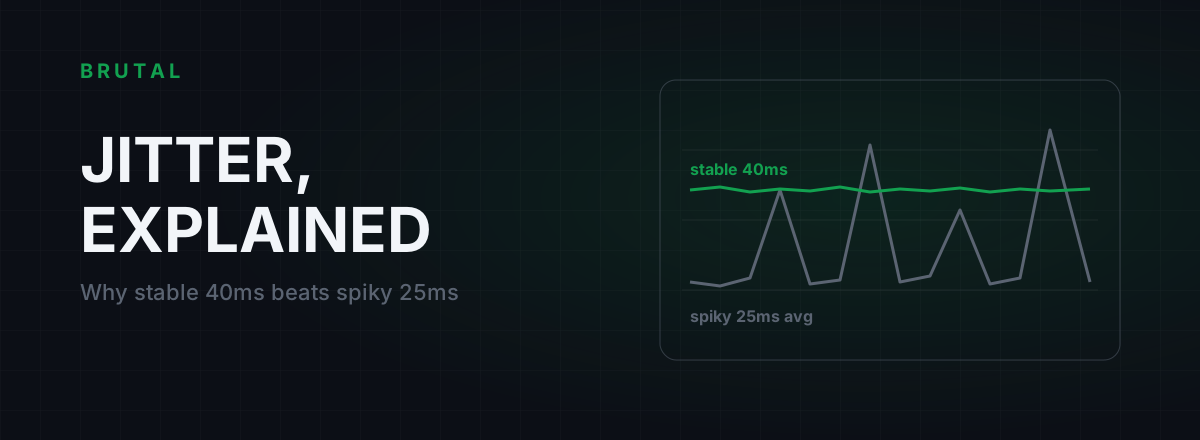
What Is Jitter in Gaming? Why Stable 40ms Beats Spiky 25ms
Jitter is the variation in your ping, and it wrecks aim and hit registration more than raw latency does. Where it comes from, how to measure yours, and the fix ladder that actually works.
 Myths & Honest Truths
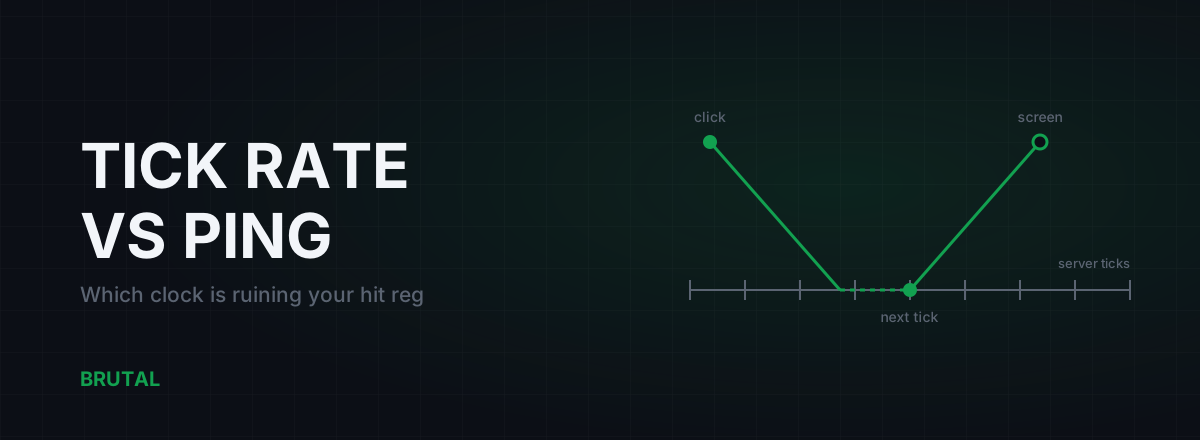
Tick Rate vs Ping: Which One Is Ruining Your Hit Reg?
Ping gets the blame, but a 20-tick server adds delay no route can fix. Honest math on tick intervals, interpolation buffers, and which half of the lag chain you can actually change.
Stop guessing. Measure it.
BRUTAL Optimizer is the honest way to speed up Windows — 17 free modules, a real FPS overlay, verified disk cleanup and drive health. No kernel driver of our own, no game hooks, every setting change reversible.