How to Measure Ping Improvement (and Prove It Wasn't Placebo)
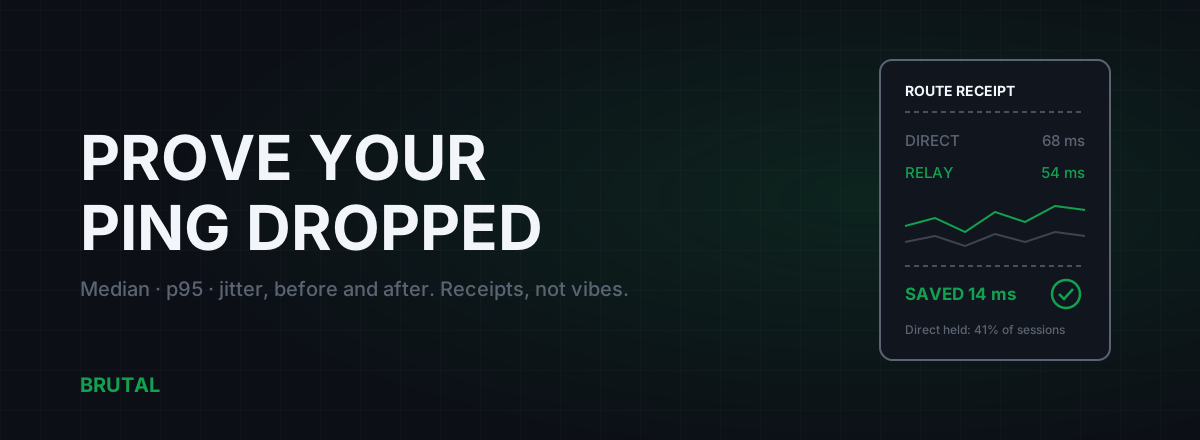
You can't measure ping improvement with a single ping. Latency is a moving distribution, not a number, so proving that a tweak, a DNS change, or a ping reducer actually helped takes a before window and an after window, measured the same way, with the median and the p95 written down. This article is the full method: what to record, how to load the line, and what an honest per-session receipt looks like. It's the standard we hold Smart Route to, and you can run every bit of it yourself for free.
Why single pings lie
Open a command prompt, ping your game server, get 34 ms. Apply some tweak. Ping again, get 31 ms. Improvement, right?
No. You sampled a distribution twice and compared the samples. Run 100 pings to the same server and you'll usually see something like this: most replies land between 33 and 38 ms, a handful drift up to 50 or 60, and one or two spike past 150. Both of your single pings came from somewhere inside that spread. A 3 ms "improvement" is smaller than the connection's natural wobble, which makes it noise, not signal.
This is how most placebo optimization survives. Someone flips a registry key, pings once, sees a lower number, posts a screenshot. Someone else tests before the tweak at 9 PM and after it at 11 PM, and the real change was their neighborhood's evening congestion easing off, not the tweak. The number moved. The tweak did nothing.
Your own perception won't save you here either. If you just spent twenty minutes changing settings, your brain wants the game to feel smoother, and it will oblige. That's not a character flaw. It's why engineers write measurements down instead of remembering them.
The fix is boring and it works: more samples, the right summary numbers, and identical conditions on both sides of the change.
The four numbers that actually matter
When you measure a connection for gaming, you want four things out of a sample set. None of them is "average ping".
Median (p50). Sort your 100 results, take the middle one. That's the latency you live at most of the time, and unlike the average it doesn't get dragged around by one 300 ms outlier.
p95. The value 95% of your pings sit below. This is the honest "bad moments" number. Two connections can share a 35 ms median while one has a p95 of 40 and the other a p95 of 110. The second one feels awful in fights, and the median hides that completely.
Jitter. How much consecutive pings differ from each other. A rock-steady 50 ms often plays better than a 30 ms that swings between 20 and 80, because the game's interpolation and your own timing can adapt to a constant delay but not to a random one. There's a full breakdown in the jitter guide.
Packet loss. Even 1 to 2% loss in a UDP game reads as teleporting enemies and eaten inputs. Any measurement that doesn't count lost probes is incomplete.
| Metric | What it tells you | When it lies to you |
|---|---|---|
| Single ping | Almost nothing | Always. It's one draw from a moving distribution. |
| Average | A rough middle, badly | Rare spikes barely move it, so an unstable line can look fine. |
| Median (p50) | Your typical moment | When bad moments are rare but severe; the median stays pretty. |
| p95 | How bad the bad moments get | On short tests. It needs 60+ samples to be stable. |
| Jitter | Consistency, how it feels | When averaged; bursts of instability disappear into a calm mean. |
| Loss % | Dropped packets | On short tests; 100 probes only resolves loss to about 1%. |
Idle vs loaded: the test almost everyone skips
Your connection has two personalities. Idle, with nothing else running, it might ping a clean 20 ms. Loaded, while someone in the house streams video or Windows quietly downloads an update, that same line can sit at 150 to 400 ms because your router is buffering a queue of packets ahead of yours. That failure mode is called bufferbloat, and it's covered properly in the bufferbloat explainer.
Here's why it matters for measurement: if you only ever test idle, you're measuring conditions that don't exist at 8 PM in a real household. A tweak that helps your idle ping by 2 ms while your loaded ping still hits 300 ms has fixed nothing you can feel.
The loaded test is simple. Start a continuous ping. Then saturate the line: a big download first, then, separately, a big upload, because upload buffers are usually the worse offender on home connections. Watch what the ping does while the transfer runs. If it climbs by more than 50 to 100 ms, latency under load is your real problem, and no amount of registry tuning will touch it.
If you want a second opinion, the vendor-neutral Waveform bufferbloat test runs the same idle-versus-loaded comparison in a browser and grades it A through F. BRUTAL's free tools include the same style of grade.
How to measure ping improvement properly
Here's the whole recipe. It takes about fifteen minutes per window and it settles arguments permanently.
- Pick a fixed target. Best is the actual game server IP, which you can find in Resource Monitor's network tab while in a match. Otherwise use a stable, nearby endpoint. Whatever you choose, do not switch targets between the before and the after. A different target is a different route, and you'd be comparing two different roads.
- Take 100+ samples. On Windows:
ping -n 100 <target>. Four pings is a coin flip. One hundred gives you a usable median and p95 and can at least see loss at the 1% level. - Write down median, p95, jitter, and loss. The Windows summary line gives you min/avg/max, which isn't enough; paste the results into a spreadsheet, or use a tool that computes percentiles for you. Yes, actually write them down. Memory rounds in whichever direction you're hoping for.
- Test idle, then loaded. Both personalities, as above. Two sets of numbers per window.
- Control the clock. Test the before and the after at the same time of day, ideally on the same day of the week. Evening latency and afternoon latency are different animals on most ISPs, for reasons explained in the evening-lag article.
- Change exactly one thing. One tweak, one DNS switch, one cable, one tool. If you change three things and the ping drops, you've learned nothing about which one worked, and you'll cargo-cult all three forever.
- Repeat the identical test. Same target, same sample count, same load conditions, same time window.
- Apply a noise threshold. On a typical home connection, run-to-run differences of 3 to 5 ms are normal variance. A real improvement should beat that and survive a second after-test. If it can't be reproduced, it wasn't real.
ping -n 100 covers the rest. Measurement should never cost money. Only fixing a proven problem should.What a real receipt looks like
We built this methodology into the product because we got tired of tools that grade their own homework. When Smart Route sees you playing, it reads the game's live server connection (read-only, no hooks, no kernel driver), measures the direct path and the relay path for your connection, and only engages the relay when the measurement proves a win. Every session gets written down as a Route Receipt: milliseconds saved, direct held, or blocked. The decision logic is documented in how Smart Route decides relay or direct.
Notice what the second receipt says. Direct won, the relay would have added 6 ms, so the relay never engaged. That's not a failure of the product. That's the product working. On a well-peered fiber connection close to the game's servers, direct wins most sessions, and it should. Where relays earn their keep is bad ISP routing or distant servers, where a session can save 20 to 60 ms depending on distance and how ugly the default path is. Whether that describes your connection is exactly what the measurement exists to find out.
Demand this from any tool that touches your ping
None of this is proprietary. It's just measurement discipline, and you should hold every product to it: ping reducers, gaming routers, VPNs sold as boosters, DNS tools, all of them.
A tool that can't show you the measurement is asking you to feel a number.
Before you pay anyone to lower your latency, ask three questions. Does it show a per-session before and after, with median and p95, not just one flattering number? Can it say "no improvement today" and stay out of the way? Can you reproduce its claimed win with a plain ping test on your own machine? A vendor confident in its measurements has no reason to dodge any of these. There's a longer argument for that standard in why your ping reducer should tell you no.
The honest limits of measurement
Measurement tells the truth, but it's worth knowing what it can't do.
It can't beat distance. Light in fiber gives you roughly 1 ms of round trip per 100 km, and real routes are never straight lines, so there's a hard floor under your ping to any given server. You can compute yours with the ping floor calculator. If you're 4,000 km from the server, no tweak on Earth gets you under about 40 ms, and anyone promising otherwise is lying.
In-game ping counters and ICMP pings measure different things. The game's number usually includes server processing time and rides the game's own protocol; your ping command measures the network path alone. Both are useful, but compare like with like: game counter before against game counter after, ICMP before against ICMP after. Never mix them in one comparison.
Some routers and intermediate hops deprioritize ICMP, so your ping tool can report slightly worse numbers than your packets actually experience. For before/after comparisons on the same path this mostly cancels out, but treat small absolute numbers with mild suspicion.
And one session is still one sample. A 40-minute receipt describes that evening, on that server, under that load. Routing shifts, ISPs re-peer, congestion moves. This is why receipts accumulate per session instead of declaring a permanent verdict, and it's why you should re-run your own before/after occasionally rather than trusting a test from last month.
That's the whole discipline. Pick a target, take a hundred samples, write down the median and the p95, load the line, change one thing, and measure again at the same hour. It's fifteen minutes of mild tedium, and it buys you something rare in this hobby: the ability to know, instead of hope, that your ping actually improved.
Frequently asked questions
How many pings do I need to measure latency accurately?
At least 100 probes per test window. The median stabilizes after 50 or so samples, but p95 needs 60 to 100+ to mean anything, and 100 probes only resolves packet loss down to about 1%. Run the same test twice; if the two runs disagree by more than a few milliseconds, your window is too short or your line is too busy to test right now.
Is median or average ping better for gaming?
Median. One 300 ms spike in 100 pings barely moves the average, so a bad connection can hide inside a decent-looking average. Median tells you the typical moment, and p95 tells you how bad the bad moments get. You want both numbers, and average tells you neither.
Why is my ping different every time I test it?
Because latency is a distribution, not a fixed number. Congestion, Wi-Fi retries, background traffic, and time of day all move it around. That's exactly why single pings can't prove anything and why before/after windows measured under the same conditions are the only honest comparison.
What is a Route Receipt?
It's Smart Route's per-session record: direct median and p95, relay median and p95, jitter, loss, and the outcome, either milliseconds saved, direct held, or blocked. It reports "direct won" as plainly as a save, because a tool that only ever reports wins is marketing, not measurement.
Do I need to pay anything to measure my ping properly?
No. The Windows ping command is free and enough for the full before/after method in this article. BRUTAL Optimizer's free tier adds a multi-region ping test, traceroute, a bufferbloat grade, and a DNS benchmark. Routing is the paid part; measuring never is.
Keep reading
 Network & Latency
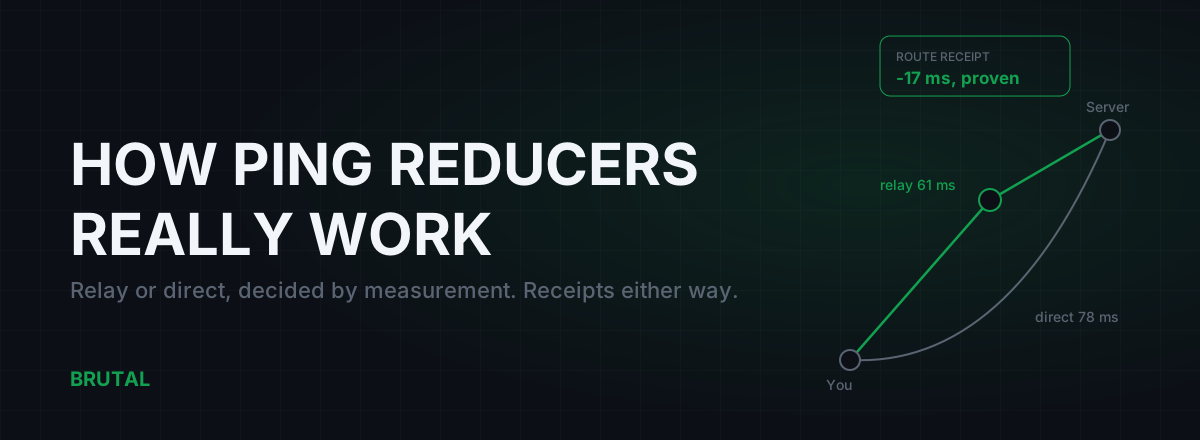
How Do Ping Reducers Work? Relay vs Direct, With Receipts
A ping reducer only helps when a relay path genuinely beats your ISP's route. Here's how Smart Route detects the server, measures both paths, and decides, with a receipt either way.
 Network & Latency
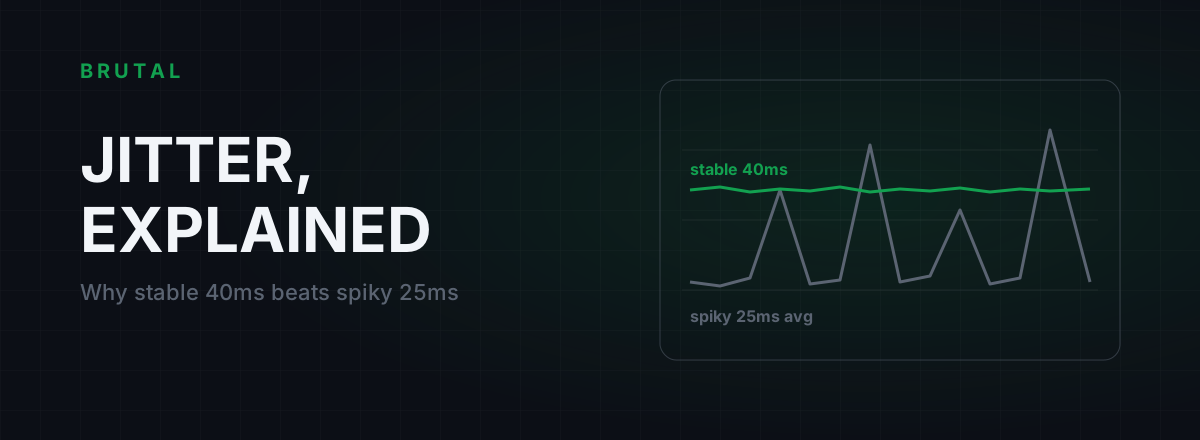
What Is Jitter in Gaming? Why Stable 40ms Beats Spiky 25ms
Jitter is the variation in your ping, and it wrecks aim and hit registration more than raw latency does. Where it comes from, how to measure yours, and the fix ladder that actually works.
 Network & Latency
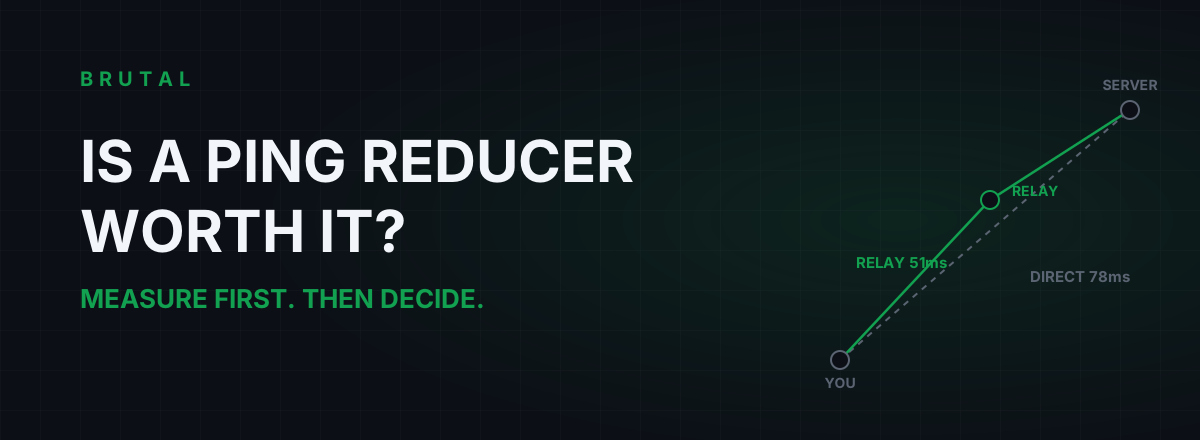
Is a Ping Reducer Worth It? A Decision You Can Test for Free
Most players don't need a ping reducer. Some genuinely do. A free ten-minute measurement tells you which one you are, before any subscription starts.
Stop guessing. Measure it.
BRUTAL Optimizer is the honest way to speed up Windows — 17 free modules, a real FPS overlay, verified disk cleanup and drive health. No kernel driver of our own, no game hooks, every setting change reversible.