Valorant high ping fix: what actually works and what's placebo
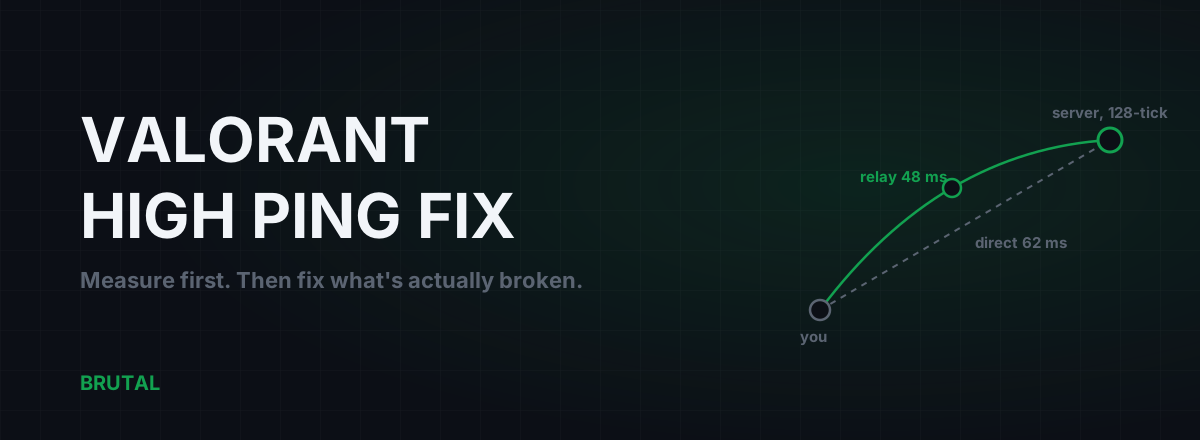
There's no single Valorant high ping fix, because "high ping" has four separate causes and most guides only treat one of them. The honest approach: work out whether the problem lives in your house, in your Windows install, on your ISP's path to Riot, or in which server the matchmaker put you on. Then fix that one thing and ignore the rest.
Why your Valorant ping is high in the first place
Ping is a round trip. Your click travels to a Riot game server, the server processes it, and the result comes back. When that trip is slow, the delay is coming from one of four places.
- Distance. Data in fiber covers roughly 100 km per millisecond of round trip. If the matchmaker puts you on a server 2,000 km away, physics alone costs you about 20 ms, and no software can refund it.
- The path. Your ISP doesn't always take the straight line. Some routes detour through another city or another country and add 20 to 60 ms the map says shouldn't exist.
- Congestion. A saturated home connection or an overloaded ISP link turns a stable 30 ms into a spiky 30-to-180 ms mess. This is the cause behind "my ping is only bad in the evening".
- Your own house. Wi-Fi retransmissions, a cloud backup mid-upload, a smart TV streaming 4K in the next room. Cheap to fix, commonly ignored.
Each cause has a different fix, and only one of them can cost money. So diagnose before you spend anything.
Where Riot's Valorant servers actually are
Riot runs Valorant on its own infrastructure and its own network backbone, called Riot Direct. The company built that backbone for League of Legends after getting tired of ISPs routing game traffic like it was email. In practice it means your packets usually leave the public internet and hop onto Riot's private network fairly close to your city, which is why Valorant's baseline routing is already better than most games get.
Riot doesn't publish a live server map and the list shifts over time, but Valorant game servers have been confirmed in and around: Northern Virginia, Chicago, Dallas, Northern California and Atlanta for North America; Frankfurt, Paris, London, Stockholm, Warsaw and Madrid for Europe; Istanbul and Bahrain for Turkey and the Middle East; Mumbai, Singapore, Hong Kong, Tokyo, Seoul and Sydney for Asia-Pacific; and São Paulo, Santiago and Mexico City further south. You can see which one you landed on during the match loading screen, something like "Frankfurt 1" or "Mumbai 2".
How Valorant picks your server
You don't get a server browser and you can't force a location. The matchmaker picks the server with the best combined ping for everyone in the lobby. Solo, that usually means your closest data center. In a party it means a compromise: queue with a friend two countries away and you'll both get a middle server neither of you loves.
Two consequences worth knowing. First, your account's region is fixed when you create the account, based on where you appeared to be at the time, so an account made on holiday or behind a VPN can be stuck queueing far from home. Second, the matchmaker goes by measured ping, not geography. If your ISP's route to the nearest data center is bad, your measured ping to a farther one can genuinely be lower, and that's the server you'll get. A routing problem quietly becomes a distance problem.
Why 128-tick makes jitter impossible to ignore
Valorant's servers simulate the game 128 times per second. That's a fresh authoritative update every 7.8 ms, roughly twice as often as most shooters. Riot did it to make gunfights feel crisp, and it works. It also has a side effect nobody advertises: jitter you'd never notice at 64-tick becomes visible.
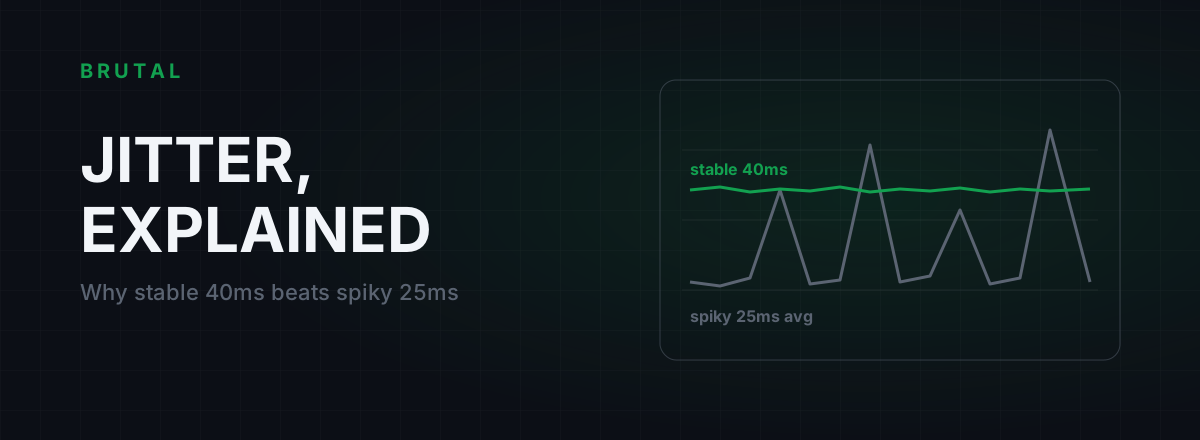
Here's why. Your average ping matters less than how consistently packets arrive against that 7.8 ms drumbeat. A connection holding a flat 40 ms delivers an update into every tick window like clockwork. A connection averaging 25 ms but swinging between 15 and 55 ms misses windows constantly, and every miss means the server briefly guesses where you and your enemies are. You feel it as micro-teleports, sprays that seemed on target, deaths a half-step behind cover.
So a "better" average can play worse. If the scoreboard number looks fine but the game feels wrong, measure your jitter, not your average.
Fix your side of the wall first
Before touching anything exotic, clear the problems inside your own four walls. They're the most common cause of Valorant lag and every fix here is free.
Get off Wi-Fi if you can. Wi-Fi's problem isn't speed, it's retransmissions: interference forces packets to be sent again, which shows up as jitter and the occasional 100 ms spike. A cable usually won't lower your average ping much, maybe 1 to 5 ms, but it flattens the spikes, and at 128-tick the spikes are the part you feel. The full comparison is in Ethernet vs Wi-Fi for gaming latency.
Test for bufferbloat. If your ping is fine until someone in the house uploads a video or watches Netflix, your router is queueing packets instead of managing them. Run the Waveform bufferbloat test while the connection is busy. A grade of C or worse under load is your evening lag, found. The cure is smart queue management on the router, walked through in our bufferbloat fix guide.
Hunt background uploads. OneDrive syncing a folder, Google Photos backing up, a launcher preloading a patch, Windows sharing updates with strangers via Delivery Optimization. Open Task Manager, sort the network column descending, and look. It takes thirty seconds and catches an embarrassing number of "mystery" ping spikes.
Windows tweaks: the honest list
Windows can add input latency and frame-time problems. It adds almost no network latency. Read that twice before you spend an evening in regedit, because the most-shared Valorant high ping fix lists are mostly rituals.
Things that do nothing for in-match ping: changing DNS (DNS resolves the server's address once, before you connect; match traffic never touches it), Nagle's algorithm tweaks like TcpAckFrequency (Valorant's match traffic is UDP and Nagle is a TCP feature, so the tweak literally cannot apply), flushing caches, and closing idle apps that aren't using the network.
Things worth checking once: make sure a privacy VPN isn't silently carrying your game traffic through another country, pause big downloads and Delivery Optimization while you play, and if you're stuck on wireless, turn off the Wi-Fi adapter's power saving mode, which can add bursty latency on some chipsets.
If you want the Windows work that genuinely pays off in competitive play, it's about frame-time consistency and the input path, not ping. That's covered honestly in our Windows optimization guide for competitive play.
Measure the route before you blame Riot
If your side of the wall is clean and ping is still high, find out where the delay starts before assuming Riot is at fault. A traceroute shows every network hop between you and a destination, with the latency at each step.
Reading one takes a minute. Hop 1 is your router; if it's already above 10 ms, the problem is inside your house, probably Wi-Fi. Hops 2 to 4 are your ISP's local network. Everything after that is transit toward the server region. The hop where latency jumps and stays high is your bottleneck. A jump at hop 2 in the evening is ISP congestion. A detour through a city in the wrong direction is a routing decision your ISP made for cost, not for you.
Run it twice, once in the morning and once at 9 pm. Same route with worse numbers means congestion. A different route in the evening means your ISP is shifting you to a cheaper path at peak time. The full walkthrough is in traceroute, explained for gamers.
One caveat: you can't easily traceroute to the exact match server, since the address changes per game. Aim at a stable host in the server's city instead; the shape of the route is what you're after. The free download includes ping, traceroute, a DNS benchmark and a bufferbloat grade, no purchase needed for any of it.
When routing is the Valorant high ping fix, and when it isn't
Here's the part where a company that sells a routing product should be careful, so we will be. Because of Riot Direct, Valorant is one of the harder games for a relay network to improve. Riot already did the wide-area engineering that relays normally exploit. If you're on decent fiber in a city near a data center, your direct path is probably already close to the physics floor.
Where a relay does win: when your ISP's handoff onto the good part of the internet is bad. Some regional ISPs peer poorly with Riot's edge, some cross-border routes in South Asia, the Middle East and South America take absurd detours, and some ISPs shift traffic onto congested cheap paths every evening. In those cases, entering the network closer to a clean interconnect can save real milliseconds, sometimes 15 to 40 depending on how bad the original route was.
How often does that happen? Honestly, it depends where you live. On well-peered fiber next to a Valorant data center, a relay almost never wins. On a congested regional ISP a long way from the nearest server, maybe one session in three. Nobody can know without measuring your connection, which is why Smart Route measures the direct path against its relay locations for the actual server connection your game opened, engages only when the relay provably wins, and otherwise stays direct and records "Direct won" on the session's Route Receipt. A receipt that says direct won is not a failure. It's the answer.
A ping reducer that won't show you the direct number next to the relay number isn't measuring. It's marketing.
Vanguard and ping reducers: what's actually safe
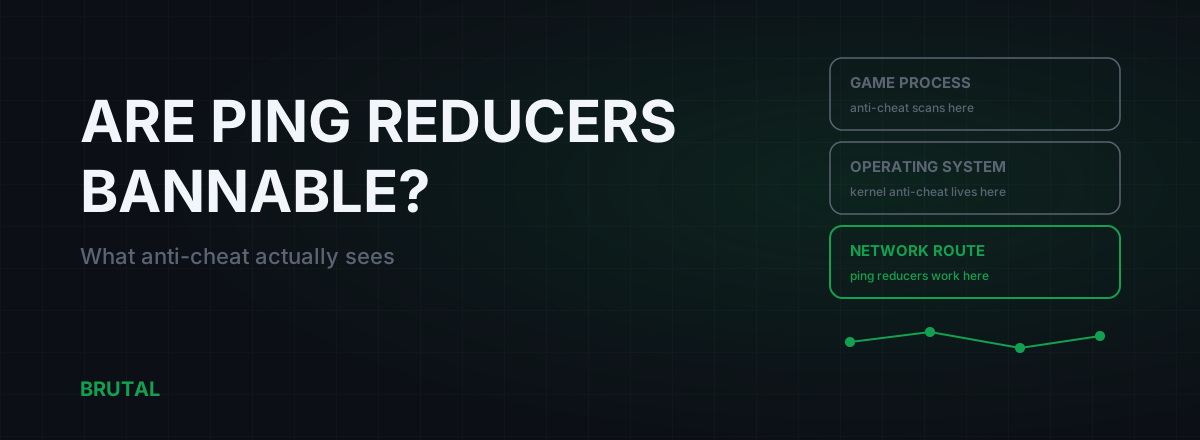
Vanguard is a kernel-level anti-cheat that loads at boot and watches what touches the game: injected code, memory reads, hooks into the rendering pipeline. A network-level ping reducer never enters that territory. It moves packets at the network layer, the same category of thing a VPN or your router's QoS does, and the game process never knows the path changed.
Riot bans for cheating, not routing. There's no recorded ban wave against players using relays or VPNs for latency. Two cautions anyway: don't create your account behind a VPN, because the region lock set at creation will haunt you, and avoid old-school tools that inject overlays into the game process, since that's exactly the class of behavior anti-cheat exists to inspect. The full breakdown is in are ping reducers anti-cheat safe?
The 15-minute checklist
The whole Valorant high ping fix, in order, most likely culprit first.
- Plug in a cable. Even temporarily, to see what changes.
- Run a bufferbloat test while the connection is busy. Fix the router if it grades C or worse.
- Check Task Manager's network column for background uploads.
- Traceroute toward your server region, morning and evening, and compare.
- Check the loading screen: which server did you actually get, and who were you queued with?
- Only after all that, trial a measured relay, and trust the measurement over the sales page.
| Symptom | Most likely cause | Fix | Realistic gain |
|---|---|---|---|
| Ping looks fine, game feels teleporty | Jitter from Wi-Fi or bufferbloat | Ethernet, smart queue management | Spikes gone; average barely moves |
| High ping in the evening only | Congestion or bufferbloat | Router QoS; test loaded latency | Loaded ping from 200+ ms back near idle |
| High ping all day, but stable | Distance or a bad route | Traceroute, check your server, trial a measured relay | 0 ms if it's distance; 15 to 40 ms if it was the route |
| Random spikes mid-match | Background upload or interference | Task Manager network column; cable | Spikes stop; average unchanged |
Fix the free stuff first. Most of the time that's the whole job, and when it isn't, you'll at least know exactly which problem is left before you pay anyone to solve it.
Frequently asked questions
Why is my Valorant ping suddenly high when it was fine yesterday?
Sudden changes usually mean congestion or a route change, not your PC. Check for background uploads (cloud backups, launcher patches), run a bufferbloat test while someone else uses the connection, and compare a morning traceroute to an evening one. If the route itself changed, that's your ISP shifting paths and it often shifts back.
Can I choose my server in Valorant?
No. There's no server browser and no region toggle in the client. The matchmaker picks the server with the best combined ping for everyone in your lobby, and your account's region was fixed when you created it. The one lever you have is who you queue with: a party spread across countries gets a compromise server.
Does a VPN lower ping in Valorant?
Usually not. Riot's own backbone (Riot Direct) already carries your traffic most of the way, so a generic VPN more often adds latency than removes it. The exceptions are badly peered ISPs and congested cross-border routes, where a well-placed relay can save 15 to 40 ms. Measure both paths before you pay for anything.
Is 60 ms ping bad for Valorant?
It's playable, and plenty of high-rank players live at 50 to 70 ms. Stability matters more than the number: a flat 60 ms with low jitter feels better than 30 ms that swings between 20 and 80. If the game feels worse than your ping suggests, measure jitter and packet loss, not the average.
Will Vanguard ban me for using a ping reducer?
Network-level routing tools don't touch the game process, so there's nothing for Vanguard to object to. They move packets at the network layer, the same category of thing a VPN does, and Riot bans for cheating, not routing. Avoid anything that injects code or overlays into the game itself.
Does changing DNS lower Valorant ping?
No. DNS resolves the server's address once, before you connect. Match traffic never passes through your DNS server, so switching to Cloudflare or Google DNS cannot change in-match ping by a single millisecond. It can make websites and the client feel snappier, which is a different thing.
Keep reading
 Anti-Cheat & Safety
Are Ping Reducers Bannable? Anti-Cheat Safety, Explained
Network-level ping reducers never touch the game process, so anti-cheat has nothing to flag. What VAC, Vanguard and Ricochet actually scan, and the one behavior that does get accounts banned.
 Gaming & FPS
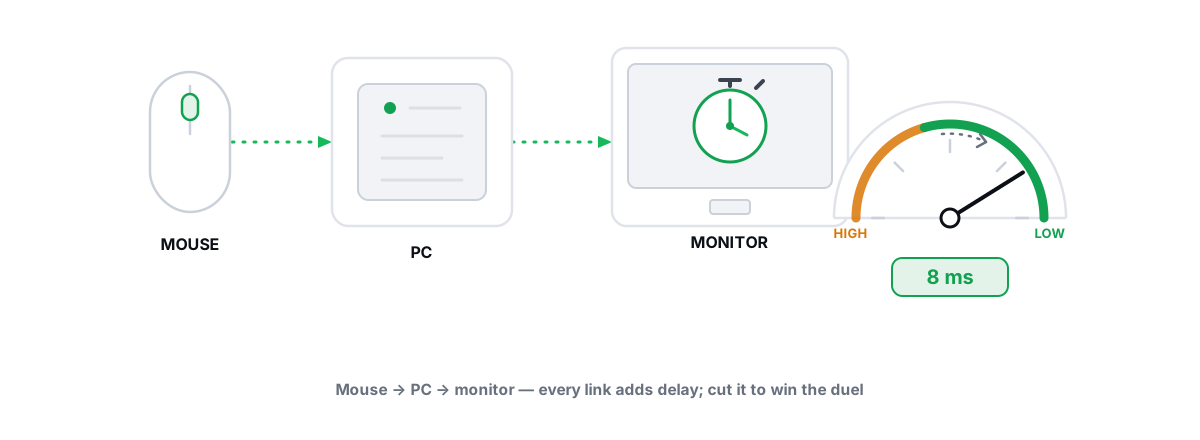
Best Windows Settings for Competitive Gaming (Low Latency)
Real low-latency Windows config for esports, every lever reversible and anti-cheat-safe, plus the famous tweaks that are pure placebo.
 Network & Latency
What Is Jitter in Gaming? Why Stable 40ms Beats Spiky 25ms
Jitter is the variation in your ping, and it wrecks aim and hit registration more than raw latency does. Where it comes from, how to measure yours, and the fix ladder that actually works.
Stop guessing. Measure it.
BRUTAL Optimizer is the honest way to speed up Windows — 17 free modules, a real FPS overlay, verified disk cleanup and drive health. No kernel driver of our own, no game hooks, every setting change reversible.