LoL High Ping Fix: What Actually Lowers Your League Ping
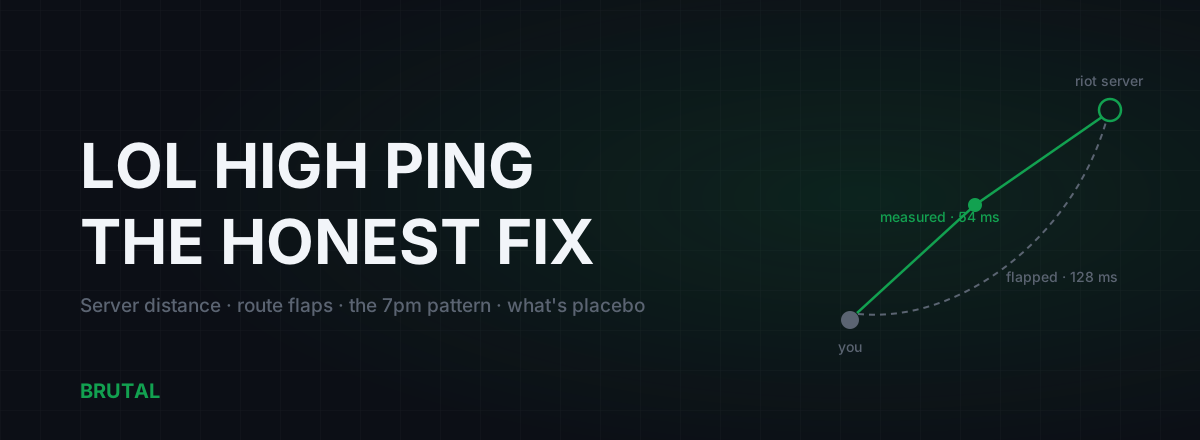
There's no single LoL high ping fix, because high ping in League has three separate causes that need three separate fixes: distance to your Riot server, a bad or congested route to that server, or a problem inside your own home network. This guide shows you how to tell which one you've got, what actually moves the number for each, and which famous tweaks are pure ritual.
First, know which server you're actually on
League doesn't let you pick a server per match. Your account lives in one region, and that region's games run in one physical place. So before you change a single setting, work out how far your packets have to travel, because nothing in Windows shortens geography.
Riot doesn't publish an official datacenter map, but a decade of community traceroutes puts the major servers in fairly well-agreed spots. Treat the locations below as widely reported, not gospel:
| Region | Widely reported location | Realistic in-region ping |
|---|---|---|
| NA | Chicago, USA | 10–75 ms (West Coast sits at 55–80) |
| EUW | Amsterdam, Netherlands | 8–50 ms |
| EUNE | Frankfurt area, Germany | 10–60 ms |
| KR | Seoul, South Korea | 2–30 ms |
| SEA (SG2) | Singapore | 10–70 ms |
| OCE | Sydney, Australia | 5–55 ms |
| BR | São Paulo, Brazil | 8–50 ms |
| MENA | Gulf region (Bahrain area) | 10–50 ms |
Two things fall out of that table. If you're on the US West Coast playing NA, your 60 to 70 ms isn't broken. Chicago is roughly 2,800 km away, and the round trip through fiber eats about 30 ms before a single router adds its share. That's geometry, and no LoL high ping fix touches geometry. And if you're playing cross-region, say NA from Europe or OCE from Singapore, 150 to 250 ms is mostly physics with some routing waste stacked on top. Only the routing waste is negotiable.
Press Ctrl+F in game to see your live ping. Watch it across a few games before you change anything. The pattern matters more than the number.
What counts as high ping in League
League is more forgiving than a tactical shooter, but less forgiving than people claim. Under 40 ms, everything feels instant. From 40 to 80, almost nobody can tell the difference in a blind test. From 80 to about 110, skillshot dodges and tight trades start landing a beat late. Past 120, you're pre-moving on faith and flash timings become guesswork.
Stability beats the average. A steady 70 ms plays better than a 40 that spikes to 150 every teamfight, because your brain calibrates to a consistent delay and can't calibrate to a random one. If your average looks fine but fights stutter, your problem is jitter, and jitter almost always lives in Wi-Fi or a saturated line.
Why ping jumps mid-game and stays there
The classic League complaint: you load in at 35 ms, and at the 14 minute mark it climbs to 120 and just sits there for the rest of the game. That's not your PC, and it's not the server. It's almost always a route flap.
Internet paths aren't fixed. Your ISP and the carriers between you and Riot constantly renegotiate which roads traffic takes, and when a link fails or fills up somewhere, whole blocks of traffic get shifted onto a longer detour. Your packets still arrive. They just travel via a city you never asked for. The signature is a step: ping goes up sharply, then stays flat at the new, worse level.
Congestion looks different. It's spiky and ragged, worse and better minute to minute, and it tracks how busy the network is rather than any single moment where something changed. Learn to tell the two shapes apart, because the fixes are different.
What can you do about a flap mid-game? Honestly, almost nothing. Reconnecting doesn't help, because the new connection takes the same broken road. Flaps usually settle on their own within minutes to hours as routing converges. What you can do is confirm it afterwards: run a traceroute toward your server region during a bad spell and again during a good one, and compare where the paths diverge.
One thing works in your favor here. Riot runs its own private backbone, Riot Direct, with direct connections into many ISPs, built specifically to keep the middle of the path clean. Once your traffic reaches Riot's network edge, it's on rails. Which means nearly every flap, and nearly every fix, lives on the first leg: from your house to Riot's nearest on-ramp.
The 7pm problem, the most common pattern of all
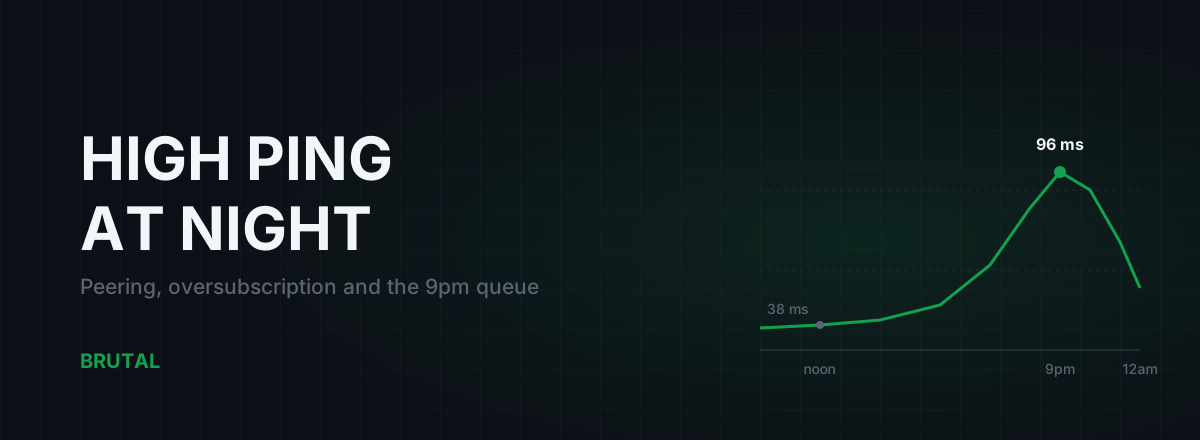
If your ping is 30 at 2pm and 85 at 9pm, every single day, you don't have a mystery. You have evening congestion, and it comes in two flavors.
The first lives at your ISP. Between roughly 7pm and 11pm, everyone in your neighborhood streams, downloads and video-calls at once, and the links your ISP uses to hand traffic off to other networks fill up. Queues form, and your League packets wait in line behind Netflix. We wrote a full piece on why evening lag is a peering problem, but the short version: it's not your equipment, and the fix is your ISP's to make, not yours.
The second flavor lives in your house, and this one you can fix. When someone saturates your connection, your router or modem buffers the overflow, and latency for everything else balloons. That's bufferbloat, and it routinely adds 50 to 300 ms under load. Run the Waveform bufferbloat test while someone in the house streams 4K. If your grade comes back C or worse, that's a fixable chunk of your evening ping.
How to tell the flavors apart: fix bufferbloat first, with SQM or smart queue QoS on the router. If your grade comes back A and the evening climb remains, the congestion is upstream of you, and no setting on your side removes it.
The LoL high ping fix checklist, in order
Work through these in order. Each one is cheap to test and either helps measurably or rules something out.
- Go wired. Ethernet versus Wi-Fi matters less for average ping and a lot for jitter. Wi-Fi adds retransmissions and airtime contention that show up as spikes exactly when a teamfight starts. A cable removes an entire category of problems in one move.
- Silence the uploaders. Cloud photo backup, OneDrive sync, a launcher patching a game in the background, a housemate on a video call. Upload is the scarce resource on most home connections, and a full upload queue delays your outgoing game packets specifically.
- Fix bufferbloat at the router. Enable SQM or smart queue QoS if your router has it. This is the single highest-value change for any household where League only lags when the network is busy.
- Measure at different hours. Same test at 2pm and 9pm. If the results differ dramatically, you've diagnosed the evening pattern and you know whose side of the wall the fault is on.
- Traceroute when it's bad. If ping is high at all hours on a quiet, wired line, the route itself is the suspect, and a traceroute tells you whether the damage sits in your home, at your ISP, or somewhere in the long haul.
The Windows tweaks, honestly
Most LoL high ping fix lists open with registry tweaks. Here's the honest version of that section.
TcpAckFrequency and TCPNoDelay, the famous "Nagle fix", had a real basis around a decade ago, when League's game traffic ran over TCP and delayed acknowledgements genuinely added latency. Riot moved game traffic to UDP years ago. Nagle's algorithm and delayed ACKs are TCP mechanisms; they never touch a UDP packet. The tweak now modifies a setting your game traffic doesn't use. We took the whole thing apart in the Nagle tweak article if you want the details.
Changing DNS doesn't lower in-game ping either. DNS resolves names before you connect; once you're in a game, your client talks to an IP address directly and DNS is out of the picture. A faster resolver makes the client and web pages snappier, nothing more.
Closing background apps helps only if those apps are moving traffic. Freeing RAM doesn't lower ping. A truly pegged CPU can make the game feel laggy, but that shows up as FPS drops and stutter, not as a higher number on the ping counter.
When a relay genuinely helps, and when it won't
Because Riot Direct already keeps the middle of the path in good shape, a relay service has exactly one honest job in League: fixing the first leg when your ISP routes it badly. That's a real problem, but a narrower one than the marketing suggests.
In-region, on a competent ISP, a relay wins maybe one case in ten, and often by single-digit milliseconds you won't feel. Direct is usually already the best road. The cases where a relay earns its keep are specific: an ISP with a chronically bad handoff toward Riot's edge, evening reroutes that send your traffic on a detour, and above all cross-server play. If you're in the Gulf grinding EUW, in India playing SEA, or on OCE queueing with NA friends, the public route can be 20 to 60 ms worse than a well-placed private one, depending on the path.
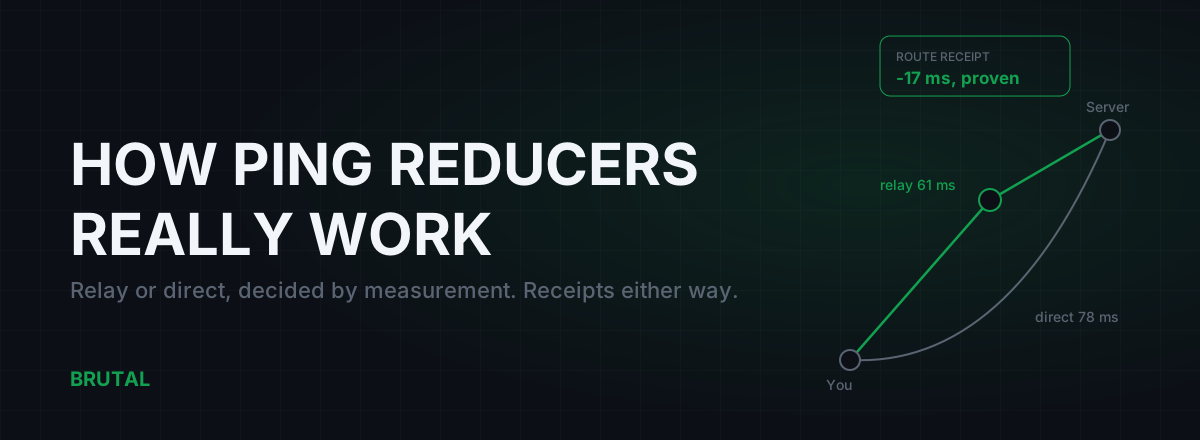
The catch is that you can't know in advance which case you are. So don't trust promises, demand measurement. Smart Route reads which server your game is talking to (read-only, no injection, no kernel driver), measures your direct route against its relays for your specific connection, and only engages when the relay provably wins. When direct is faster, it stays out of the way and records "Direct won" as the result. Every session produces a Route Receipt showing exactly what was saved, or that nothing needed saving. The full decision logic is in how Smart Route decides relay or direct.
A ping tool that never says "direct won" isn't measuring anything. It's marketing.
A realistic plan for tonight
Plug in a cable. Pause the backups. Run a bufferbloat test while the house is busy and fix the router queue if the grade is ugly. Then watch Ctrl+F across a few games and note the shape: a step that sticks is a route flap, spikes that track household activity are congestion you can fix, and a nightly climb is your ISP's peering.
If after all that your ping is still high on a quiet, wired line at 2pm, the problem is the route or the distance. Distance you accept, or you transfer regions. The route you can measure: the free download includes the ping test, traceroute and bufferbloat grade to do it properly, and paying for routing only ever makes sense if a measurement proves a win on your specific connection. Most of you will find direct is already fine. That's not a disappointing answer. That's the answer working.
Frequently asked questions
Why did my ping suddenly go up mid-game in League of Legends?
A sharp step that sticks for the rest of the game is almost always a route change between your ISP and Riot's network, not your PC. Reconnecting rarely helps because the new connection takes the same path. These flaps usually settle within minutes to hours on their own. If it happens often, run a traceroute during a bad spell and keep the results for your ISP.
What is a good ping for League of Legends?
Under 40 ms feels instant, and anything up to about 80 ms is fine for the vast majority of players. From 80 to 110 you'll notice skillshot dodges landing a beat late, and past 120 you're playing prediction. A stable 70 beats an unstable 40, so watch the spikes as much as the average.
Why is my LoL ping only high in the evening?
That's the classic congestion pattern between roughly 7pm and 11pm, when everyone streams at once. It's either your ISP's peering links filling up or bufferbloat in your own router when the household is busy. Fix bufferbloat first with SQM or QoS; if the evening climb survives an A-grade bufferbloat test, it's on your ISP's side.
Does a VPN or ping reducer lower ping in League?
Usually not inside your own region, because Riot's private backbone already keeps the middle of the route clean. It genuinely helps in a minority of cases: ISPs with a bad handoff toward Riot, and cross-region play, where 20 to 60 ms wins are realistic depending on the path. Measure your specific connection instead of trusting a blanket promise; an honest tool will tell you when direct already wins.
Can I change my League server to get lower ping?
You can't pick a server per match, but Riot offers account region transfers through the client store, and you can always make a fresh account on the closest region. Check the widely reported server locations first so you know what ping to expect. Distance is the one thing no software fixes.
Keep reading
 Network & Latency
High Ping at Night? ISP Peering and Congestion, Explained
Evening lag isn't your PC. It's shared links filling up when everyone gets home. How oversubscription and peering work, how to prove it with traceroutes, and what realistically helps.
 Network & Latency
How Do Ping Reducers Work? Relay vs Direct, With Receipts
A ping reducer only helps when a relay path genuinely beats your ISP's route. Here's how Smart Route detects the server, measures both paths, and decides, with a receipt either way.
 Network & Latency
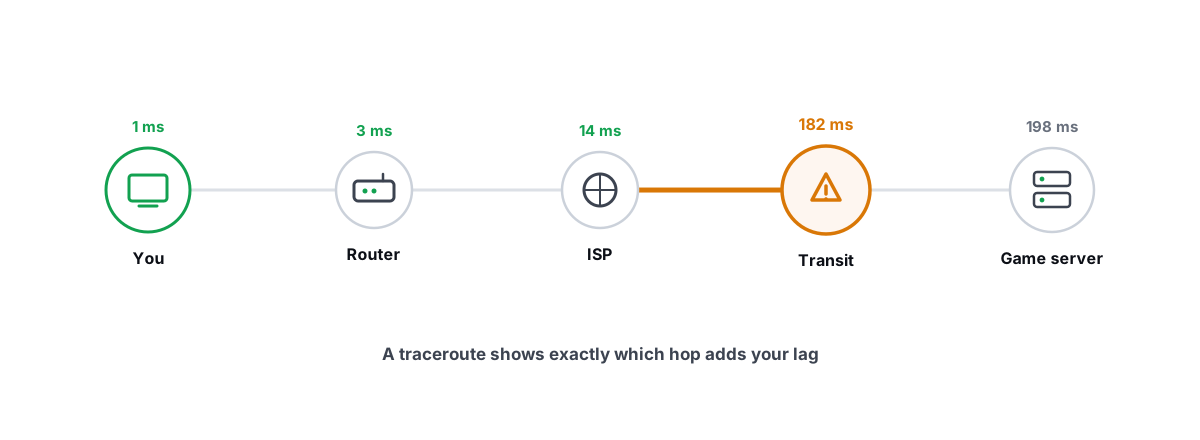
How to Read a Traceroute: Find Your Lag's Real Source
Read a real ICMP traceroute and classify every hop so you know whether the lag is your router, your ISP, or the game server.
Stop guessing. Measure it.
BRUTAL Optimizer is the honest way to speed up Windows — 17 free modules, a real FPS overlay, verified disk cleanup and drive health. No kernel driver of our own, no game hooks, every setting change reversible.