Apex Legends High Ping: The Data Center Truth and Real Fixes
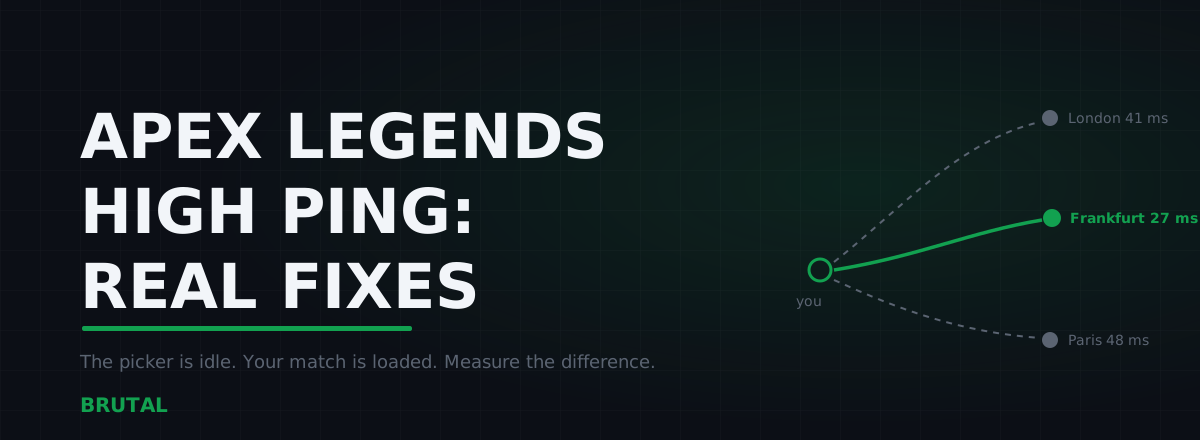
High ping in Apex Legends usually comes down to one of three things: you're connected to the wrong data center, the route to the right one is bad, or your own connection collapses under load. The in-game picker only helps with the first, and even there it can mislead you. Its numbers are measured while you sit at the title screen, not while a match with 59 other players is hammering your connection.
The data center picker measures an empty road
Apex gives you something most shooters don't: a data center list you can open from the title screen, with a ping and packet loss figure for every server region. Use it. It's the single most useful network control in the game.
Just understand what it measures. Those pings run while your connection carries almost nothing. A few small probes, sent from a menu. That's an idle number.
A live match is a different animal. The server streams position updates for a full lobby, your client sends a constant stream back, and the rest of your household keeps doing whatever it was doing. If your line suffers from bufferbloat, a connection that idles at 20ms can sit at 70ms or worse the moment anything else downloads. The picker will never show you that.
The picker measures the empty road at 4am. Your match is rush hour.
So treat the picker as a shortlist, not a verdict. It tells you which regions are plausible for you. Only a real match tells you which one plays well.
How to actually pick a data center
Here's a selection method that takes about an hour and settles the question for months.
First, open the data center list and shortlist the two or three regions with the lowest ping and zero packet loss. Skip anything already showing loss in the picker. If it drops packets while idle, it'll be worse under fire.
Second, turn on the in-game performance display in Settings under Gameplay, so you can see live latency and loss during matches instead of guessing.
Third, play two or three matches on each shortlisted region. Watch the ping mid-fight, not while looting a quiet building. Note whether it holds steady or swings around, and whether the connection warning icons ever flash.
Then pick the region that stays flat. That's sometimes not the one with the lowest idle number. A data center 10ms farther away that never spikes will feel better in every fight than a closer one that wobbles. Distance is only part of latency. The path your ISP takes matters just as much, and some geographically close servers sit behind genuinely ugly routes.
Cross-play pools and why you sometimes land far away
Your data center choice usually holds. Usually.
Apex mixes console and PC players into shared pools when you party across platforms, and the matchmaker's first job is filling lobbies, not honoring your ping. When queues run thin, at 4am in your region or in the upper ranked tiers, players consistently report being placed on servers well outside their selection to get a match started. Respawn doesn't publish the exact rules, so treat this as observed behavior rather than documented policy, but the pattern is common enough to plan around.
Partying with a friend in another region does something similar. The game has to put the squad somewhere, and that somewhere is often a compromise server that's mediocre for both of you, or simply their region.
There's no setting that fixes this. What you can do: check your actual ping at the start of each match rather than trusting the lobby, queue during your region's busy hours when the matchmaker has enough local players to respect your pick, and accept the trade knowingly when you're grinding ranked at odd hours. A far server you know about is annoying. A far server you blame on your ISP sends you down a week of pointless tweaking.
Why Apex feels laggier than its ping number
Apex servers run at 20Hz. That's one world update every 50ms, against 64Hz in CS2 and 128Hz on Valorant's competitive servers. If you want the full picture of what that means, we've written up how tick rate and ping interact, but the short version matters here.
With updates that sparse, your client spends most of its time interpolating, drawing enemies where it estimates they are between server snapshots. When updates arrive on time, that estimation is smooth and you never notice. When they arrive late or out of order, the interpolation stalls and snaps. Enemies micro-teleport. Shots you'd swear landed do nothing. You die a step behind cover.
Now add the movement. Apex is one of the fastest-moving shooters in existence: slides, ziplines, jump pads, abilities that relocate a target mid-duel. Fights aren't decided in one frame, they're sustained tracking duels where you hold your crosshair on an erratically moving target for seconds at a time. Stable timing makes that motion continuous. Jitter chops it into 50ms slices.
This is why a flat 60ms connection routinely feels better in Apex than a 30ms one that swings between 30 and 90. If your ping number looks fine but fights feel wrong, jitter is the prime suspect, and it has its own causes and fixes that mostly live inside your own house.
Where your Apex Legends high ping actually comes from
Before changing anything, spend ten minutes locating the problem. Guess wrong and you'll burn an evening on fixes that never had a chance.
Get an idle baseline. The picker number is fine for this. Note it.
Measure under load. Start a large download on another device and watch what happens to your ping, or run the Waveform bufferbloat test. If latency balloons whenever the line is busy, your problem lives in your router's queue, and no data center change will touch it.
Trace the route. Run a traceroute toward your data center's region and look at where latency jumps. The first hop is your own router, so trouble there means Wi-Fi or local congestion. Hops two and three belong to your ISP. Everything after that is transit between networks. Our traceroute guide for gamers walks through reading it without the mysticism.
Test cable against Wi-Fi. Plug in for one session, even with a cheap borrowed cable, and compare. It's the fastest A/B test in networking.
If you'd rather not juggle command lines, the free download includes the whole measurement kit: ping test, traceroute, bufferbloat grade, DNS benchmark. The measuring costs nothing, and it's the step almost everyone skips on the way to buying something.
Packet loss in Apex: matching symptoms to causes
Loss is nastier than latency because the information isn't late, it's gone. On a 20Hz server, one lost update is a 100ms hole in what your client knows. Apex flags trouble with warning icons in the corner of the screen, but the gameplay usually announces it first.
| What you feel | What it probably is | First move |
|---|---|---|
| High but steady ping, smooth play, everything just delayed | Distance, or a detoured route | Try the next data center; traceroute the current one |
| Ping swinging 30 to 90, floaty fights, enemies micro-teleporting | Jitter, usually Wi-Fi or a congested line | Cable in and retest; fix bufferbloat |
| Rubber-banding, shots that vanish, deaths behind cover, icons flashing | Packet loss | Isolate it: wired vs wireless, another device, off-peak hours |
| Perfect at noon, ugly every evening from 8 to 11 | ISP or peering congestion | Log times for a week, then confront your ISP with data |
If your symptoms sit in the loss row, work through the full packet loss triage before touching anything else. Loss fixes and latency fixes are different jobs, and applying the wrong one wastes your weekend.
Fixes that actually move the number
In rough order of how often they pay off.
Cable in. Ethernet won't shorten the path to Frankfurt, so your average ping barely moves, maybe 2 to 5ms. What it kills is jitter and the low-grade loss that Wi-Fi generates when a neighbor's network, a microwave, or a wall gets involved. For a tracking-duel game on 20Hz servers, that trade is the entire point.
Fix bufferbloat. If the loaded test showed your ping ballooning, turn on SQM or smart queue management on your router. On affected lines this cuts loaded latency by 30 to 60ms and costs nothing. The router settings guide covers the exact knobs.
Re-pick your data center with match data. Covered above. Loaded numbers, not menu numbers.
Fix the route, if the route is actually broken. This is the honest niche for routed relays. If your traceroute shows traffic to a nearby data center detouring through another country, a relay on a better-connected path can beat your ISP's default. That's a real effect, and also a minority one. Think one connection in ten, mostly on ISPs with poor peering. It's what Smart Route is built for: it detects the server Apex is talking to, read-only, no hooks, measures direct against a relay for your specific connection, and engages only when the relay provably wins. When direct is already clean, it stays out of the way and records "Direct won" on the receipt. If you live near the data center on a well-peered ISP, a relay adds distance and loses, and a routing tool should say so instead of charging you for a feeling.
Accept the floor. If the nearest Apex data center is 2,000km away, physics sets your minimum. Light in fiber covers roughly 200km per millisecond round trip is worse, and no software moves the server closer. A stable 70ms is winnable. Chasing 30 from that distance isn't.
What doesn't help
The Apex forums keep a shrine of ritual fixes. Most never touch in-match latency.
Changing DNS servers. DNS resolves names before you connect. Once you're in a match, your PC is sending UDP packets to an IP address it already knows, and DNS is out of the loop entirely. A fast resolver makes menus and website loads snappier. Your ping to the game server doesn't move by a single millisecond.
TCP and Nagle registry tweaks. Apex game traffic runs over UDP. TcpAckFrequency, TcpNoDelay and their cousins govern a protocol the game isn't using for gameplay.
Closing background apps as a reflex. This helps exactly when something was genuinely uploading or downloading, which you can check in Task Manager's network column in ten seconds. Discord sitting idle in your tray is not why you're at 110ms.
Buying a faster plan. Bandwidth is how many lanes the road has. Latency is how long the road is. A 500Mbps line is not closer to the data center than a 100Mbps one, and Apex uses a tiny fraction of either.
The honest sequence: measure idle, measure loaded, pick your data center with match data, cable in, fix bufferbloat if you have it, and only then think about routing. Most Apex ping problems die somewhere in the first three steps, and every one of those is free.
Frequently asked questions
Why is my ping suddenly high in Apex Legends?
Check the data center first. Updates and reinstalls sometimes reset your selection, and matchmaking can place you on a farther server when queues are thin. If the data center is right, the usual suspects are evening congestion on your ISP's route or something on your own network saturating the line. Test idle ping against in-match ping to tell them apart.
What is a good ping for Apex Legends?
Under 40ms is great, 40 to 70ms is perfectly playable, and stability matters more than the raw number. Because Apex servers tick at 20Hz, a flat 60ms connection usually feels better than a 30ms one that swings to 90 and back. Chase consistency before you chase single digits.
How do I change my data center in Apex Legends?
From the title screen, before you enter the lobby, open the Data Centers option shown at the bottom of the screen, pick a region, and continue. Remember the ping numbers shown there are idle measurements taken in a menu. Confirm your choice by watching in-match ping over a few games, not by the picker alone.
Does a VPN lower ping in Apex Legends?
Occasionally, when your ISP routes traffic to the data center on a detour and the VPN happens to take a shorter path. That's the exception, maybe one connection in ten, not the rule. A general-purpose VPN adds encryption overhead and an extra hop, so measure before and after instead of trusting marketing. If direct is already clean, any relay loses.
Why do I keep getting killed behind cover in Apex?
That's latency plus the 20Hz tick rate. The server saw you exposed 50 to 150ms ago, accepted the enemy's shots, and told your client afterwards. Lowering and stabilizing your ping shrinks the window, but no connection eliminates it entirely. Everyone in the lobby lives with some version of it.
Keep reading
 Network & Latency
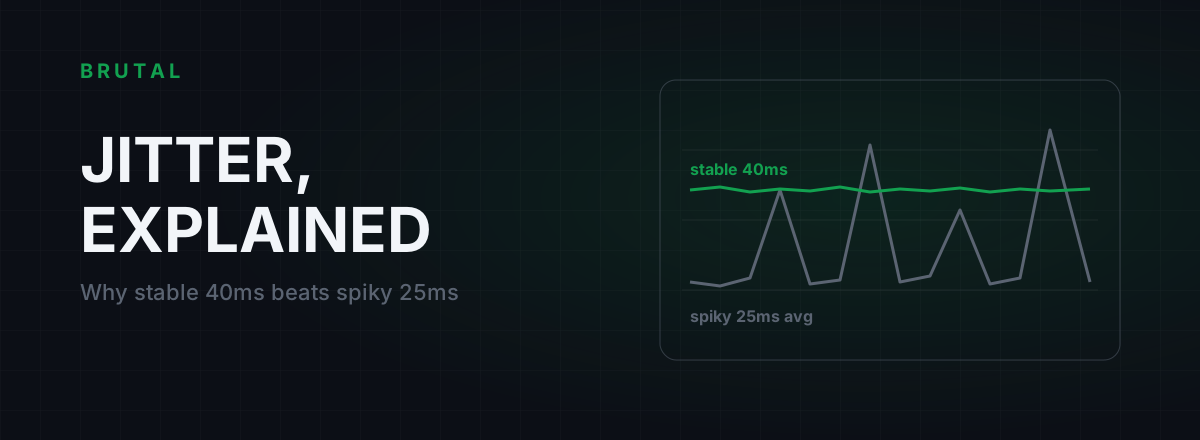
What Is Jitter in Gaming? Why Stable 40ms Beats Spiky 25ms
Jitter is the variation in your ping, and it wrecks aim and hit registration more than raw latency does. Where it comes from, how to measure yours, and the fix ladder that actually works.
 Network & Latency
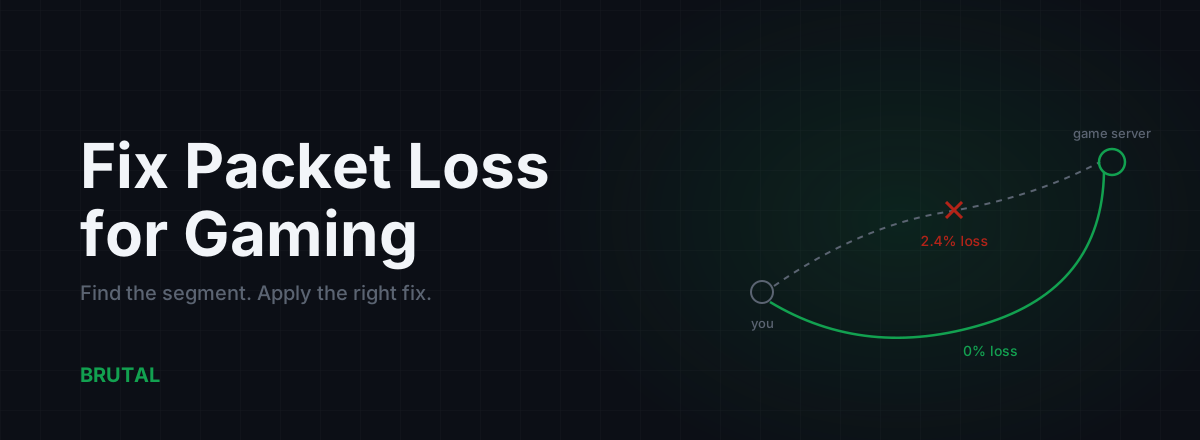
How to Fix Packet Loss for Gaming, Step by Step
Packet loss ruins games faster than high ping. Here's how to find which segment is dropping packets and fix it: cable, Wi-Fi, router, ISP escalation, and when a relay can route around it.
 Myths & Honest Truths
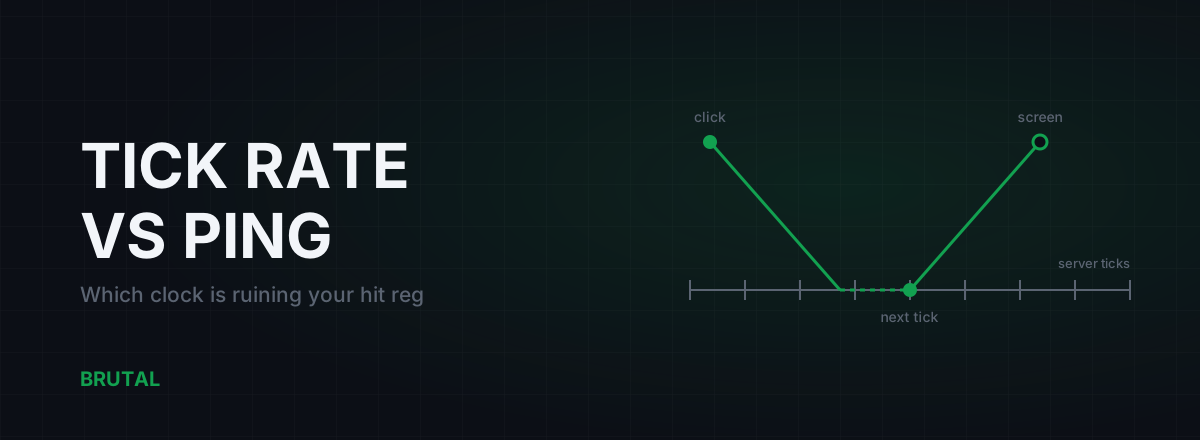
Tick Rate vs Ping: Which One Is Ruining Your Hit Reg?
Ping gets the blame, but a 20-tick server adds delay no route can fix. Honest math on tick intervals, interpolation buffers, and which half of the lag chain you can actually change.
Stop guessing. Measure it.
BRUTAL Optimizer is the honest way to speed up Windows — 17 free modules, a real FPS overlay, verified disk cleanup and drive health. No kernel driver of our own, no game hooks, every setting change reversible.