Are Gaming Routers Worth It? What the Money Actually Buys
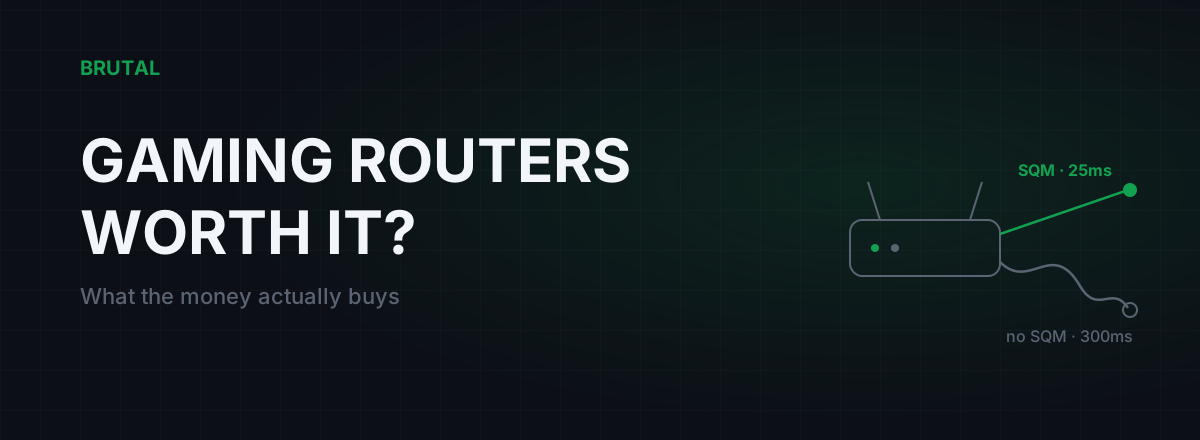
Are gaming routers worth it? Usually not, and almost never for the reasons printed on the box. The one router feature that genuinely cuts in-game lag is smart queue management (SQM), which fixes bufferbloat, and you can get it on hardware costing a third of what the gaming brands charge. The RGB, the antenna forest, and the "game accelerator" badge are mostly styling on the same chipsets everyone else uses.
What you're actually paying for
A typical gaming router costs $250 to $450, or roughly ₹20,000 to ₹40,000 in India. A perfectly capable router that runs proper SQM costs $60 to $120. That gap is real money, so it's worth being precise about what it buys.
Broadly, the premium covers five things: aggressive styling, more antennas than the radio needs, a bundled "game acceleration" subscription, a faster CPU, and sometimes a genuinely good traffic-shaping engine. Two of those five can matter for latency. Three are decoration.
The box won't tell you which is which. So let's sort it.
The one feature that matters: SQM
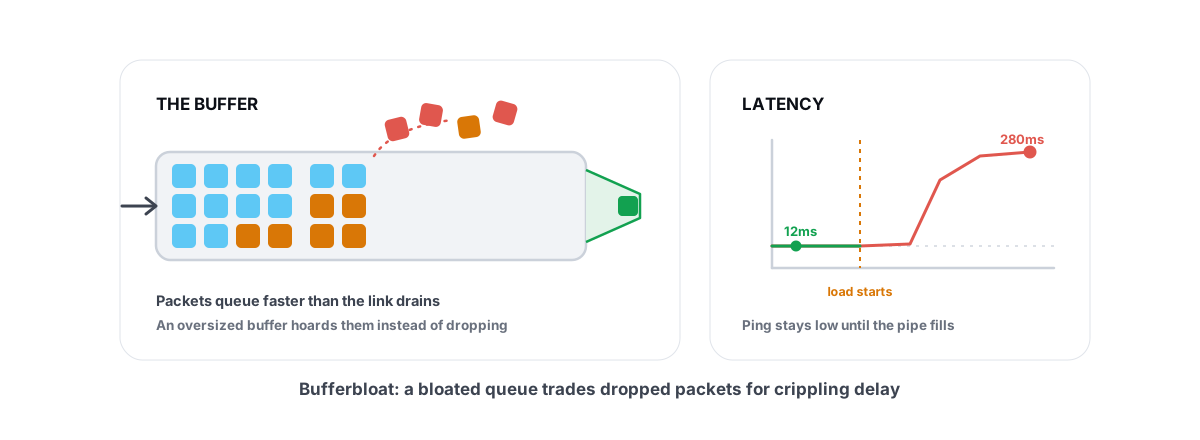
When your game feels fine at 2am and awful the moment someone starts a 4K stream, the cause is almost always bufferbloat. Your router queues up seconds of other people's traffic, and your game packets wait in that line. On a bloated connection, ping under load can jump from 20ms to 200-500ms. It's the single most common home-network cause of lag spikes, and the bufferbloat explainer covers the mechanics in full.
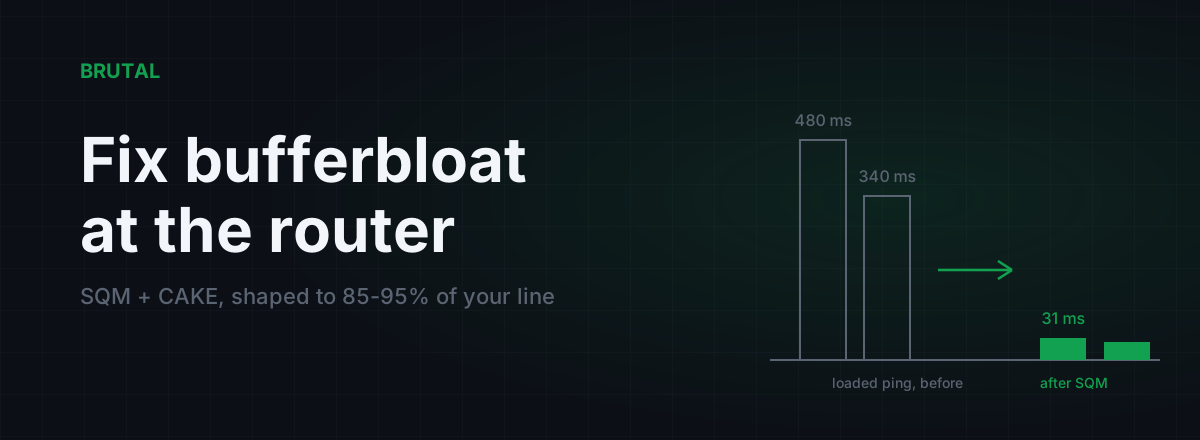
SQM, usually the fq_codel or CAKE algorithm, fixes it by keeping queues short and sharing the line fairly. On a connection with bad bloat, turning SQM on routinely takes loaded ping from a few hundred milliseconds down to 10-30ms above idle. That's not a placebo. It's measurable in one test, repeatable, and boring in the best possible way.
Here's the part the marketing skips: SQM is free software. It ships in OpenWrt, in plenty of stock firmwares, and in $60 routers. A gaming brand can't sell you a better CAKE, because CAKE is CAKE. What it can sell you is a faster CPU to run CAKE at higher line speeds, and a nicer interface on top. Whether that's worth $300 depends entirely on your plan speed, which we'll get to. The setting-by-setting walkthrough lives in fixing bufferbloat in your router settings, and if you want the deeper taxonomy of what QoS modes actually do, read how router QoS works for gaming.
What the marketing actually sells
Put a $400 gaming router's feature list next to what measurably lowers latency and the overlap is thin. Item by item:
RGB and gamer styling. Zero milliseconds. Nobody seriously argues otherwise, but it's a visible chunk of the build cost, and you're the one paying for it.
The "gaming port." Usually a normal Ethernet port with a static QoS priority tag. Plugging your PC into it does roughly nothing that a proper SQM config wouldn't do better for every device in the house at once.
Bundled "game accelerators." Several gaming routers ship with a route-optimization subscription baked into the firmware. These are relay networks. Sometimes a relay genuinely beats your ISP's default path; often it doesn't, and adds latency instead. The honest way to use any relay is to measure both paths and only switch when the numbers prove a win, which almost none of the bundled firmware versions bother to show you.
Geo-filter matchmaking. This one is real but niche. A geo-filter blocks matchmaking with servers or hosts beyond a distance you set, which can help console players in games that mix regional pools. The cost is longer queue times, and it does nothing in games that already pick the nearest region. If you don't already know you need this, you don't.
Wi-Fi 6E and Wi-Fi 7. Real engineering, with genuinely lower and more consistent wireless latency than Wi-Fi 5 in clean conditions. But the improvement is measured against other Wi-Fi, not against a cable. Ethernet still beats every wireless standard on jitter and consistency, and the honest numbers on the new standards are in our Wi-Fi 6E and 7 latency piece.
When a $100 router beats a $400 one
Here's the scenario that embarrasses the category. Take a $90 router running OpenWrt with CAKE configured for a 200 Mbps line, and a $400 gaming router running legacy priority-based QoS on the same connection. Start a big download and watch ping. The cheap router holds loaded latency within 10-20ms of idle. The expensive one, with its "adaptive game prioritization" doing whatever it does, can still let ping triple, because reordering packets inside a bloated queue doesn't shrink the queue.
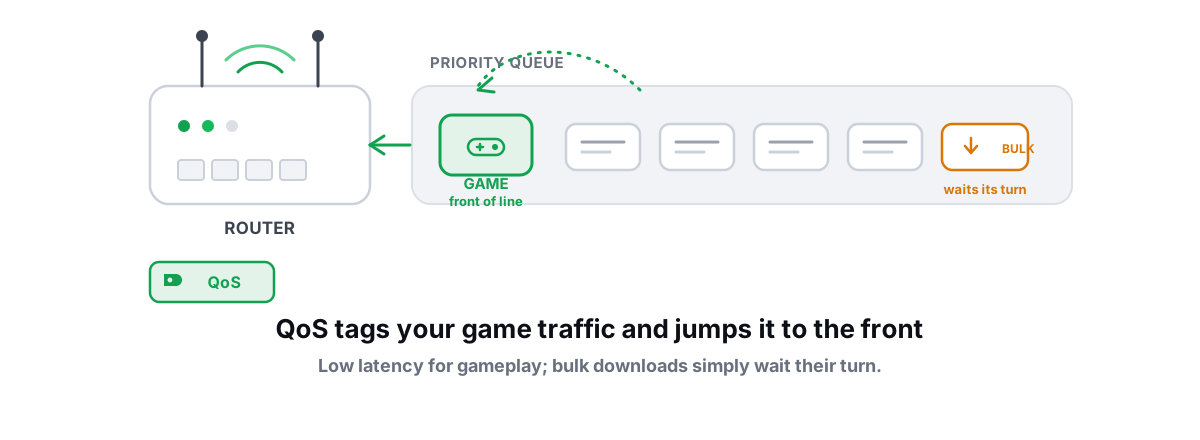
Priority-based QoS says "let the game packet jump the line." SQM says "keep the line short for everyone." The second approach wins, and it wins on cheap silicon at typical broadband speeds.
The honest caveat: SQM costs CPU. Shaping a full gigabit with CAKE takes real processing power, and many budget routers top out somewhere between 300 and 600 Mbps of shaped throughput. On a gigabit or multi-gig plan, a strong CPU is a legitimate reason to spend more. It still doesn't have to say "gaming" on the box, but some gaming routers do happen to carry the right hardware.
When are gaming routers worth it?
Maybe one case in ten. Here are the honest ones.
You're on a gigabit-plus plan with confirmed bufferbloat and you want SQM at full line rate without flashing firmware or adding separate shaping hardware. Some higher-end gaming routers have the CPU for it and expose fq_codel or CAKE in stock firmware. That's a defensible purchase; you're buying the processor, not the badge.
You're a console player in a game with mixed-region lobbies and you specifically want the geo-filter. It's the one feature the category invented that has no cheap generic equivalent.
You run a busy household, four people streaming and downloading over shared Wi-Fi, and you'd be shopping for a premium router anyway. In that case the gaming model competes on radio quality and CPU like any other high-end router, and occasionally wins on price during sales.
Notice what's missing from this list: "my ping is high and I want it lower." A router doesn't change your idle ping to the game server by even one millisecond. If your ping is fine at 4am and bad at 9pm on a wired connection with no bufferbloat, your problem is upstream congestion, and no home hardware touches your ISP's peering.
What no router can fix
Your idle ping is set by physics and by your ISP's route. Distance to the server puts a hard floor under it; light in fiber covers roughly 100km per millisecond of round trip, and no purchase changes geography. Past your front door, your ISP decides which path your packets take, and it optimizes that path for cost, not for your K/D.
A router can only remove the lag you create at home. It can't shorten the internet.
Fixing the path beyond your wall is a different tool's job. Sometimes an alternate route through a relay genuinely beats the ISP default; more often the direct route is already fine. That's why our own Smart Route measures both for your specific connection and only engages a relay when the numbers prove a win, and it logs "Direct won" when they don't. Any product in that category that never says no to itself is selling the same paint as the router boxes.
The same honesty applies to server tick rate, server-side lag, and packet loss inside the game's own infrastructure. Your router sees none of it and fixes none of it.
The honest buy-or-skip framework
Run the test in the next section first, then find your row.
| Your situation | Verdict | Why |
|---|---|---|
| Loaded ping jumps 100ms+, plan under ~500 Mbps | Skip the gaming router | Any $60-120 SQM-capable router, or OpenWrt on your current one, fixes the actual problem |
| Same bufferbloat, gigabit or faster plan | Buy strong hardware, not a badge | Shaping a gigabit needs CPU. Pick by shaped-throughput numbers; a few gaming models qualify on merit |
| Loaded ping already stable (grade A or B) | Skip entirely | Your router isn't the bottleneck. Look at Wi-Fi vs cable, or at the route beyond your ISP |
| Console player stuck in mixed-region lobbies | Maybe, for the geo-filter | The one genuinely unique gaming-router feature. Helps in specific games, costs queue time |
| Lag only in the evening, wired, no bloat | Skip; the problem is upstream | That's ISP peering congestion. No home hardware changes your provider's routing |
Test before you spend
Fifteen minutes of measurement beats every review video. Do it in this order.
First, plug in a cable. If you game on Wi-Fi, a big share of the "router upgrade" gains people report is really "I set up the new router and also happened to move closer to it." Test wired so you're measuring the router, not the air.
Second, grade your bufferbloat. The Waveform bufferbloat test is a solid vendor-neutral option, and the free BRUTAL Optimizer download includes a bufferbloat grade, ping testing, and traceroute so you can watch loaded latency directly. Grade A or B: your router is not your problem. Grade C or worse: SQM will help, and now you know it before spending.
Third, check whether your current router can already do it. Many can, either in stock firmware under the QoS settings or via OpenWrt. That's a $0 fix for the exact thing the $400 box is promising.
Fourth, if you do buy, buy by numbers: shaped SQM throughput at or above your plan speed, fq_codel or CAKE named in the spec or firmware, and radios appropriate for your home. Whether the answer to "are gaming routers worth it" is yes for you comes down to that checklist, not to the word gaming on the shelf tag.
Most people who follow those four steps keep their money. Some fix a real bufferbloat problem for under $120. And a few, mostly gigabit households and geo-filter users, buy the expensive router knowing exactly which feature they're paying for. All three outcomes beat buying the dragon.
Frequently asked questions
Do gaming routers actually reduce ping?
Not your idle ping. They can reduce ping under load if their QoS is real SQM (fq_codel or CAKE), which many cheaper routers can also run. Nothing in a router changes your distance to the server or the route your ISP takes to reach it.
Is the QoS on a gaming router the same as SQM?
Not always. Legacy priority-based QoS reorders packets inside a bloated queue and often does very little. SQM actively keeps the queue short, which is what kills lag spikes under load. Check the spec sheet or firmware for fq_codel, CAKE, or an explicit bufferbloat claim.
What's the best budget router for gaming?
Any router that runs SQM in stock firmware or supports OpenWrt with CAKE. On plans up to roughly 500 Mbps, $60-120 hardware handles it comfortably. You only need to spend more, mainly on CPU, if you're shaping a gigabit or faster line.
Do Wi-Fi 6E or Wi-Fi 7 routers lower gaming latency?
A little compared with older Wi-Fi in clean conditions, and jitter improves too. But a cheap Ethernet cable still beats every wireless standard for consistency. If you can run a cable to your gaming machine, do that before buying a new radio.
Will a gaming router help with high ping to distant servers?
No. Distance and your ISP's routing set your baseline ping, and no home hardware changes either. An alternate route through a relay occasionally helps, but only when a measurement proves that path is faster than direct, which is the exception rather than the rule.
Keep reading
 Network & Latency
Router QoS for Gaming: Does Prioritizing Traffic Help?
When router QoS genuinely lowers your ping, why SQM beats classic prioritization, and how to verify the fix with a bufferbloat grade.
 Network & Latency
What Is Bufferbloat? The Hidden Lag in Your Net
Why your ping spikes the moment anything downloads, how to grade it A-F, and the one router-side fix (SQM) that actually works.
 Network & Latency
How to Fix Bufferbloat: Router Settings That Actually Work
The real fix is smart queue management: CAKE or fq_codel with your line shaped to 85-95% of measured speed. Setup for OpenWrt, ASUS, and stock ISP boxes, plus what SQM can't fix.
Stop guessing. Measure it.
BRUTAL Optimizer is the honest way to speed up Windows — 17 free modules, a real FPS overlay, verified disk cleanup and drive health. No kernel driver of our own, no game hooks, every setting change reversible.