Bad Routing to Game Servers: Why Your ISP Takes the Long Way
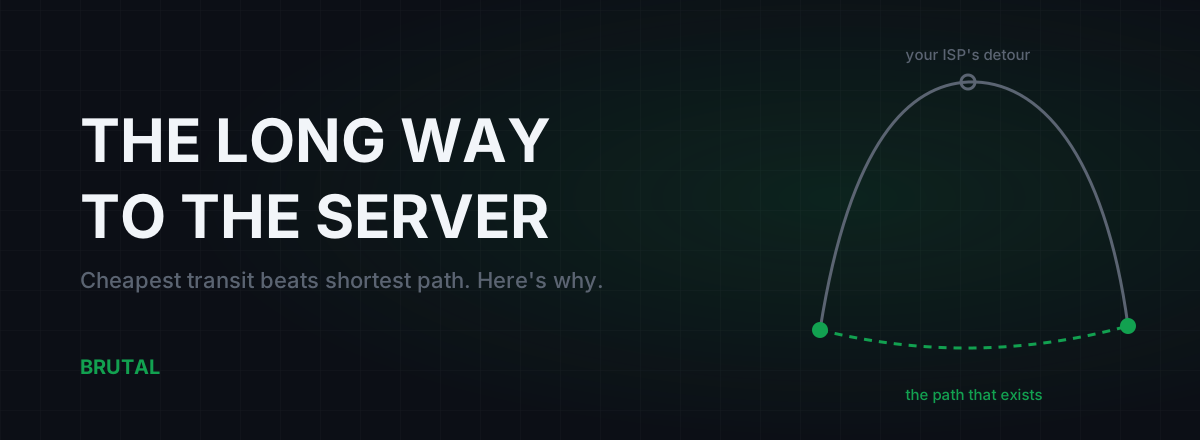
Bad routing to a game server is almost never about distance. It's about money. Your ISP forwards packets along the cheapest path it has contracts for, not the shortest one that physically exists, so traffic to a server 2,000 km away can detour through another continent and triple your ping. You can't vote on that path. But you can see it, prove it, and sometimes go around it.
The internet doesn't route by distance
The internet isn't one network. It's roughly 75,000 separate networks called autonomous systems. Your ISP is one. The game's hosting provider is another. In between sit transit carriers, internet exchanges, and content networks, each run by a different company with its own bills to pay. The protocol that glues them all together is BGP, the Border Gateway Protocol, and here's the part that matters for your ping: BGP has no concept of latency. It doesn't measure milliseconds, it doesn't know where cities are, and it can't tell a 5ms link from a 150ms one.
What BGP does understand is business relationships. Each network sets policy rules like "prefer routes learned from paying customers, then from free peers, then from transit we pay for." Those rules decide the path your packets take. Distance appears nowhere in the decision.
Physics sets the floor underneath all of this. Light in fiber covers roughly 100 km per millisecond, one way. Mumbai to Singapore is about 3,900 km, so the theoretical floor is around 39ms each way, call it high 50s round trip once you account for real cable paths and equipment delays. You can sanity-check any route against physics with the speed-of-light ping floor calculator. When your actual ping is triple the floor, the extra isn't geography. It's routing.
Cheapest transit beats the shortest path
ISPs move traffic three ways. They pay transit carriers to deliver it anywhere in the world. They peer with other networks, usually for free, at exchange points where both sides benefit. And they collect money from their own customers. Nearly every ISP encodes the same preference order into its routers: customer routes first, because someone pays them; peer routes second, because they're free; transit routes last, because they cost money. Latency isn't in the formula anywhere.
Then add hot-potato routing. Every network wants your packets off its own hardware as early as possible, because carrying them costs money. So it hands them to the next network at the nearest interconnection point, even when holding them longer would produce a much shorter end-to-end journey. Every network in the chain makes the same locally cheap choice, and nobody is responsible for the total.
Here's what that produces in practice. An ISP in India needs to deliver your packets to a game server in Singapore. The physically sensible route runs east through submarine cables, maybe 55 to 65ms round trip. But suppose the ISP's cheapest transit provider interconnects with the game host's network in Marseille. Your packets fly roughly 7,000 km west, cross into the host's network in Europe, then ride its backbone all the way back east to Singapore. You get 170 to 190ms. Nothing is broken. Nobody misconfigured a router. Every network did exactly what its contracts told it to do.
Your packets don't take the shortest road. They take the cheapest road your ISP put under contract.
Peering disputes cost you real milliseconds
Peering is a handshake, not a law. When traffic between two networks becomes lopsided, one side often demands payment, the other refuses, and the dispute plays out in hardware: congested interconnect ports that nobody upgrades, or in the ugly cases, a full de-peering where the direct link is switched off entirely.
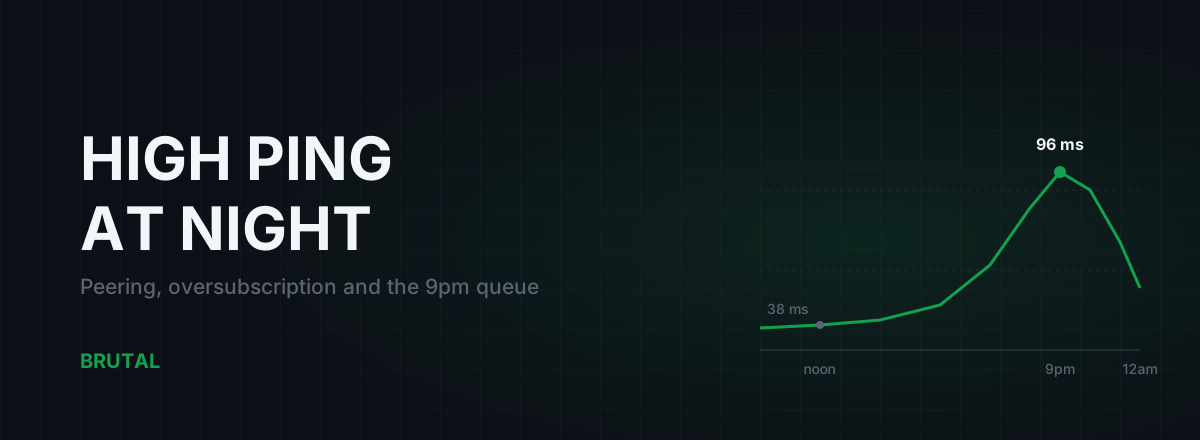
You experience the first kind as evening lag. The interconnect runs fine at 3 a.m. and saturates at 9 p.m., queueing packets and adding 20 to 60ms of latency plus jitter exactly when you want to play. If your ping is fine at lunch and ugly at night, read why ISP peering causes evening lag, because that pattern is congestion at a choke point, not a longer route.
The second kind hits overnight. The direct path disappears, BGP quietly selects the next-best contracted route, and your ping to one specific game jumps 40ms while everything else looks normal. Nothing changed at your house. A commercial negotiation failed somewhere between two companies you've never heard of, and you're the one carrying the milliseconds.
The scenic-route symptom: perfect speedtest, ugly game ping
This is the tell that separates bad routing to a game server from a generally bad connection. Speedtest looks great, downloads are fast, video never buffers, and one game sits at 140ms when players nearby get 60.
The reason is where each test actually goes. Speedtest servers usually sit inside your ISP's own network or one hop away at the nearest exchange. YouTube and Netflix serve you from cache boxes that are often physically inside your ISP's facilities. None of that traffic ever touches the path your game uses. A game server lives in one specific datacenter, in one region, behind whatever route your ISP bought to reach it.
| What you test | Where it usually lives | What it tells you about your game path |
|---|---|---|
| Speedtest | Inside your ISP or at the nearest exchange | Almost nothing. It never leaves the ISP's comfort zone |
| YouTube / Netflix | Cache servers inside or next to your ISP | Nothing. That's a different road entirely |
| Ping to 8.8.8.8 or 1.1.1.1 | Anycast, answered by the nearest node | Only the first few kilometres of the route |
| The game server | One fixed datacenter in one region | The truth. This is the path that matters |
So stop diagnosing game latency with speedtest. Test the actual destination, or something hosted in the same datacenter region, and judge the connection on that.
See the road your packets take
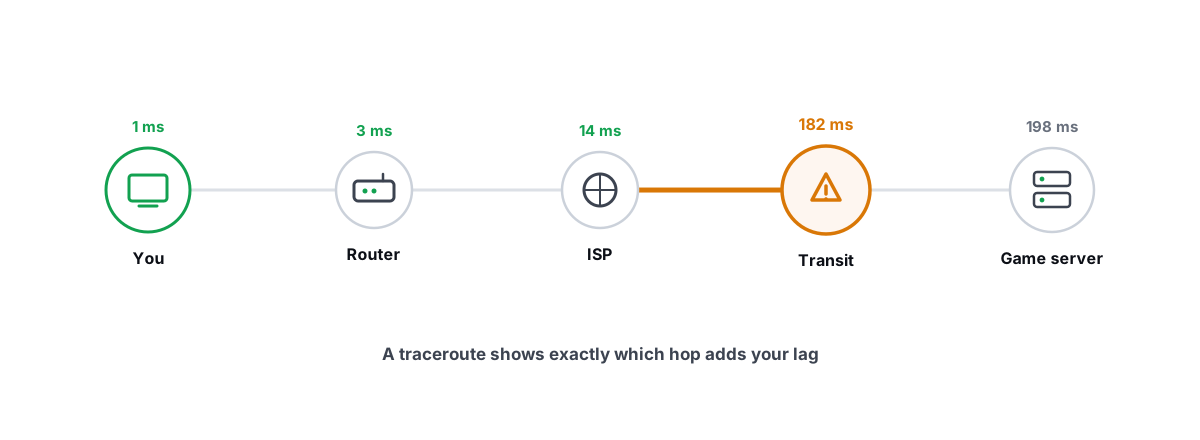
Traceroute shows every network hand-off between your PC and the server, with a round-trip time for each hop. Reading one takes about two minutes once you know the tricks, and there's a full walkthrough in traceroute explained for gamers. The short version:
- Hostnames leak geography. Router names carry airport and city codes:
frais Frankfurt,mrsis Marseille,sinis Singapore. A code from the wrong continent sitting between you and a nearby server is your detour, found. - Look for the step change. Latency climbing 5, 8, 12, 95, 98ms means the jump between hops three and four is where the distance lives. Whatever link sits between those two hops is your problem.
- Ignore a single slow hop that doesn't carry forward. Routers answer traceroute probes with low priority. One hop showing 200ms followed by hops at 80ms is a busy router being lazy about replies, not real path latency.
One honest caveat: traceroute can lie by omission. MPLS tunnels hide interior hops, and reverse DNS names are sometimes stale or missing. Treat it as strong evidence rather than gospel, and if you want to know which company owns a mystery hop, look the address up on bgp.tools. Ten minutes with these checks is usually enough to confirm bad routing to a game server, or to rule it out and go hunt a different problem.
What you can't fix from your desk
BGP decisions happen between networks, on routers you'll never touch, driven by contracts you'll never read. That rules out a whole category of popular "fixes," and it's worth being blunt about which ones.
Router QoS deserves a mention because it fixes a real problem, just not this one. QoS manages the queue on your own connection so a family member's upload doesn't drown your game traffic. It does nothing about a detour through Marseille. Useful tool, wrong disease.
You can complain to your ISP, and with a clean traceroute attached it occasionally works. Maybe one case in ten, in our experience, with better odds on business plans or when a route change breaks something loudly for lots of users. Front-line support will tell you to restart the router. Ask for the ticket to reach the network operations team, include the traceroute, name the destination IP, and be patient.
The one consumer-level change that genuinely rewires the path is switching ISPs. A different provider has different transit contracts and different peers, which means a genuinely different road to the same server. If a friend across town on another ISP gets 60ms where you get 150 in the same game, that isn't luck. Their provider's contracts beat yours, and no setting on your PC will close that gap.
Fixing bad routing to a game server with a relay
There's one more way around a bad path, and it works because of a quirk in how the internet is wired: big cloud datacenters are better connected than you are. Major hosting regions peer aggressively with almost everyone, including your ISP, usually over short and uncongested links, because every ISP wants fast access to the content that lives there.
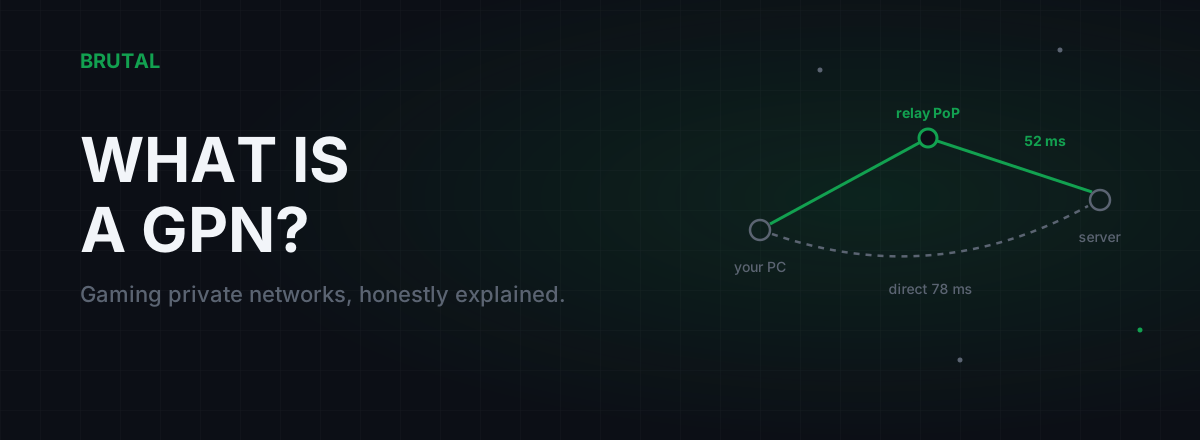
A relay exploits that. Instead of sending packets down your ISP's bad path toward the game region, you send them to a nearby, well-peered datacenter, and a relay server there forwards them onward across datacenter backbone, which tends to follow saner routes between regions. Your traffic effectively steps off your ISP's cheapest contracts and onto infrastructure built for low latency. That's the whole idea behind a gaming private network, and it's also why a general-purpose VPN sometimes lowers ping entirely by accident.
Be clear-eyed about the limits. A relay adds a hop, so on a connection that's already routed well it makes things slightly worse, not better. It can't beat the speed of light, it can't fix Wi-Fi drops or an overloaded router, and whether it wins depends entirely on how bad your specific ISP's path to that specific region is. Direct is already the right answer for a large share of sessions, and any relay product that won't admit that is selling you the detour twice.
Proof, not promises
Because a relay can lose, the only honest way to use one is to measure first. Smart Route reads your live game connection without touching the game (no injection, no hooks, no kernel driver), measures your direct path against nearby relays, and routes through a relay only when the numbers prove it's faster for you, on your ISP, right now. When direct wins, it stays direct and says so. Every session ends in a Route Receipt: milliseconds saved, or "direct held," in writing. If you're curious about the mechanics, here's how Smart Route decides between relay and direct.
The point of all this isn't that relays are magic. It's that your ping is mostly a stack of business decisions made by companies optimizing their own costs, not your latency. Once you can see the road your packets actually take, you stop blaming your PC, stop buying placebo tweaks, and either accept the path, escalate it with evidence, or route around it. All three are reasonable. Guessing isn't.
Frequently asked questions
Why is my ping high to a game server but my speedtest is fine?
Speedtest usually measures a server inside your ISP's own network, so it never touches the path your game uses. A game server sits in one fixed datacenter behind whatever route your ISP bought to reach it. Run a traceroute to the game's region instead; that's the road that actually matters.
Can I force my ISP to use a better route to a game server?
Not directly. Routing is set by contracts between networks, and consumer plans get no say. Filing a complaint with a clean traceroute attached occasionally works, maybe one case in ten, with better odds on business plans. Switching to an ISP with different transit contracts is the only consumer-level change that reliably rewires the path.
Does a VPN fix bad routing to game servers?
Sometimes, by accident. A VPN forces your traffic through its own entry point, and if the path via that entry point happens to beat your ISP's path, your ping drops. It can just as easily add latency. A gaming relay that measures both paths first and only engages when it proves a win removes the guesswork.
How do I tell if my ISP has bad routing to a specific game?
Traceroute to the server or its region and look for two things: city codes from the wrong part of the world in router hostnames, and one big latency jump between two hops that carries through to the end. Then compare your final ping against the physical distance. Anything two to three times the light-in-fiber floor points at routing, not your PC.
Why did my ping to one game get worse overnight with nothing changed at home?
Most likely a route change upstream. A peering link was withdrawn or a transit contract changed, and BGP quietly switched your traffic to a longer path. If it's bad only in the evenings instead, that's congestion at a peering point rather than a longer route. Traceroutes taken at good and bad times will show the difference.
Keep reading
 Network & Latency
How to Read a Traceroute: Find Your Lag's Real Source
Read a real ICMP traceroute and classify every hop so you know whether the lag is your router, your ISP, or the game server.
 Network & Latency
High Ping at Night? ISP Peering and Congestion, Explained
Evening lag isn't your PC. It's shared links filling up when everyone gets home. How oversubscription and peering work, how to prove it with traceroutes, and what realistically helps.
 Network & Latency
What Is a GPN? Gaming Private Networks, Honestly Explained
A GPN reroutes only your game's traffic through relay servers when that path beats your ISP's route. Here's how it works, when it helps, and when physics says no.
Stop guessing. Measure it.
BRUTAL Optimizer is the honest way to speed up Windows — 17 free modules, a real FPS overlay, verified disk cleanup and drive health. No kernel driver of our own, no game hooks, every setting change reversible.