Does Faster Internet Lower Ping? Bandwidth vs Latency, Honestly
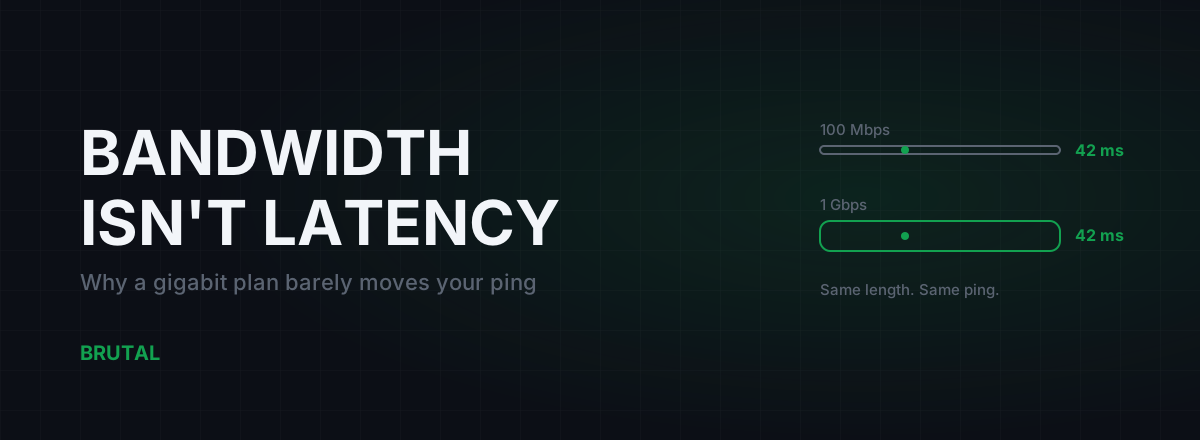
Does faster internet lower ping? Mostly, no. Upgrading from 100 Mbps to a gigabit plan changes your in-game ping by roughly zero, because game packets are tiny and never needed the extra room. Ping is set by distance, route and the physical medium your connection runs on. A speed upgrade touches one of those at best, and only in specific situations we'll get to.
Bandwidth is not latency
Internet plans are sold in megabits per second. That number is bandwidth: how much data your line can move at once. Ping is latency: how long one small packet takes to reach the server and come back. They measure different things, and twenty years of ISP marketing has done its best to blur them into one word, "speed".
Here's the scale of the confusion. A typical game packet is 50 to 300 bytes. On a 100 Mbps line, pushing that packet onto the wire takes around 20 microseconds. On a gigabit line, about 2 microseconds. The upgrade saved you 18 millionths of a second on a ping measured in thousandths. You will never feel it, and no game will ever show it.
The rest of your 40 ms ping is travel time across hundreds or thousands of kilometres, processing at 10 to 20 routers along the path, and queuing wherever a link is momentarily busy. Jitter and packet loss come from those same places. Your plan's speed tier influences almost none of it.
This is also why the ping on a speed test looks so flattering. Speedtest picks a server in your city, often inside your own ISP's network, and of course that's 8 ms. Your game server is in another country, run by other people, reached over a path your ISP chose for commercial reasons. The two numbers are barely related.
The truck and the motorbike
Think of bandwidth as the width of a road and ping as its length. Paying for a faster plan buys more lanes. That's genuinely useful when you're moving convoys of trucks: a 100 GB game download, three people streaming 4K, a cloud backup. More lanes, more trucks per hour.
A game packet is a motorbike carrying one envelope. It doesn't care whether the road has two lanes or ten. It cares how long the road is, and whether a traffic jam is blocking it.
A gigabit plan gives you a wider road. It doesn't move your house closer to the server.
Games barely use your bandwidth
Competitive games use almost nothing. Valorant, CS2, Fortnite, PUBG Mobile and friends send and receive somewhere between 20 and 150 Kbps during a match. Add voice chat and you might touch half a megabit. On a 100 Mbps plan that's under one percent of the line. You could run dozens of game clients before the pipe itself became the constraint.
Upload is the same story. Your client sends a few dozen small packets per second upstream, and even a modest 5 Mbps upload has room to spare. Until something else fills it, which is the real trap, and we're getting there.
Compare that to what bandwidth is actually for. A 4K stream wants 15 to 25 Mbps. A Steam download takes every megabit you own and asks for more. Those are the truck convoys. Your game is still one motorbike weaving between them, and that image is exactly where the real problem lives.
When faster internet does lower ping
There's one honest case where a speed upgrade helps: when your line is regularly full.
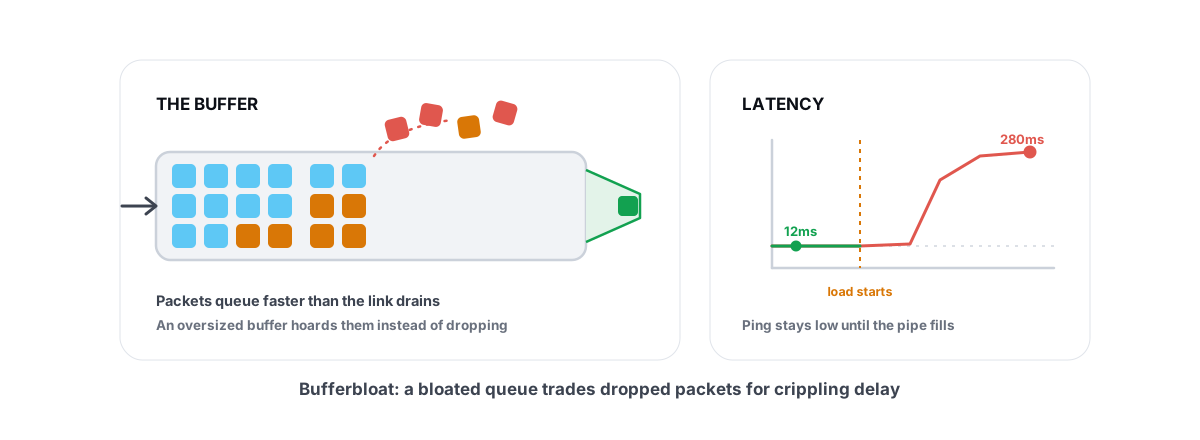
When a link saturates (someone starts a download, a backup kicks in, the household hits play at 9pm), your router and your ISP's equipment start queuing packets. Your game packet waits in line behind bulk traffic, and ping jumps from 30 ms to 150, 300, sometimes 500 ms. That's bufferbloat, and it's the most common reason a "fast" connection feels terrible in games.
A faster plan raises the ceiling, so everyday traffic saturates it less often. If four people share a 50 Mbps line, moving to 300 Mbps genuinely makes evening ping spikes rarer. That's real, and it's probably where this whole myth came from in the first place.
Two honest caveats. First, downloads scale with the plan: Steam on gigabit still fills gigabit, so the jam returns the moment someone updates a game. Second, the proper fix costs nothing. Smart queue management on your router keeps ping flat even at full utilisation, on the plan you already have. We've written up the exact router settings separately.
What actually lowers ping
Three things set your ping, in roughly this order. None of them is a speed tier.
Distance to the server
Light in fibre covers about 200 km per millisecond, and a ping is a round trip with routing overhead on top. A workable rule: every 50 to 80 km to the server costs about 1 ms. Playing from Mumbai to a Singapore server has a physical floor around 50-60 ms, and no product on earth lowers it. Our speed-of-light ping floor calculator gives you your own number. The cheapest ping upgrade that exists is picking the nearest server region in the game's own menu.
The route your ISP takes
Two players in the same city, same game, same server, can sit at 40 ms and 90 ms. Their packets follow commercial peering agreements, not geography, and one ISP's path might trombone through another city or even another country first. A traceroute shows you the actual path, hop by hop, and where the milliseconds pile up.
This is the one place a paid tool can honestly help. When the ISP's path is bad, relaying traffic through a better-peered network cuts real milliseconds. It's also the most oversold product category in gaming, so demand proof: Smart Route measures your direct path against a relay for your specific connection and reroutes only when the relay measurably wins. When direct wins, it stays direct and records that too. On a well-peered fibre line, "direct won" is a common verdict, and you should want software that admits it.
The physical medium
Your last mile's technology sets a latency baseline no speed tier changes:
- Fibre (FTTH): roughly 1-3 ms of access latency. The gold standard.
- Cable (DOCSIS): adds around 5-10 ms from its request-grant scheduling, more when the neighbourhood node gets busy in the evening.
- DSL: often 10-30 ms extra, especially with interleaving turned on for line stability.
- 4G/5G home internet: the air interface adds 15 to 50 ms, and it wanders. We compared 5G against fibre for gaming in detail.
- Wi-Fi: not part of your plan at all, yet the hop from PC to router can add 2-15 ms of jitter. A cable fixes that for the price of a cable.
And here's the twist that keeps the myth alive: upgrade from 40 Mbps DSL to 300 Mbps fibre and your ping often drops 20 ms. It feels like speed lowered your ping. It didn't. The fibre did. You'd get the same latency on the cheapest fibre tier they sell.
What each upgrade really buys you
| Upgrade | What actually changes | Typical ping effect |
|---|---|---|
| 100 Mbps to 1 Gbps, same technology | Wider pipe, same road | ~0 ms in games |
| DSL to fibre | Medium: interleaving and old copper gone | Often 10-30 ms better |
| Cable to fibre | Medium: DOCSIS scheduling and node congestion gone | Often 5-15 ms better, and steadier |
| 4G/5G home internet to any fixed line | Air interface removed | Often 15-40 ms better, far less jitter |
| Wi-Fi to Ethernet, same plan | Last hop stops fluctuating | 1-15 ms better, kills spikes. Free |
| Same plan, SQM/QoS on the router | Queues stay short under load | 0 ms idle, 50-300 ms better while the line is busy |
Those ranges are honest estimates, not promises; your ISP, your line quality and your neighbourhood all shift them. But notice the pattern: the free and cheap rows at the bottom move ping more than the expensive rows at the top.
Test before you pay for anything
Twenty minutes of measurement beats months of guessing. In order:
- Ping your game's server region with the line idle. That's your baseline. If it's already near the physical floor for your distance, nothing you can buy will improve it, and you can relax.
- Run a loaded-latency test. The Waveform bufferbloat test pings while saturating your line in both directions. Idle ping of 25 ms and loaded ping of 250 ms means you've found the real problem, and it's a router setting, not a speed tier.
- Traceroute to the server. If latency jumps 60 ms at one hop past your ISP's edge, the route is the problem, and only a route change (a different ISP, or a relay that proves itself) touches that.
- Play one match wired, one on Wi-Fi. Same seat, same server. If wired is 10 ms lower and dead steady, you found a fix that costs one cable.
The free download of BRUTAL Optimizer ships the whole measurement kit: ping tests across regions, traceroute, a DNS benchmark and a bufferbloat grade. None of it costs anything, and if the numbers say your connection is already fine, believe the numbers over anyone's marketing, including ours.
The honest verdict
Buy bandwidth for what bandwidth does: faster downloads, more simultaneous streams, headroom that makes saturation rarer. Those are real benefits, and in a busy household the headroom will indirectly steady your ping too.
But if you're staring at 80 ms and hoping the gigabit tier fixes it, it won't. That 80 ms lives in distance, route and medium. Pick the nearest server. Plug in a cable. Fix bufferbloat at the router. And if fibre is available where you currently have cable, DSL or 5G, that switch genuinely helps, for reasons that have nothing to do with the number on the poster.
Maybe one player in ten has a ping problem a faster plan would actually fix, and it's almost always the crowded-household case. For everyone else, the megabits were never the problem.
Frequently asked questions
Will upgrading from 100 Mbps to 1 Gbps reduce my ping?
For the game traffic itself, no. Game packets are tiny and serialize in microseconds on either plan, so the upgrade is invisible to your scoreboard ping. You'll notice the difference in download times and busy-household headroom. If your line regularly saturates, the extra headroom can make ping spikes rarer, but router QoS fixes that more reliably and for free.
Why is my ping high even though my internet is fast?
Speed tests measure bandwidth, not latency. High ping on a fast line usually means a distant server, a bad ISP route, a high-latency medium like DSL or 4G/5G, a flaky Wi-Fi hop, or bufferbloat when the line is busy. Run a traceroute and a loaded-latency test to find which one you have.
Is 100 Mbps enough for online gaming?
Comfortably. A match uses well under 1 Mbps in each direction. 100 Mbps handles gaming plus streaming for a small household; what you'll actually feel is game update download time, and how your router behaves when the line is full.
Does fibre internet lower ping compared to cable or DSL?
Often yes, and this is where 'faster internet' accidentally helps. Fibre's access network typically shaves maybe 5-15 ms versus cable and 10-30 ms versus DSL, with steadier latency. It's the medium doing the work, not the megabits, so even the cheapest fibre tier gets you the latency benefit.
What internet speed do I need for low ping?
There's no speed that buys low ping. Any plan with enough headroom that it doesn't saturate while you play, which for most solo players is 50-100 Mbps, is latency-neutral. Spend your attention on server region, an Ethernet cable, and bufferbloat instead.
Keep reading
 Network & Latency
What Is Bufferbloat? The Hidden Lag in Your Net
Why your ping spikes the moment anything downloads, how to grade it A-F, and the one router-side fix (SQM) that actually works.
 Network & Latency
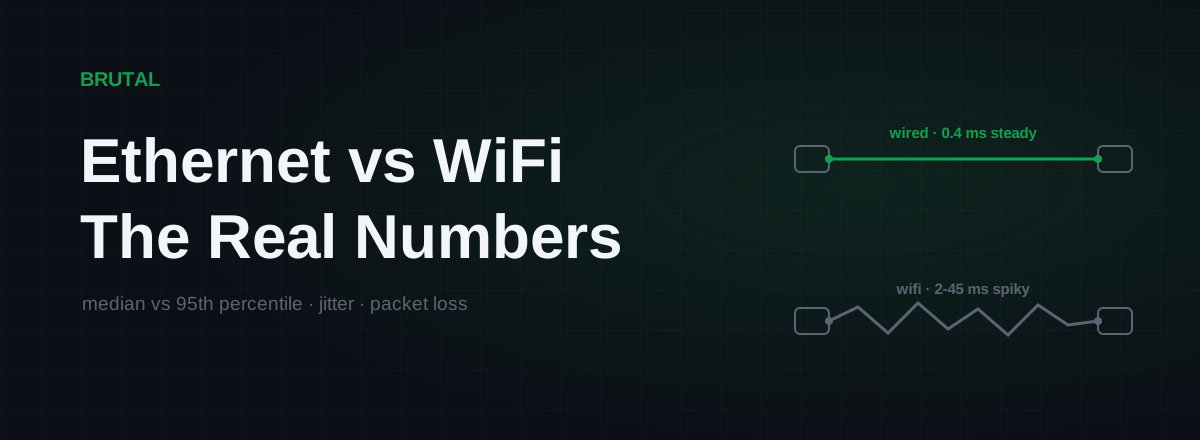
Ethernet vs WiFi for Gaming: The Real Latency Numbers
A cable saves maybe 1-3ms of average latency. The real win is jitter and packet loss. Here's when WiFi 6 close to the router is genuinely fine, and when wireless silently ruins your games.
 Network & Latency
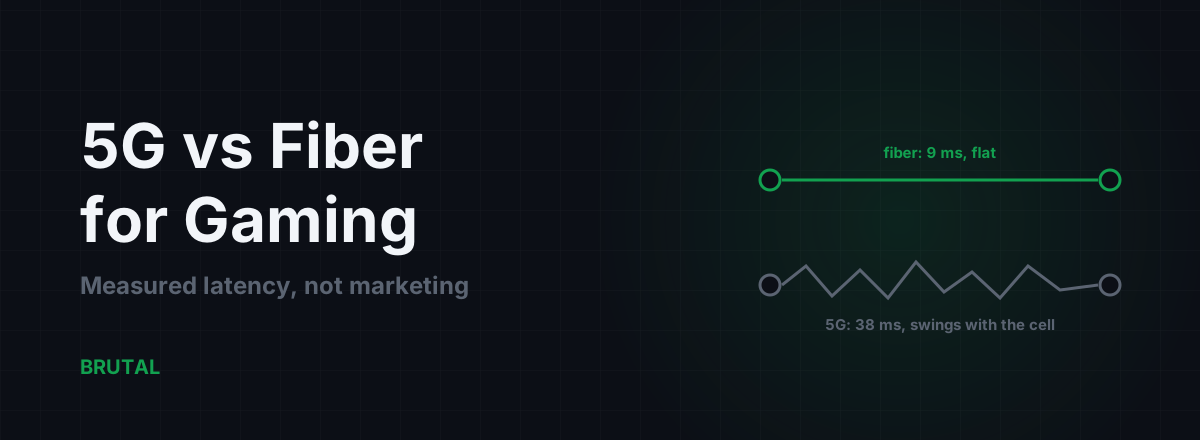
5G vs Fiber for Gaming: Measured Latency, Not Marketing
Fiber beats 5G on latency and jitter almost everywhere it exists. But 5G isn't always the loser, especially against bad DSL. Here are the measured numbers and the honest cases for each.
Stop guessing. Measure it.
BRUTAL Optimizer is the honest way to speed up Windows — 17 free modules, a real FPS overlay, verified disk cleanup and drive health. No kernel driver of our own, no game hooks, every setting change reversible.