NAT Type Explained: Open, Moderate, Strict for Gaming
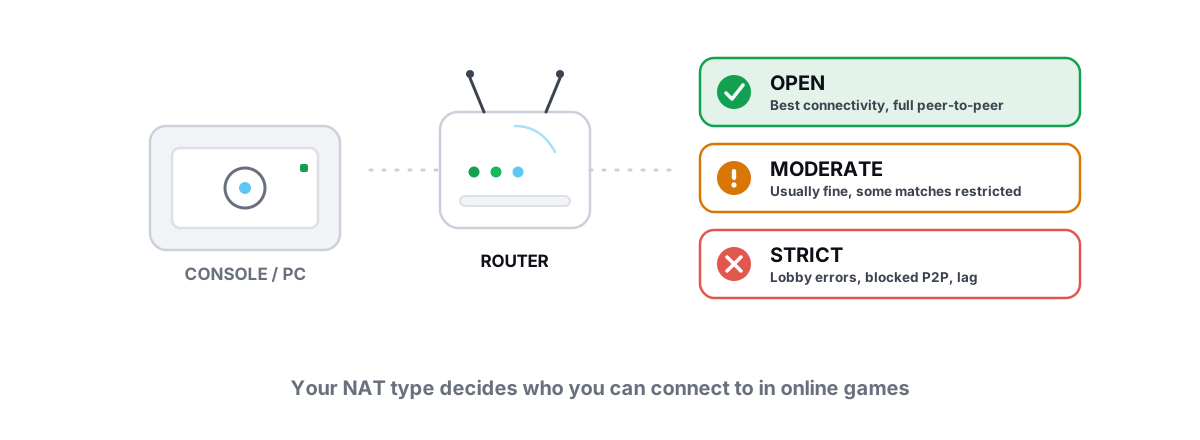
If your party keeps dropping, you load into matches alone, or your friends can't join your lobby, the culprit is usually your NAT type — not "ping". NAT type and gaming get tangled together constantly, so here is what NAT actually controls, and how to open it without turning your router into a target.
NAT type and gaming: what NAT is and why games care
NAT stands for Network Address Translation. Your router has one public IP from your ISP, but every phone, console, and PC behind it has its own private address. NAT is the bookkeeping that lets all those devices share that single public IP — it rewrites addresses and ports on the way out, and remembers which reply belongs to which device.
For a web page this is invisible. You start the connection, the reply comes back, NAT matches it. Games are different. Many online games — especially their voice, party, and peer-to-peer (P2P) layers — need another player's machine to start a connection toward you. That's the part NAT can block.
When an unexpected packet arrives from a stranger's console, your router has to decide: is this a wanted reply, or junk? "NAT type" is shorthand for how strict that decision is. The stricter it is, the more legitimate game traffic gets dropped at your door.
NAT type controls who is allowed to reach you. Ping controls how fast packets travel. They are different problems, and Strict NAT gets blamed for both.
Open vs Moderate vs Strict, in practice
Console makers (Xbox calls it Open/Moderate/Strict; PlayStation uses Type 1/2/3) boiled a messy networking reality into three labels. They map roughly to how your router handles inbound connections from peers.
| Label | What it means | Real-world effect |
|---|---|---|
| Open (Type 1) | Inbound connections reach your game freely — either the console is on the public IP, or ports are forwarded/UPnP-mapped. | Hosts matches well, fewest connectivity errors, best matchmaking pool. |
| Moderate (Type 2) | Behind NAT, but the router allows mapped inbound traffic. The common, healthy state for most homes. | Fine for almost everything. Occasionally can't connect to a Strict player. |
| Strict (Type 3) | Router only accepts replies that exactly match an outbound request — no peer-initiated traffic. | Party drops, can't host, slow or failed matchmaking, voice issues. |
Two Open players always connect. Open-to-Moderate is fine. The trouble starts when two Strict players try to reach each other — neither router will accept the other's opening packet, so the connection never forms. That's why you can play one night and fail the next: it depends on who else is in the lobby.
What Strict NAT actually breaks (and what it doesn't)
Be precise about this, because fixing the wrong thing wastes hours.
Strict NAT genuinely breaks:
- Joining or hosting party/lobby invites, especially with friends who are also Strict.
- P2P matchmaking — you get matched slower, or thrown into worse-routed sessions because the system avoids pairing two Strict players.
- Voice chat that uses direct peer connections (it falls back to relay servers, adding latency, or drops entirely).
- Co-op and "host migration" titles that need someone to act as host.
Strict NAT does NOT cause:
- High ping on a dedicated-server game (most modern shooters route through the publisher's servers — your NAT type is irrelevant to that latency).
- FPS drops or stutter. That's a local hardware/driver issue, not a network one.
- Packet loss by itself — though a relay fallback caused by Strict NAT can add a hop where loss happens.
So before you open ports: confirm the game actually uses P2P or peer connectivity. A pure dedicated-server title with a good ping won't feel one bit better after you go Open. Where NAT does matter, the fix order is UPnP first, manual forwarding second.
UPnP: the easy fix and its caveats
UPnP (Universal Plug and Play) lets a game ask your router, automatically, "please open these ports for me while I'm running." The game requests a temporary mapping, the router grants it, and the mapping closes when you're done. For 90% of people, turning UPnP on is the entire fix.
To enable it: open your router's admin page (usually 192.168.0.1 or 192.168.1.1 in a browser), find UPnP — often under Advanced, NAT, or Firewall — and switch it on. Reboot the console or restart the game, then re-check your NAT type. It should flip to Open or Moderate.
The caveats are real, so know them:
- UPnP trusts every device on your LAN. Any program can ask to open a port, including malware. On a home network of devices you control, the practical risk is low; on a shared or untrusted network it's a genuine concern.
- Old routers had buggy UPnP (the "CallStranger" class of flaws). If your router firmware is years out of date, update it first.
- UPnP can fight with manual forwards. Pick one method per game. Doubling up creates conflicting mappings that intermittently break.
Manual port forwarding done right
If UPnP is unavailable, unreliable, or your router hides it, forward ports by hand. This tells the router "any inbound traffic on these ports always goes to this one device." Done right, it's rock-solid. Done sloppily, it breaks the next time your PC's IP changes.
- Give the device a static internal IP. Either set a static IP on the PC/console, or — better — use a DHCP reservation in the router so it always hands the same address to that device's MAC. This is the step people skip, and it's why forwards "randomly stop working" after a reboot.
- Find the game's real ports. Use the publisher's official support page — not a random forum list. Note the exact TCP and UDP ports; they're usually different, and games often need both.
- Create the forward. In the router under Port Forwarding / Virtual Server, enter the port (or range), protocol (TCP, UDP, or both), and the device's reserved IP. Save and apply.
- Forward narrowly. Open only the ports listed. Resist the urge to forward 1–65535 "to be safe" — that's not a fix, it's exposing every service on that machine.
- Re-test. Launch the game and check NAT type. If it's still Strict, double-check the internal IP matches and that no second router sits in the path (next section).
One thing people confuse: port forwarding is not the same as a DMZ host. A DMZ dumps all inbound traffic at one device, bypassing the firewall entirely. It will get you Open NAT, and it's a bad idea — you've removed your protection to fix three game ports. Forward the specific ports instead.
Double NAT and ISP CGNAT pitfalls
Sometimes you do everything right and NAT stays Strict. Two common reasons:
Double NAT
You have two routers in series — often an ISP modem/router combo plus your own router behind it. Now traffic is translated twice, and your inner router's forwards point at an address the outer router still hides. Your port forward works on router B, but router A never passes the traffic to it.
Fixes, easiest first:
- Bridge mode: set the ISP box to bridge/modem-only so your router gets the public IP directly. Cleanest fix where the ISP allows it.
- Use one router: if the ISP combo is capable, run only that and skip your own.
- Forward through both: set up the same forward on the outer router pointing to the inner router, then inner to the device. Works, but fiddly.
CGNAT (Carrier-Grade NAT)
This is the wall you can't climb from inside your house. To conserve IPv4 addresses, many ISPs — especially mobile/5G home internet, some fiber, and most cellular plans — put hundreds of customers behind one shared public IP. You don't have a public address to forward to. No router setting fixes it.
How to tell: compare the WAN IP shown in your router's status page against the public IP a "what's my IP" lookup reports. If they differ (and your WAN IP is in a private/shared range like 100.64.x.x), you're behind CGNAT.
Your only real options are to ask the ISP for a public/static IPv4 (sometimes free, sometimes a small fee), or to lean on IPv6 if both your ISP and the game support it — IPv6 has no NAT, so the whole problem evaporates when the game uses it end to end. A gaming VPN can also sidestep CGNAT by giving you a routable address, but understand the trade-offs first — see whether a gaming VPN actually helps before you pay for one.
Security notes: don't open everything
Every open port is a door. Most are harmless because nothing's listening behind them, but the principle holds: open only what the game needs, and close it when you don't.
Sensible habits:
- Prefer UPnP's temporary, game-scoped mappings over permanent manual forwards when you can.
- If you forward manually, document what you opened and why, and remove forwards for games you've uninstalled.
- Keep router firmware updated — it patches the UPnP and NAT bugs that actually get exploited.
- None of this touches your PC's local optimization. NAT lives on the router; it's separate from anything you do in Windows. If you're also tuning the machine, keep it inside the anti-cheat-safe bright lines so you don't trip Vanguard or EAC.
Verifying your NAT type changed
Don't trust that a setting "should" have worked — confirm it.
- Xbox: Settings → General → Network settings → Test NAT type. It reports Open / Moderate / Strict directly.
- PlayStation: Settings → Network → Connection Status → Test Internet Connection. Look for NAT Type 1/2/3.
- PC: most multiplayer games show your NAT type on their network/connection screen. Some (the Call of Duty and Destiny families, for example) display it in-game and will name the exact ports they want forwarded.
If it flipped to Open or Moderate, you're done — there's no further "more Open" to chase. If it's still Strict after enabling UPnP and forwarding correctly, you're almost certainly looking at Double NAT or CGNAT, so go back to that section rather than re-doing the forwards.
And keep your expectations calibrated. Going from Strict to Open fixes connectivity — parties form, lobbies fill, voice connects. It will not shave milliseconds off a well-routed dedicated-server match. If the actual complaint is lag rather than "can't connect", that's a routing job: read a traceroute to find where the delay enters and treat the real hop.
NAT and ping are router-and-route problems; they live outside Windows. BRUTAL Optimizer doesn't touch your NAT — and it shouldn't — but its built-in network lab does the diagnosis half honestly: a real ICMP traceroute with hop classification, an A–F bufferbloat grade, and ping/jitter/packet-loss measurement, all free and with no kernel driver or network-stack tampering. Use it to prove whether your problem is connectivity (fix the NAT) or latency (fix the route), so you stop guessing.
Frequently asked questions
Does NAT type affect my ping or lag?
No. NAT type controls whether other players can connect to you, not how fast packets travel. On dedicated-server games your latency is set by routing and congestion, so going from Strict to Open fixes party and lobby connectivity but will not lower a well-routed ping. If lag is the real complaint, treat it as a routing problem instead.
What's the difference between Open, Moderate, and Strict NAT?
They describe how willing your router is to accept inbound connections from peers. Open accepts them freely and hosts well, Moderate allows mapped inbound traffic and is fine for almost everything, and Strict only accepts exact replies to your own requests. Two Strict players often cannot connect to each other at all.
Is UPnP safe to use for gaming?
For a normal home network it is reasonable and usually the easiest fix. UPnP opens only the ports a game requests, only while it runs, then closes them. The risk is that any device on your LAN can request a mapping, so keep router firmware updated and avoid UPnP on shared or untrusted networks.
I forwarded ports but NAT is still Strict. Why?
The two usual causes are Double NAT and CGNAT. Double NAT means two routers are translating traffic in series, so fix it with bridge mode or by using a single router. CGNAT means your ISP shares one public IP across many customers, which no router setting can fix. Compare your router WAN IP to a what-is-my-IP lookup to tell them apart.
Should I put my PC or console in the DMZ to get Open NAT?
No. A DMZ exposes every port on that device and removes its firewall protection to fix what a handful of specific ports would solve. Use UPnP or forward only the exact ports the game lists. If a guide tells you to DMZ your gaming rig, ignore it.
Keep reading
 Network & Latency
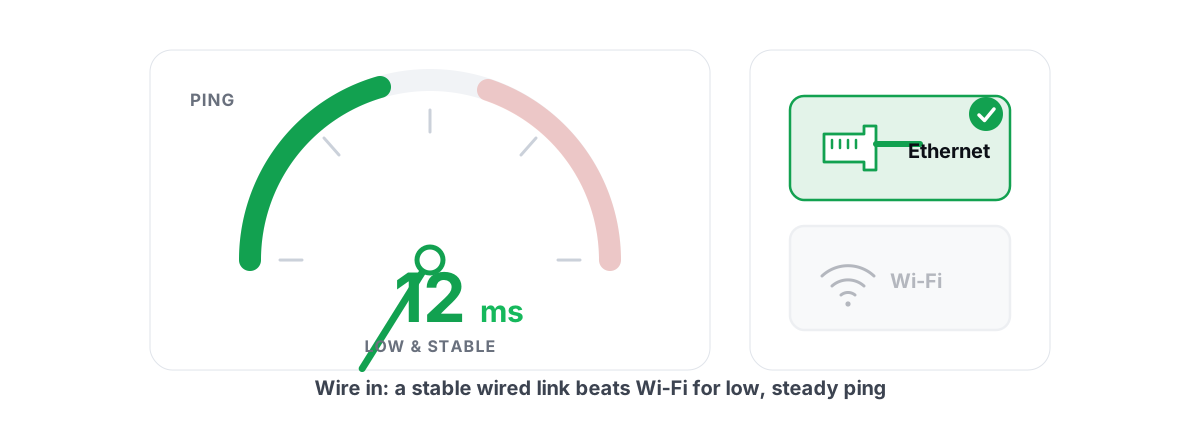
How to Reduce Ping in Online Games (Real Fixes)
Sort the ping you can fix - server, bufferbloat, Wi-Fi, routing - from the ping you can't, and skip the ping-booster snake oil.
 Network & Latency
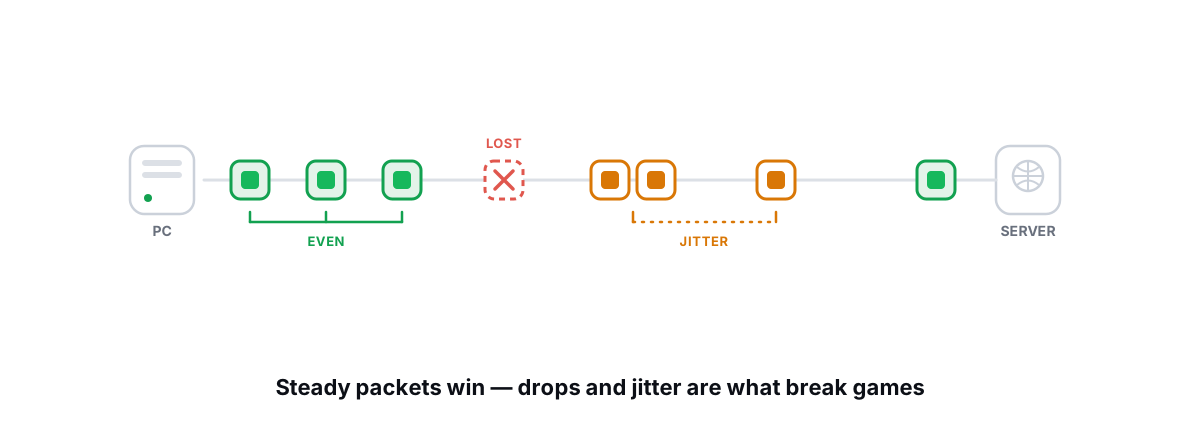
How to Fix Packet Loss and Jitter in Games
Measure loss and jitter properly over time, find where they come from, and fix the parts you actually control at home.
 Network & Latency
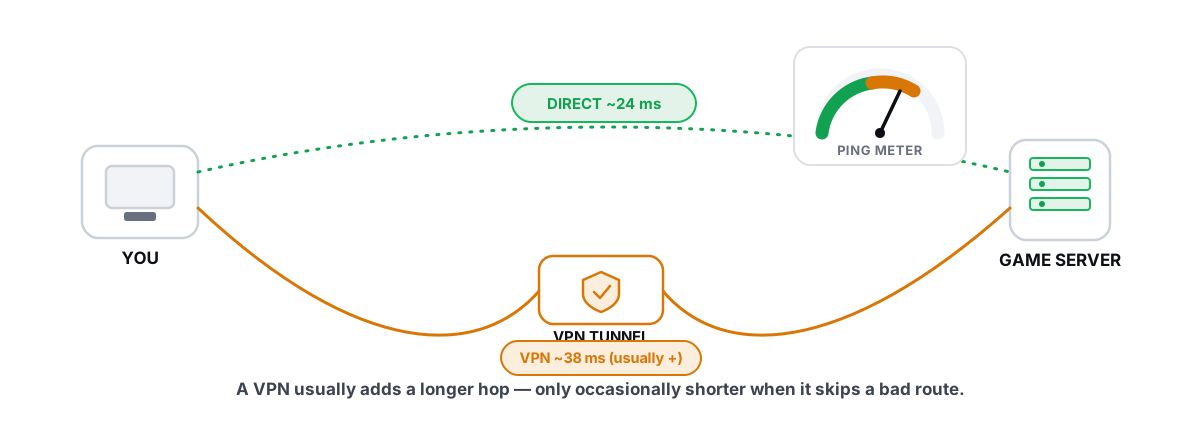
Does a Gaming VPN Lower Ping? The Honest Answer
A gaming VPN usually adds latency, but a bad ISP route is the rare case where it helps. Here is how to tell which you are in.
Stop guessing. Measure it.
BRUTAL Optimizer is the honest way to speed up Windows — 17 free modules, a real FPS overlay, verified disk cleanup and drive health. No kernel driver of our own, no game hooks, every setting change reversible.