Best DDR5 Speed for a 9800X3D: 6000 vs 6400 EXPO
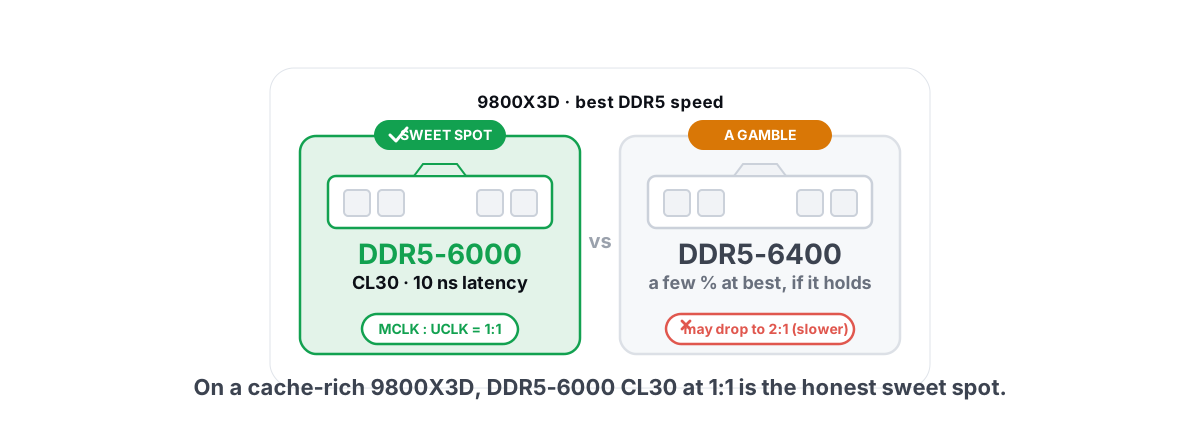
The best RAM speed for a 9800X3D is DDR5-6000 CL30 with EXPO on and the memory controller at 1:1 — and the 6000 vs 6400 EXPO debate matters far less on an X3D chip than the box marketing wants you to think. Buy the 6000 CL30 kit, enable EXPO, confirm 1:1, and stop.
This applies to the Ryzen 7 9800X3D specifically, and broadly to the whole Zen 5 X3D line — the 9900X3D and 9950X3D included. The stacked 3D V-Cache changes how much your CPU cares about raw memory bandwidth, and that one fact drives every recommendation below.
Below: where the real frame difference actually lives, what 6400 does and does not buy you, EXPO vs XMP, and why timings and the memory controller ratio quietly matter more than the number printed on the kit.
Why X3D cares less about raw RAM speed
Every CPU sometimes stalls waiting for data that isn't in its cache. When that happens, it has to reach out to system RAM, which is slow and far away in CPU terms. Faster RAM and tighter timings shorten that wait.
The 9800X3D stacks 64MB of extra L3 cache on top of the die — 96MB total. That huge pool means the CPU finds what it needs on-chip far more often, so it reaches out to RAM less. Fewer trips to RAM means RAM speed has less to do.
This is exactly why X3D chips win at gaming. Game working sets — the data the engine touches every frame — fit into that cache more often than they do on a standard chip. A non-X3D 9700X is more sensitive to memory speed precisely because it has less cache to hide behind.
The more cache a CPU has, the less it leans on RAM speed. On a 9800X3D, the cache is doing the heavy lifting, so chasing a faster kit produces smaller gains than the same kit would on a cache-light CPU.
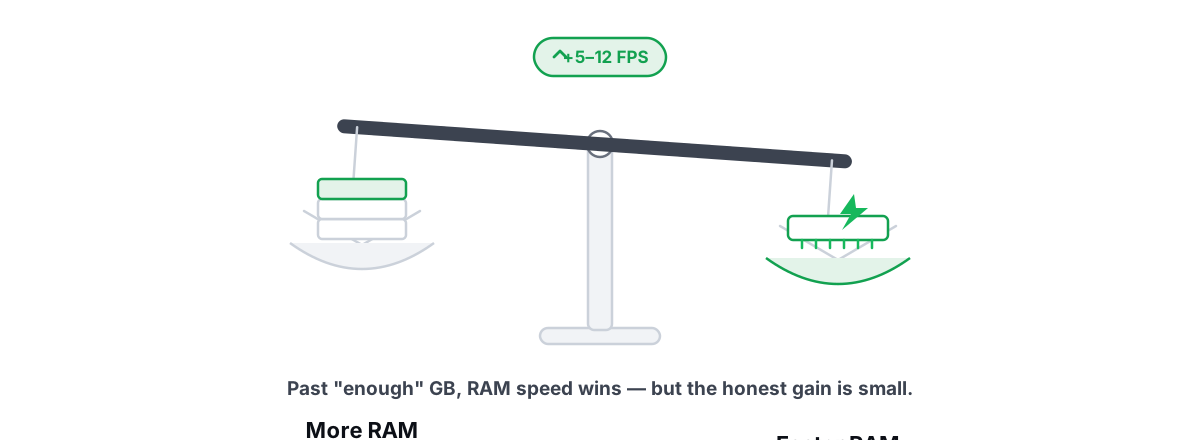
That's not a reason to buy slow RAM. It's a reason to buy the right RAM once and not overpay for diminishing returns. If you're still weighing capacity against speed in general, more RAM vs faster RAM covers the broader trade-off.
DDR5-6000 CL30 and the 1:1 FCLK rule
On AM5, three clocks have to dance together: the memory clock (MCLK), the memory controller clock (UCLK), and the Infinity Fabric clock (FCLK). The sweet-spot setup keeps MCLK and UCLK at a 1:1 ratio and runs FCLK in step.
DDR5-6000 lands in the comfortable zone for almost every Zen 4 and Zen 5 memory controller. At 6000 MT/s, your UCLK runs at 3000 MHz and matches the memory 1:1. Push the memory faster and at some point the controller can't keep 1:1, so it drops to a 2:1 ratio (UCLK = half MCLK). That penalty usually erases the bandwidth you gained.
FCLK is the separate one people confuse. It's the speed of the fabric that ties the CPU's chiplets together. The default 2000 MHz FCLK is fine and stable for the vast majority of kits. "1:1" in the AM5 context almost always means the MCLK:UCLK relationship — not memory-to-FCLK, which is a different and looser link.
The CL30 part is the latency. A DDR5-6000 CL30 kit completes a key memory operation in 10 nanoseconds (30 cycles ÷ 3000 MHz). That's the genuinely good number, and it's why "6000 CL30" became the AM5 default recommendation — it's a clean, achievable, low-latency target that nearly every board and CPU can hold at 1:1.
Does 6400+ actually gain FPS?
Sometimes, by a sliver. In CPU-bound games at 1080p with a fast GPU, going from 6000 CL30 to a well-tuned 6400 or 6200 kit might add a few percent average FPS and sometimes a slightly better 1% low. We're talking single-digit FPS in the cases where it shows up at all, and often nothing you'd feel.
The problem with 6400 on AM5 isn't that it's slower — it's that it's a gamble. Your specific CPU's memory controller might hold 6400 at 1:1, or it might not, in which case you either run at 2:1 (slower than 6000) or spend an evening tuning to find stability. The 9800X3D, already cache-rich, gives you less reward for that gamble than almost any other chip.
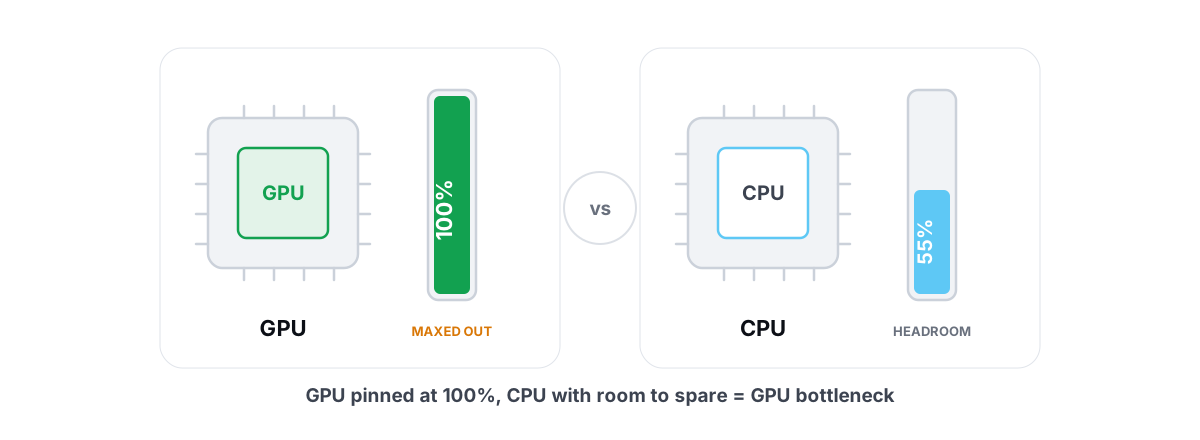
Raise the resolution to 1440p or 4K and the GPU becomes the limiter, so the memory difference shrinks toward zero. If you can't tell whether your frames are capped by the CPU or GPU, how to spot a CPU vs GPU bottleneck shows you how to check before you spend money chasing the wrong part.
EXPO vs XMP on AM5
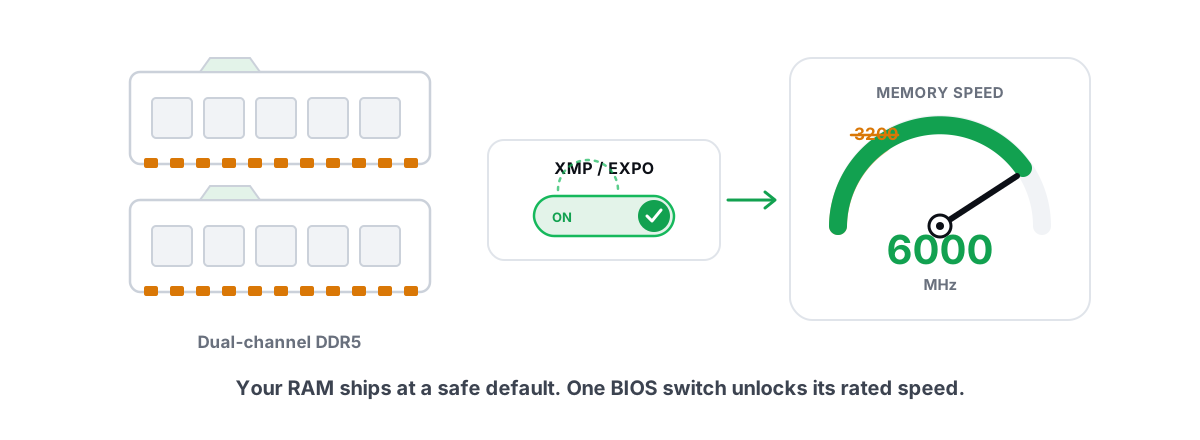
Both EXPO and XMP are factory tuning profiles stored on the RAM stick. Without one, your kit boots at a slow JEDEC default like DDR5-4800 no matter what it's rated for. The profile tells the board the real speed and timings the manufacturer validated.
The only practical difference: EXPO is AMD's profile format, XMP is Intel's. On an AM5 board with a 9800X3D, you want the EXPO profile. Many kits sold today ship with both profiles baked in, so a single stick works on either platform.
If your kit only lists XMP, don't panic. Most AM5 boards can read an XMP profile and apply the timings anyway, and it usually works fine. But a kit that explicitly advertises EXPO has been validated on AMD, so that's the safer buy for an AM5 build.
Enabling it is one toggle in the BIOS — find the EXPO/XMP dropdown, pick Profile 1, save and reboot. That's it. We walk through what the toggle does and why it's the rare BIOS setting actually worth flipping in XMP and EXPO explained.
| EXPO | XMP | |
|---|---|---|
| Made by | AMD | Intel |
| Right one for AM5 / 9800X3D | Yes | Works, but EXPO is validated for AMD |
| What it stores | Speed + timings + voltage | Speed + timings + voltage |
| Without it, kit runs at | JEDEC default (~4800) | JEDEC default (~4800) |
Timings that matter more than frequency
Frequency is the headline. Latency is the story. Two kits at the same DDR5-6000 can feel different because their timings differ, and on a cache-heavy chip like the 9800X3D, lower latency tends to do more useful work than a few hundred extra MT/s.
The primary timing you read on the box is CAS Latency (CL). DDR5-6000 CL30 beats DDR5-6000 CL36 — same speed, lower CL, real latency win. After CL, the timings worth knowing:
- tRCD and tRP — how long the RAM takes to open a row and prepare for the next access. These ride alongside CL on the spec sheet (the 30-36-36 string).
- tRAS — minimum time a row stays active.
- tREFI — the refresh interval. Raising it (less frequent refresh) can lift performance, but it's a tuning task, not a buy decision.
For 99% of people the move is simple: buy CL30 at 6000 and leave the timings exactly as EXPO set them. Hand-tuning subtimings can claw back a little latency, but it's hours of testing for a result you mostly won't feel in games. Spend that time on settings that move frames, like the ones in the Windows 11 gaming settings that actually work.
Stability testing your kit
EXPO is "validated," not "guaranteed on your exact silicon." Memory that posts and runs the desktop can still throw rare errors under load that show up as a random crash to desktop mid-match, a corrupted download, or a blue screen you can't reproduce. Test before you trust it.
Do this after enabling EXPO and confirming 1:1:
- Run a dedicated memory stress test for at least an hour — a full pass on a free tool that hammers RAM error patterns (the AM5 community has a couple of standards). Zero errors is the only passing grade.
- Watch for the obvious failure tells in normal use over the next few days: unexpected reboots, app crashes, file corruption.
- If you see errors, the fix is usually a tiny bump in memory voltage within spec, or loosening one primary timing by a step. If 6400 won't stabilize at 1:1, drop to 6000 CL30 and move on — it's the better-performing setting anyway.
Before you touch BIOS voltages or timings, take a System Restore point so a bad boot is a two-minute rollback, not an afternoon. Here's how to create a restore point if you've never done it.
CES 2026 X3D parts and higher DDR5
At CES 2026, AMD and board partners leaned hard into higher DDR5 demos — kits rated well past 6000, AM5 boards advertising big memory-overclock headroom, and next-gen 3D V-Cache parts showing off bandwidth numbers. It makes for a good slide. It doesn't rewrite the rule above.
Those demos are typically hand-tuned kits on cherry-picked boards, sometimes running 2:1 ratios where raw bandwidth helps a synthetic benchmark more than it helps a real game. For a 9800X3D you're buying and using at home, 6000 CL30 at 1:1 is still the configuration that's both fast and certain.
If a future X3D generation ships a memory controller that genuinely holds 6400 or 8000 at 1:1 across the board, the recommendation will move with it. As of now, on real Zen 5 X3D silicon, it hasn't — the controller, not the RAM, is the limit. Marketing slides don't change what your specific chip will hold.
Our buy-and-set recommendation
Strip away the noise and here's the entire decision:
- Buy: a 2×16GB or 2×32GB DDR5-6000 CL30 kit with an EXPO profile. 32GB total is the sweet spot for a 2026 gaming build; 64GB only if you also do heavy creative work.
- Set: enable EXPO Profile 1 in BIOS.
- Verify: FCLK at 2000, memory controller at 1:1 (UCLK = MCLK). EXPO normally sets this for you on a 6000 kit.
- Test: one hour of memory stress testing, zero errors.
- Stop: don't chase 6400+, don't hand-tune subtimings, don't buy a pricier "gaming" kit for frames the cache already won't let RAM deliver.
That setup gets you essentially all the memory performance a 9800X3D can use. The frames you're leaving on the table by not running 6400 are smaller than the frames you'd find by fixing a single overheating GPU or one ugly stutter source — and those are free.
Once the RAM is sorted, the bigger frame gains live elsewhere — driver hygiene, a clean Windows config, killing background stutter. If you'd rather audit that side honestly without a fake "RAM booster" meter lying to you about freed memory, RAM boosters and what free RAM really means is worth five minutes. BRUTAL Optimizer is built on that same principle: it won't pretend a flushed cache is found performance. You get real CPU/GPU/RAM usage, an FPS overlay that counts the game's own frames on Windows 11 (no injection, no hooks), and reversible system tweaks — the core toolbox is free. Sort the RAM in BIOS, then let an honest tool handle the rest of the machine.
Frequently asked questions
Is DDR5-6000 or 6400 better for a 9800X3D?
For almost everyone, 6000 CL30 is the better buy. It runs at a 1:1 memory controller ratio on virtually every AM5 board, while 6400 may force a slower 2:1 ratio that erases the gain. Because the 9800X3D has a huge L3 cache, it leans less on RAM speed, so 6400 rarely adds frames you can feel.
What is the 1:1 FCLK rule on AM5?
On AM5 you want the memory clock and the memory controller clock running 1:1, which DDR5-6000 holds easily. FCLK (the fabric clock linking the CPU chiplets) defaults to 2000 MHz and is fine left there. Push memory past the controller limit and it drops to a 2:1 ratio, which usually performs worse than 6000 at 1:1.
Should I enable EXPO or XMP on my AM5 board?
Enable EXPO. It is AMD's profile format and is validated for AM5 chips like the 9800X3D. Many kits ship with both EXPO and XMP, so either label can work, but a kit advertising EXPO is the safer pick. Without any profile, your RAM runs at a slow JEDEC default no matter what speed it is rated for.
Do timings matter more than RAM frequency on AM5?
On a cache-heavy chip like the 9800X3D, low latency tends to do more useful work than a few hundred extra MT/s. That is why DDR5-6000 CL30 is the recommendation over 6000 CL36 or a higher-speed, looser-timing kit. Just buy CL30 and leave the timings as EXPO sets them; hand-tuning subtimings is hours of work for a result you mostly will not feel.
Why does my X3D CPU care less about RAM speed?
The 9800X3D stacks 64MB of extra L3 cache on the die for 96MB total. With that much cache, the CPU finds the data it needs on-chip far more often and reaches out to slow system RAM less. Fewer trips to RAM means RAM speed has less impact, which is exactly why X3D chips win at gaming.
Keep reading
 Myths & Honest Truths
More RAM vs Faster RAM: What Actually Helps Gaming
Capacity is a floor and speed is the slope: why 16GB is usually enough, and where RAM speed and dual-channel actually buy FPS.
 Hardware & Drivers
XMP and EXPO: The One BIOS Toggle Worth Flipping
Most PCs run RAM below its rated speed because XMP/EXPO is off by default. Here is how to enable that one BIOS toggle safely.
 Hardware & Drivers
GPU vs. CPU Bottleneck: How to Tell in Gaming
Read GPU and CPU utilization to find which part is capping your frames — then tweak or upgrade the right one instead of guessing.
Stop guessing. Measure it.
BRUTAL Optimizer is the honest gaming optimizer for Windows — 17 free modules, a real FPS overlay, verified disk cleanup and drive health. No kernel driver of our own, no game hooks, and per-module undo for the settings it changes.