Double NAT and gaming: find it, fix it, and stop blaming it for your ping
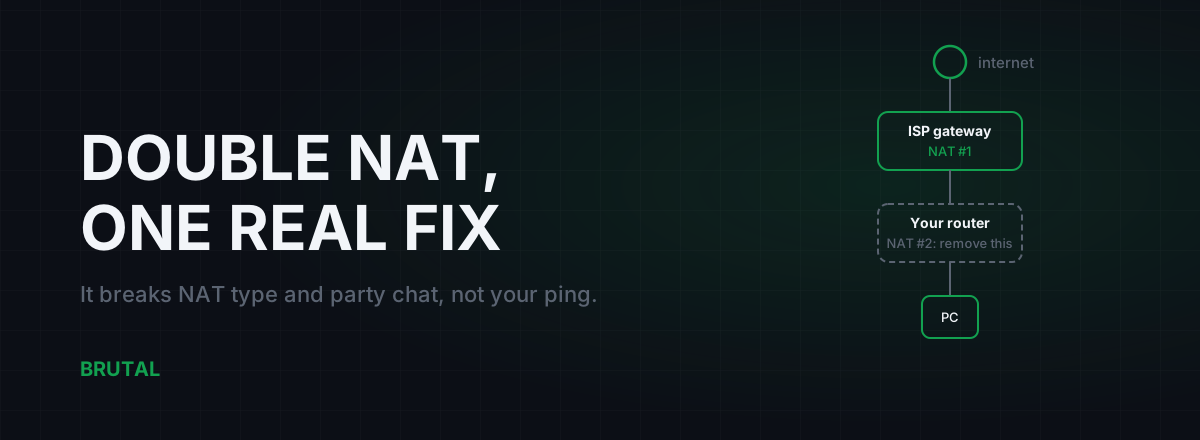
Double NAT means two routers on your network are each doing their own address translation, and it's guilty of less than most guides claim. It barely touches your ping; the extra hop costs a fraction of a millisecond. What double NAT actually breaks is NAT type, party chat, matchmaking, and hosting. The good news: finding it takes five minutes, and the proper fix is free.
What double NAT actually is
One layer of NAT is normal. Your router holds the single public IP your ISP assigns and translates every device's private address through it. Games are built for this. One NAT layer with UPnP working is roughly what "Open NAT" means on a console.
Double NAT is a second router running its own private network inside the first one. The classic way it happens: your ISP supplied a modem-router combo, you bought a better router for the Wi-Fi, and you plugged it into one of the combo box's LAN ports without changing any settings. Both boxes are now routing. Your PC lives on your router's network, your router lives on the ISP box's network, and every packet gets translated twice on the way out.
Outbound traffic mostly copes, which is why double NAT can hide for months. Browsing, streaming, and most game connections work fine because your devices start them. The trouble begins the moment something on the internet needs to reach you first: a friend joining your lobby, a peer-to-peer voice stream, a game invite. The outer box has never heard of your game, so it drops the packet.
How to check for double NAT in five minutes
Log into the router your PC actually connects to and find the status page. Look for the WAN IP, sometimes labelled Internet IP. That one number tells you almost everything.
- If it starts with 192.168., 10., or anything from 172.16. to 172.31., your router is sitting behind another NAT device. Double NAT confirmed.
- If it starts with 100.64. through 100.127., that's CGNAT: your ISP is doing the second translation inside its own network. Different problem, different fix, covered below.
- If it's a normal public address, you don't have double NAT, and whatever's wrong with your NAT type has another cause.
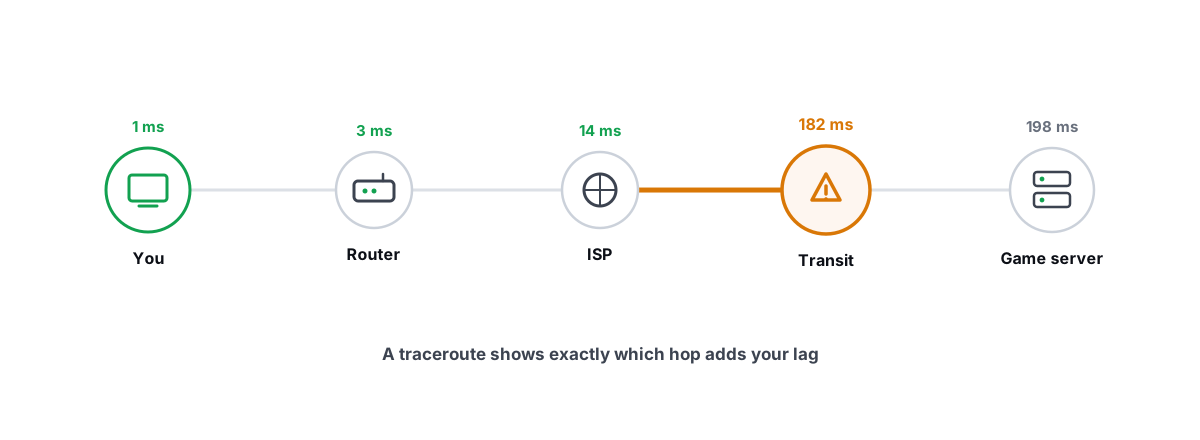
You can confirm with a traceroute. Run tracert 8.8.8.8 in a command prompt. The first hop is your router. If the second hop is also a private address, that's the second NAT layer answering. If reading traceroute output is new to you, the short version is this: two private hops before anything public means two translations.
Consoles hand you a third clue. Xbox's network test will sometimes say "double NAT detected" outright. PlayStation shows NAT Type 3, and it stays Type 3 no matter how many ports you forward on your own router, because the box in front of it ignores those rules completely.
Why double NAT breaks gaming before it touches ping
Get the latency question out of the way first. A home router translates addresses in well under half a millisecond, so a second layer costs maybe 1ms in the worst case, usually less. If your ping to the server is 60ms, removing double NAT will leave it at roughly 60ms. Anyone promising otherwise is selling something.
The real damage list:
- UPnP stops working end to end. Your game asks your router to open a port, the router agrees, and the ISP box in front of it never hears about any of it. The door is open halfway down the hall.
- Port forwarding rules go nowhere. The rule on your router points at your PC, but inbound traffic dies at the ISP box, which has no matching rule. Forwarding on the ISP box alone fails too. You'd need matching rules on both boxes, per game, per port.
- NAT type degrades to Moderate or Strict. Your matchmaking pool shrinks, because you can only connect cleanly to players with Open NAT, and relay servers pick up the rest.
- Voice chat degrades or drops. Party chat is often peer-to-peer. When it can't punch through two layers, it either relays through a server, adding delay to voice, or fails outright.
- You can't host. Lobbies, co-op sessions, private servers: invisible from outside.
Double NAT is a matchmaking problem wearing a latency costume.
Fix 1: bridge mode on the ISP box (the real fix)
Bridge mode tells the ISP's combo unit to stop routing and behave as a plain modem. Your own router then receives the public IP directly. One NAT layer, done. It's the cleanest fix because it removes the problem instead of tunnelling around it.
The setting hides under different names depending on the box: bridge mode, modem mode, IP passthrough, PPPoE passthrough. The rough order of operations:
- If your line uses PPPoE (common on fiber and DSL in India and much of Europe), get the username and password first. It's often in your welcome email, or one call to support away.
- Enable bridge or modem mode on the ISP box.
- Set your own router's WAN mode to PPPoE with those credentials, or DHCP, whichever your ISP uses.
- Reboot both boxes, then re-check your router's WAN IP. It should now be public.
Two honest warnings. Some ISPs lock bridge mode behind a support call; just ask, they do it routinely. And if your TV service or landline runs through the ISP box, bridging can kill those, so check before you flip the switch. The box's own Wi-Fi usually shuts off too, which is fine. You wanted one network anyway.
Fix 2: AP mode on your router (the easy compromise)
Flip the problem around: keep the ISP box as the only router and demote your own router to an access point. Nearly every router has an AP mode toggle in its admin pages. It stops doing NAT and DHCP and becomes a Wi-Fi radio plus a switch. You're back to one NAT layer, and this fix needs zero cooperation from your ISP.
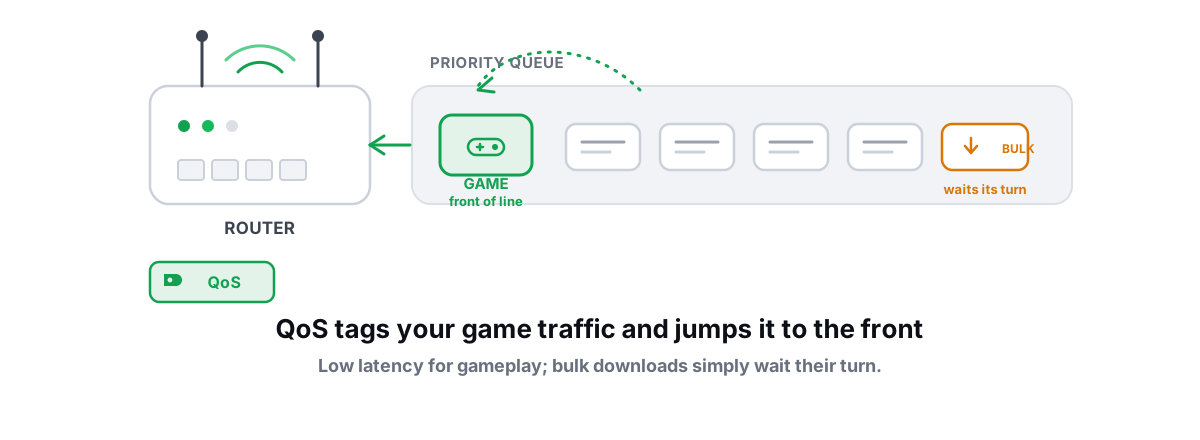
The trade-off is that ISP combo boxes tend to be the weaker router: smaller NAT tables, clunkier firmware, and usually no serious traffic shaping. If you rely on QoS or smart queue management to keep ping flat under load, that job now belongs to the ISP box, and most of them can't do it well. Pick AP mode when bridge mode is locked and NAT type is your main complaint. Pick bridge mode when you actually use your router's brains.
Fix 3: DMZ plus a reserved IP (the workaround)
When neither box will budge, you can fake your way to one effective NAT layer:
- In the ISP box, find the DHCP settings and reserve the address it hands your router's WAN port (say, 192.168.1.64) so it never changes.
- Put that same address in the ISP box's DMZ.
- Leave UPnP enabled on your own router, as normal.
Now every unsolicited inbound packet gets handed straight through to your router, which handles it as if it owned the connection. Most games will report Open or Moderate NAT after this, and UPnP starts meaning something again.
Caveats, because it is a workaround. Some ISP firmware ships half-broken DMZ implementations. Both boxes still track every connection, which is harmless for speed but occasionally a limit in connection-heavy peer-to-peer titles. And if the address reservation is ever lost, the DMZ points at nothing and your NAT type silently reverts to Strict. One rule matters most: DMZ the router, never the PC. Your router's firewall still earns its keep.
| Fix | Effort | What you end up with | Watch out for |
|---|---|---|---|
| Bridge mode on the ISP box | Medium, may need an ISP call | One true NAT layer, your router in charge | ISP TV or phone through the box may break; PPPoE credentials needed |
| AP mode on your router | Low | One NAT layer, ISP box in charge | You lose your router's QoS and features |
| DMZ plus reserved IP | Low | Two layers, inner router effectively exposed | Breaks silently if the reservation is lost |
| Forwarding ports on both boxes | High, per game | Two layers with hand-drilled holes | Brittle, and UPnP stays broken for everything else |
The ISP gateway plus own-router setups that cause this
Three topologies cover most homes.
Fiber ONT plus your router. If the ONT is a pure media converter (fiber in, one Ethernet port out, no Wi-Fi), double NAT is unlikely; your router already gets the public address directly. But plenty of ISPs ship ONTs that are full routers with Wi-Fi, and those are the classic NAT #1. Same cure: bridge it.
Cable or DSL combo plus your router. The textbook case. Everything above applies as written.
ISP box plus a mesh kit. Mesh systems default to router mode, so dropping one behind an ISP gateway creates double NAT straight out of the box. Either bridge the gateway or switch the mesh to AP or bridge mode. Some brands disable a few extras in AP mode, but roaming between nodes keeps working, and that's the part you bought it for.
One more thing worth knowing: ISP firmware pushes occasionally reset a gateway from bridge mode back to router mode. If your NAT type mysteriously degrades months after you fixed it, re-check the WAN IP before debugging anything else. It's a thirty-second look that has saved people whole evenings.
CGNAT: the double NAT you can't bridge
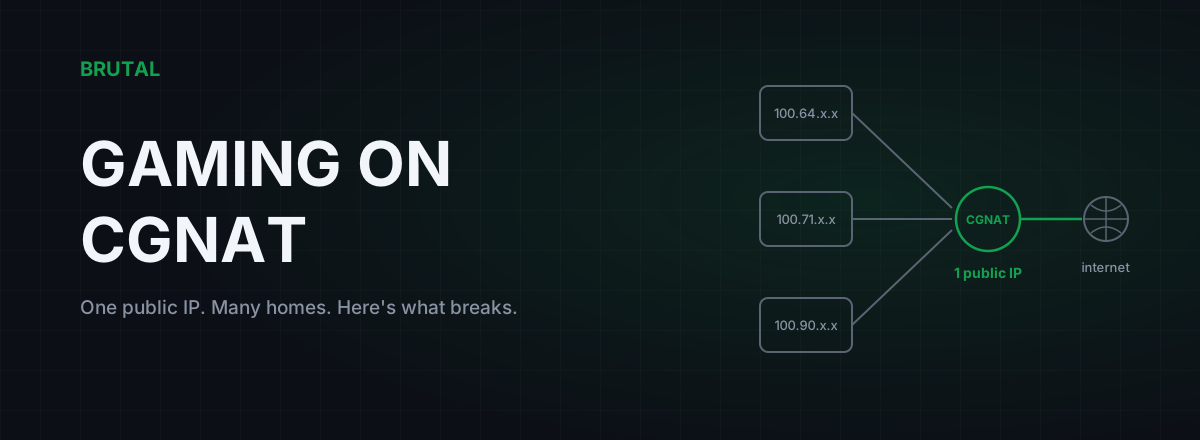
If the ISP box's own WAN address falls between 100.64. and 100.127., the second NAT layer lives inside your ISP's network. They're sharing one public IP across many customers. No setting in your house removes it; bridge mode just takes you from three layers to two.
Your options are narrower but real: ask the ISP for a public IP (often a small monthly fee, sometimes free just for asking), use IPv6 where the game supports it, or accept it for client-server games, which mostly don't care. The full breakdown is in our guide to gaming on CGNAT.
What double NAT doesn't explain
Once your NAT type reads Open, resist the urge to credit or blame NAT for anything else. Packet loss is a line or congestion problem. Ping that climbs every evening points at ISP congestion and peering. Spikes under load are bufferbloat. Those live in different places and need different tools.
There's nothing to sell you for double NAT itself. The fix is a settings page. If the connectivity problems are gone but the route to your game's server still feels bad, that's when measurement matters. The free tools in the free download (ping test, traceroute, bufferbloat grade) will show whether the path is actually the problem. And if you're considering a relay, Smart Route measures direct against relay for your specific connection and only engages when the relay provably wins; otherwise it stays direct and records that. It will not change your NAT type, and we'd rather tell you that here than let you find out after paying.
Frequently asked questions
Does double NAT increase ping?
Barely. Each NAT hop on home hardware adds well under a millisecond, so two layers together cost maybe 1ms. The damage is to NAT type, voice chat, matchmaking, and hosting, not latency. If your ping is high, the cause is almost always distance, routing, or congestion.
How do I know if I have double NAT?
Open your router's status page and look at its WAN or Internet IP. If it starts with 192.168., 10., or anything from 172.16. to 172.31., another router is translating in front of it. A traceroute showing two private hops before any public address confirms it.
Is double NAT the same as CGNAT?
No. Double NAT is two routers in your home, and you can fix it yourself with bridge mode, AP mode, or DMZ. CGNAT is your ISP sharing one public IP across many customers; the tell is a WAN address between 100.64. and 100.127., and only the ISP can change that.
Can I fix double NAT with DMZ instead of bridge mode?
Mostly. Reserve your router's WAN-side IP in the ISP box, put that IP in the DMZ, and leave UPnP on your own router. Most games will then read Open or Moderate NAT. It's a workaround rather than a fix, and it breaks silently if the address reservation is ever lost.
Will a VPN or ping reducer fix my NAT type?
Sometimes a tunnel masks NAT problems because it's a single outbound connection, but it's the wrong tool for this job. Bridge mode fixes double NAT properly and costs nothing. Routing software is for routing problems; Smart Route, for example, will not change your NAT type and doesn't claim to.
Does double NAT affect consoles more than PCs?
It's more visible on consoles because they test and display NAT type and lean heavily on UPnP for party chat and matchmaking. PCs hit the same walls in peer-to-peer games and voice apps, but many PC titles are purely client-server and tolerate double NAT without complaint.
Keep reading
 Network & Latency
CGNAT Gaming Problems: How to Detect It and Actually Fix It
Your ISP is sharing one public IP across dozens of homes. That's why you can't host, your NAT is strict, and port forwarding does nothing. Here's how to confirm CGNAT and what actually fixes it.
 Network & Latency
How to Read a Traceroute: Find Your Lag's Real Source
Read a real ICMP traceroute and classify every hop so you know whether the lag is your router, your ISP, or the game server.
 Network & Latency
Router QoS for Gaming: Does Prioritizing Traffic Help?
When router QoS genuinely lowers your ping, why SQM beats classic prioritization, and how to verify the fix with a bufferbloat grade.
Stop guessing. Measure it.
BRUTAL Optimizer is the honest way to speed up Windows — 17 free modules, a real FPS overlay, verified disk cleanup and drive health. No kernel driver of our own, no game hooks, every setting change reversible.