CGNAT Gaming Problems: Detection and Your Three Real Fixes
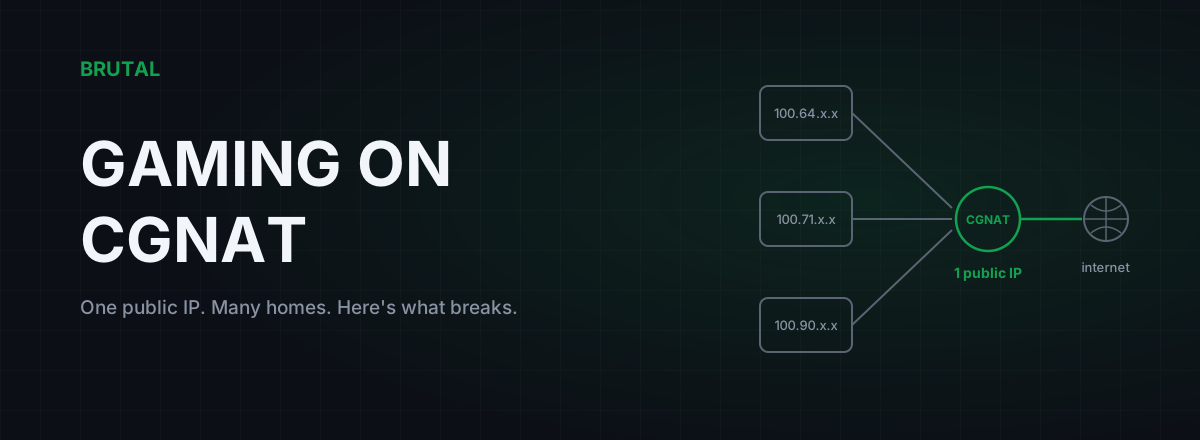
CGNAT gaming problems come down to one fact: your ISP is sharing a single public IP address across dozens or hundreds of homes, so nothing on the internet can open a connection to you. That's why your NAT type reads Strict, hosting fails, and port forwarding changes nothing. You can confirm CGNAT in about two minutes, and there are three real fixes. None of them live in your router settings.
What CGNAT actually is
CGNAT is carrier-grade NAT. Your home router already does NAT: it takes the private addresses of your PC, phone and console, the 192.168.x.x ones, and translates them all onto the single address on its WAN port. CGNAT adds a second layer of the same trick inside the ISP's network. Instead of giving your router a public IPv4 address, the ISP hands it a private one, usually from the 100.64.0.0/10 range reserved for exactly this purpose, and a large translation box upstream shares one real public IP among many customers.
Outbound traffic gets translated twice and works fine, which is why browsing, streaming and most matchmade gaming feel completely normal. The break is in the other direction. When a machine on the internet tries to reach you first, the carrier's NAT box has no idea which of its hundreds of customers that packet belongs to, so it drops it. Your router never sees the packet. Neither does your firewall, your port forward rule, or your DMZ setting.
Why do ISPs do this to you? IPv4 ran out. There are roughly 3.7 billion usable public IPv4 addresses for a planet with tens of billions of connected devices, and a single address trades for something like $30 to $50 on the transfer market these days. A mobile carrier with ten million subscribers physically can't give each one a public IP, and newer fiber ISPs often launch on CGNAT because buying address blocks is a serious upfront cost. It isn't malice. It's arithmetic.
One thing to rule out before you go further: CGNAT is not the same as double NAT inside your own home, where your modem and your router both translate. That version you can fix yourself in ten minutes with bridge mode, and the double NAT guide walks through it. CGNAT is the version you can't fix locally, because the second NAT belongs to the carrier.
The gaming problems CGNAT actually causes
The symptoms cluster around reachability, not speed. Here's the honest list.
Strict NAT type. Games and consoles probe your NAT behaviour during matchmaking. Carrier NAT boxes usually behave like the most restrictive kind, so you end up with NAT Type Strict, Type 3, or Type D depending on the platform's naming. In practice that means you can generally only connect to players with Open NAT, lobbies take longer to fill, some co-op invites silently fail, and in the worst cases the game quietly matches you into a smaller pool of players.
You can't host anything. A Minecraft server for friends, a listen server, remote play to your own PC, a private lobby joined by IP: all of these need someone to connect inbound to your address, and that address is shared with strangers. Friends connecting to "your" IP are really knocking on the carrier's door, and the carrier drops the knock.
Party voice chat breaks while the game works. Plenty of party and voice systems still attempt peer-to-peer connections. Two players behind strict carrier NAT often can't punch through to each other, which gives you the classic case of being in the match but unable to hear half the party. Relay fallbacks usually rescue it, but not always, and not on every platform.
Occasional mid-session disconnects. Carrier NAT boxes keep a table of active connections and recycle idle entries aggressively; some expire a quiet UDP mapping in as little as 30 to 120 seconds. A game that sends sparse keepalives can lose its mapping mid-session and drop you. This one varies enormously between ISPs. Some CGNAT deployments are excellent and you'll never notice. Others recycle so hard that a long queue timer or an AFK moment kills your session.
Inherited bans and rate limits. You share your public IP with strangers. If one of them cheats and catches an IP ban, or hammers a service and triggers rate limiting, you can inherit the punishment. Rare, maybe one player in hundreds ever hits it, but real, and deeply confusing when it happens.
And here's what CGNAT does not do: meaningfully raise your ping. The extra translation costs a millisecond or two of processing, usually less. If your latency is bad, the cause is routing, congestion or distance, not the NAT. Evening lag has its own explanation, and it isn't this one.
CGNAT isn't a speed problem. It's a reachability problem, and nothing in your router's settings can reach upstream to fix it.
How to detect CGNAT in two minutes
Two checks, no special tools required.
Check 1: compare your router's WAN address with your public IP. Log in to your router and find the WAN or Internet address on the status page. Then search "what is my IP" in a browser. If the two addresses differ, something upstream is translating you. And if the router's WAN address falls anywhere between 100.64.0.0 and 100.127.255.255, that's the address range reserved specifically for carrier NAT, and the diagnosis is certain. A WAN address starting with 10. or 192.168. that doesn't belong to your own equipment points the same way.
Check 2: run a traceroute. Open a command prompt and run tracert 8.8.8.8. Look at hops 2 and 3, the ones just past your router. Addresses in that 100.64 to 100.127 range sitting there are the carrier's NAT infrastructure itself. If you've never read a traceroute before, this walkthrough explains what each hop means.
The free tools in the free download include ping testing, traceroute and a bufferbloat grade if you want the rest of your connection measured while you're at it, but for CGNAT specifically the two manual checks above are all you need.
Fix 1: ask your ISP for a public IP
The cleanest fix is also the most boring one: call your ISP and ask to be moved to a public IPv4 address. Many fixed-line ISPs will do it on request, sometimes free, sometimes for a small monthly fee. Some call the option a static IP, others a real IP or a gaming add-on.
Wording matters on this call. You need a public address, not necessarily a static one. A dynamic public IP that changes every few days is completely fine for gaming, and front-line support sometimes only knows about the expensive static-IP business add-on, so being precise can save you money. Say something like: "My connection is behind CGNAT and I need a public IPv4 address so inbound connections work. Dynamic is fine."
Honest odds: fixed-line and fiber ISPs say yes more often than not. Mobile carriers, 4G/5G home internet, and some budget fiber providers will refuse, because their entire addressing plan assumes CGNAT. If they refuse, move on to fixes 2 and 3.
When it works, everything downstream starts working too. Port forwarding becomes real again, NAT type opens up once your own router is configured properly, hosting works, and there's nothing to maintain afterwards.
Fix 2: turn on IPv6 where you can
IPv6 has no address shortage, so there's no NAT and no sharing: your devices get globally reachable addresses again. Wherever both ends of a connection speak IPv6, CGNAT simply stops being part of the path.
The catch is that both ends have to speak it. Xbox is the standout good citizen here: the platform was built to prefer IPv6, and a working v6 connection often takes NAT type problems off the table by itself. Some PC titles and services use it well too. But a large share of game servers are still IPv4-only in 2026, and for those your traffic goes straight back through the carrier NAT no matter how clean your v6 setup is.
Check your status at test-ipv6.com. If your ISP offers dual-stack, enable IPv6 on your router and leave it on; it costs nothing, quietly fixes the titles that support it, and does no harm to the ones that don't. Just be realistic about the scope: IPv6 improves the CGNAT situation game by game. It doesn't end it.
Fix 3: tunnel out to a public endpoint
Here's the trick that makes tunnels work where port forwarding can't: a tunnel is an outbound connection, and CGNAT allows all outbound connections. Your PC establishes an encrypted session out to a relay server that has a real public IP, and your game traffic exits to the internet from there. The restrictive carrier NAT is still in the path, but now it's just carrying one long-lived tunnel it has no reason to block.
What this genuinely fixes: Strict NAT in many matchmaking games, because the NAT the game now sees belongs to the relay, and it's typically simple and stable rather than carrier-grade restrictive. Party voice punch-through usually starts working for the same reason. The tunnel's own keepalives also hold the carrier's mapping open, which quietly ends the idle-timeout disconnects.
What it only fixes with extra help: hosting. To accept inbound connections, the provider has to forward a port from its public IP down your tunnel. A handful of VPN providers still offer port forwarding; most have dropped it. If hosting a server is your actual goal, check for that specific feature before paying anyone.
The honest cost is a latency detour. Every packet now travels via the relay, which adds anywhere from 2 to 60 milliseconds depending on how close the relay sits to you and to the game server. The GPN versus VPN comparison covers when that detour is worth taking and when it isn't.
Where our own product sits in this, stated plainly: Smart Route is a relay network built for latency, not for NAT escape. It measures your direct route against its relays and engages only when the relay measurably wins; a stable public exit is a side effect of riding it, not its job. If your routing is already good and your only complaint is CGNAT reachability, the ISP phone call or a VPN with port forwarding is the more targeted tool, and we'd rather tell you that than sell you a relay you don't need.
Which fix for which problem
| Your problem | Public IP from ISP | IPv6 | Tunnel with public exit |
|---|---|---|---|
| Strict NAT, small lobbies | Fixes it | Fixes it in v6-capable games | Usually fixes it |
| Hosting a server for friends | Fixes it | Only if every friend has v6 | Only with provider port forwarding |
| Party voice not connecting | Fixes it | Sometimes | Usually fixes it |
| Idle-timeout disconnects | Fixes it | Sometimes | Usually fixes it |
| High ping | No effect | No effect | Only if the relay path measures faster |
| Typical cost | Free to a few dollars a month | Free | Subscription |
| Effort | One phone call | One router setting | Install and sign up |
If you can get the public IP, get it. It's the root-cause fix, and everything else on this page is a workaround by comparison. IPv6 is free insurance worth enabling either way. Tunnels earn their keep when the ISP says no, or when you also want your routing measured, and they're effectively the only option on mobile carriers, which almost never hand out public IPv4.
When CGNAT isn't your problem
CGNAT gets blamed for plenty of things it doesn't do. If your complaint is high ping to every server, spikes at 8pm, or rubber-banding with loss, CGNAT is almost certainly not the cause. Those are routing and congestion problems with their own diagnostics, and the packet loss guide is the better starting point for the loss cases.
The pattern that identifies a real CGNAT gaming problem is specific: outbound things work, inbound-dependent things fail. Matches connect but invites don't. The game runs but you can't host. Voice works through the game's relay but not peer to peer. When you see that split, check the WAN address, make the phone call, and work down the list. When the symptoms don't match that pattern, save yourself the detour and measure the actual path first.
Frequently asked questions
How do I know if I'm behind CGNAT?
Log in to your router and compare its WAN address with the IP a "what is my IP" site shows you. If they differ, something upstream is translating you. If the WAN address falls between 100.64.0.0 and 100.127.255.255, that's the dedicated carrier-grade NAT range and the diagnosis is certain.
Does CGNAT increase ping?
Barely. The extra translation adds a millisecond or two of processing at most. CGNAT is a reachability problem, not a speed problem, so if your ping is high the cause is routing, congestion or distance, and no CGNAT fix will change it.
Can I port forward behind CGNAT?
No. Your router will accept the forwarding rule and show it as active, but inbound traffic is dropped at the carrier's NAT, one hop before your router ever sees a packet. You need a public IP from your ISP, working IPv6, or a tunnel whose provider forwards ports from its side.
Will a VPN fix my NAT type on CGNAT?
Often, yes, for matchmaking and party voice. The NAT the game sees becomes the relay's, which is usually simpler and more stable than carrier-grade NAT. Hosting a server still needs port forwarding at the provider's end, which most VPNs no longer offer. Either way you pay a latency detour through the relay, anywhere from 2 to 60ms depending on distance.
Is CGNAT the same as double NAT?
They're related but different. Double NAT at home means your own modem and router are both translating, and you can fix it yourself in minutes with bridge mode. CGNAT is a second NAT layer inside the ISP's network, so no setting on your equipment can remove it.
How much does a public IP from my ISP cost?
It varies a lot. Many fixed-line ISPs will move you to a dynamic public IPv4 free on request, some charge a small monthly fee, and a few only offer it on business plans. Mobile carriers and 4G/5G home internet providers usually refuse entirely because their addressing plan depends on CGNAT.
Keep reading
 Network & Latency
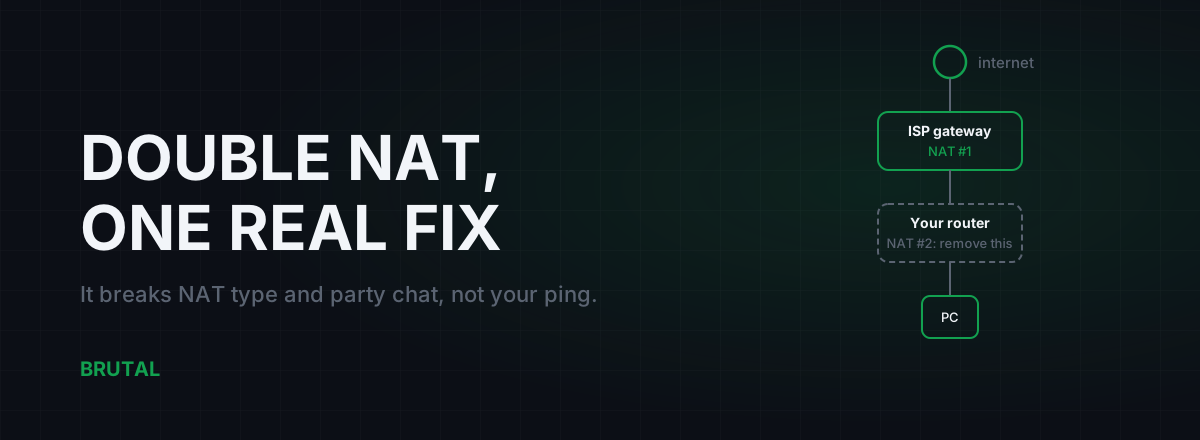
Double NAT Gaming Fix: Find It, Fix It, and What It Breaks
Two routers both doing NAT breaks NAT type, voice chat, and hosting long before it touches your ping. How to confirm double NAT in five minutes, and the three fixes that actually work.
 Network & Latency
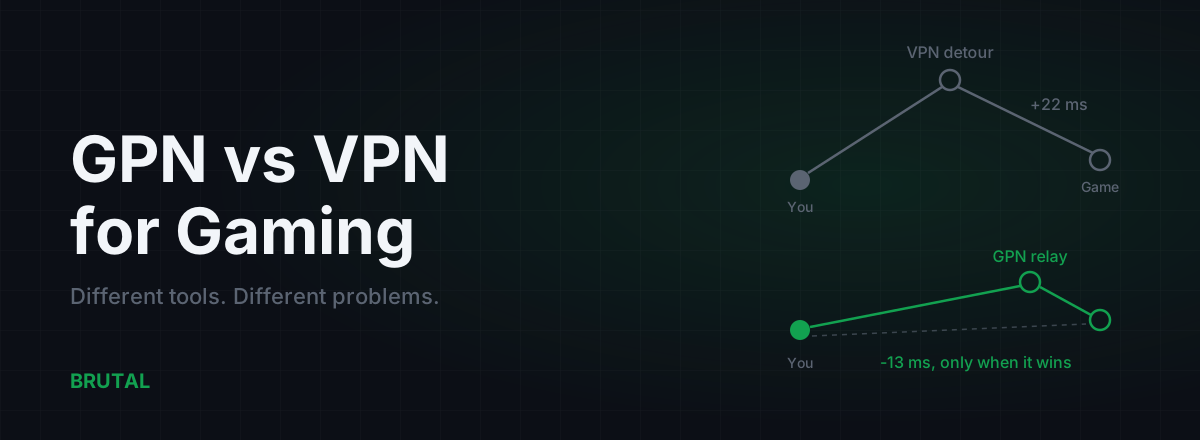
GPN vs VPN for Gaming: They Solve Different Problems
A VPN encrypts all your traffic for privacy and usually adds ping. A GPN reroutes only your game traffic, and only when a measurement says it helps. Here's when each makes sense.
 Network & Latency
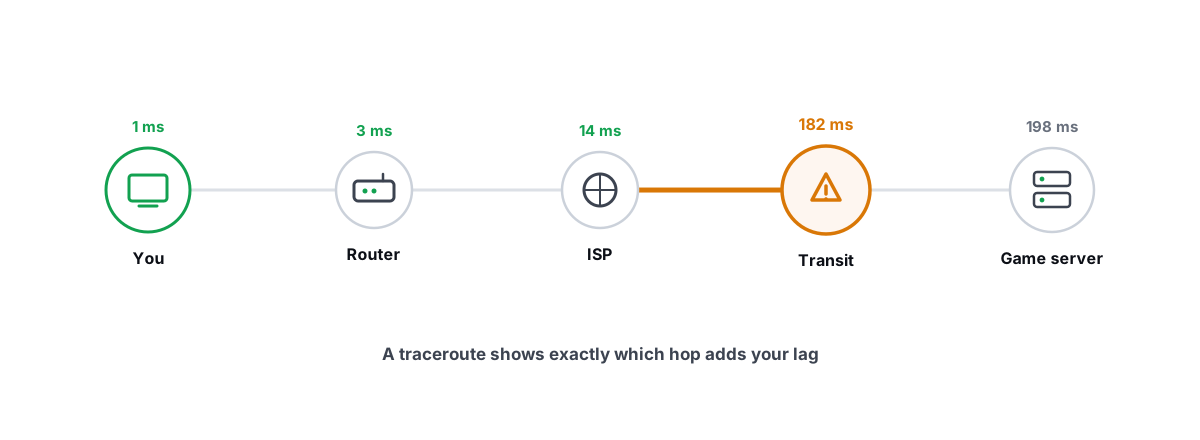
How to Read a Traceroute: Find Your Lag's Real Source
Read a real ICMP traceroute and classify every hop so you know whether the lag is your router, your ISP, or the game server.
Stop guessing. Measure it.
BRUTAL Optimizer is the honest way to speed up Windows — 17 free modules, a real FPS overlay, verified disk cleanup and drive health. No kernel driver of our own, no game hooks, every setting change reversible.