eFootball High Ping Fix: Match Delay in eFootball and EA FC
There's no single eFootball high ping fix, because roughly half the delay you feel in a football match isn't yours to fix. It lives on your opponent's connection and inside the game's own input buffering. What you can do is clean up your half, measure your route honestly, and stop blaming the network for lag that's actually coming from your TV. Here's what genuinely helps in eFootball and EA FC, with real numbers.
Why football games feel laggier than their ping number
A 60 fps game draws a new frame every 16.7 ms. Football games have to keep two players agreeing on one shared match state, so they buffer inputs for several frames before acting on them. That buffer is why a 30 ms connection can still feel like 100 ms: your pass isn't played when you press the button, it's played when both games agree it happened.
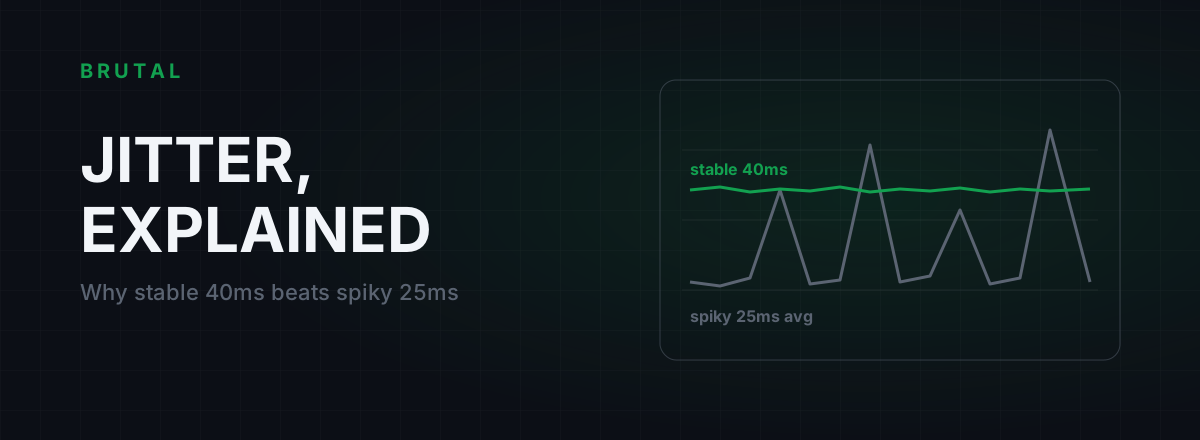
The buffer isn't fixed, either. When your connection jitters, the game quietly grows it to keep the match looking smooth, and every touch gets heavier. That's why a steady 60 ms connection routinely feels better than one swinging between 25 and 90 ms. If your matches feel like wading through mud some evenings and crisp at lunchtime, suspect jitter before raw ping.
So reset your expectations before you start fixing things. In eFootball and FC, ping is one ingredient in the delay you feel, and often not the biggest one.
Half the delay is your opponent's network
eFootball shows your opponent's connection strength before kickoff for a reason. Konami doesn't publish the details of its netcode, but online matches behave like a peer-to-peer or lightly relayed link: your inputs travel to your opponent, theirs travel back to you, and the match runs at the pace of the worse connection. EA FC routes more of its head-to-head play through EA's own infrastructure, but the arithmetic barely changes. Two routes feed one match, and you control exactly one of them.
That has a blunt consequence. If your opponent is on congested Wi-Fi three time zones away, your match will stutter no matter what you install, tweak or pay for. Any tool that promises otherwise is lying to you.
You can't patch your opponent's Wi-Fi. You can only make sure the lag isn't coming from your side of the pitch.
Which points at the least glamorous fix in this whole article: when eFootball shows an opponent on one or two bars, back out if the mode allows it. Thirty seconds of requeueing beats ten minutes of rubber-banding, and no setting on your machine can substitute for it.
Input delay vs ping: where the felt delay actually lives
When players say "high ping", they usually mean "my inputs feel late". Those are different problems with different fixes. Here's an honest budget for a typical console session at 60 fps:
| Delay source | Typical range | Can you fix it? |
|---|---|---|
| TV outside Game Mode | 40-100+ ms | Yes, one setting |
| TV in Game Mode / monitor | 5-25 ms | Mostly hardware-bound |
| Game input buffer | 2-6 frames (33-100 ms) | Indirectly: lower jitter shrinks it |
| Your network route | 10-80 ms | Partly: wiring, bufferbloat, routing |
| Opponent's network | 10-200 ms | No |
Notice the ordering. A TV that never got switched to Game Mode adds more delay than most bad routes, and the game's own buffer usually outweighs your network's share. If a wired 25 ms connection still feels slow, work down this table before you touch the router.
Two small extras while you're here: a Bluetooth controller adds a few milliseconds over a wired one, and 120 fps modes, where the game and display support them, halve the cost of every buffered frame. Neither transforms a match. Both are free.
Playing from India, Brazil or Indonesia: distance sets the floor
Fiber carries your packets at roughly two thirds the speed of light, which works out to a floor of about 1 ms of round trip per 100 km of cable. No software beats that. You can sanity-check any route with the ping floor calculator.
What that means in practice: Mumbai to Singapore is about 3,900 km great-circle, so the theoretical floor is around 40 ms and a clean real-world route lands in the high 40s to 60 ms. São Paulo to Miami is roughly 6,600 km, so 100 to 130 ms is normal, not broken. Jakarta sits close to Singapore's infrastructure, so Indonesian players on decent fiber can see 10 to 25 ms when matchmaking keeps them local.
The trouble starts when matchmaking doesn't keep you local. Play at 3 am and the player pool thins out, so the game widens its search and pairs you with someone much further away. If your late-night matches consistently feel worse, that's often why, and no tool fixes it. A better route can only remove the detour your ISP added on top of the distance, which is typically worth 10 to 40 ms when it applies at all.
A note for eFootball mobile players in India, since that's a huge slice of the player base: mobile data adds its own variance. 4G and 5G ping can swing 30 to 80 ms across a single session, and carrier-grade NAT adds an unpredictable hop. If your home broadband is halfway decent, Wi-Fi at home usually beats mobile data for match stability, even when the speed test number says otherwise. Speed and latency are different things.
The actual eFootball high ping fix, step by step
Do these in order. Each one is free except the last, and each one is measurable.
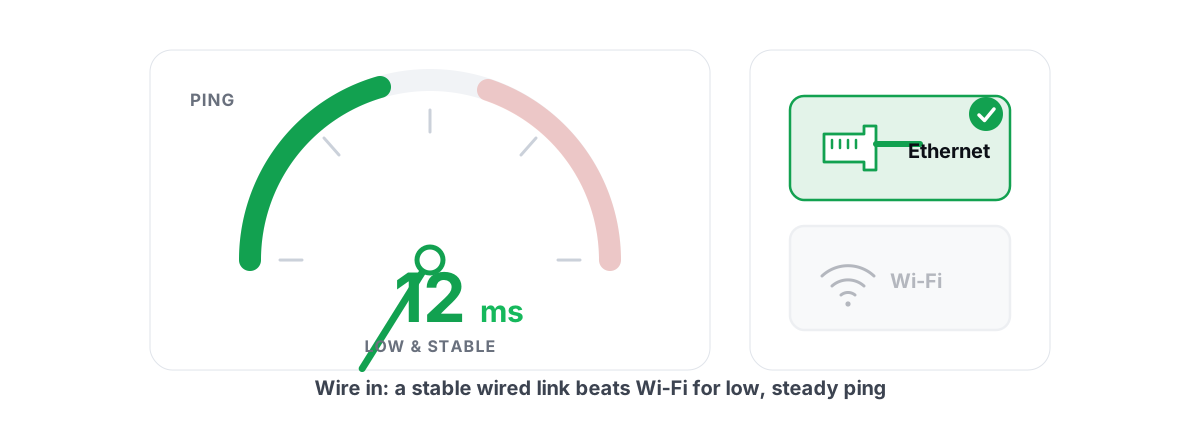
- Wire the connection. Ethernet doesn't just lower ping a few milliseconds, it cuts the jitter that forces the game's input buffer to grow. On console that's a cable. On eFootball mobile, it's 5 GHz Wi-Fi in the same room as the router. The difference is bigger than it looks on paper, because Ethernet vs Wi-Fi is mostly a jitter story.
- Fix bufferbloat. When someone in your house uploads photos or streams video while you play, a bloated router queue can add 100 to 500 ms under load. Run the Waveform bufferbloat test during a normal evening. If you grade C or worse, SQM or QoS on your router will do more for your matches than any booster app ever will.
- Put the TV in Game Mode. Not a network fix, but for console players it's frequently the biggest single item on this list. Some TVs add 80 ms or more of picture processing outside Game Mode. Check it once, forget it forever.
- Silence uploads during matches. Cloud backups, torrent seeding and streaming to Twitch all push your upstream toward saturation, which is exactly where bufferbloat bites hardest.
- Only then consider routing. If your route to the match region is genuinely bad, a measured relay can help. More on when that's actually true below.
What doesn't fix football lag
Changing DNS won't change your in-match ping. DNS only resolves names before the connection is made; once the match starts, your packets flow to an IP address and DNS never touches them again. A faster resolver can shave a moment off menus and matchmaking, which is nice and worth doing, but it isn't a lag fix.
TCP registry tweaks and the endless Nagle-disable guides don't apply either, because eFootball and FC move match data over UDP. MTU fiddling is the same story: worth checking if something is genuinely broken, not a source of hidden milliseconds.
Closing background apps mostly doesn't help unless something is actively uploading or your CPU is pinned. We measured that one separately in does closing apps lower ping. RAM cleaners and boosters that clear memory do nothing for a network queue that lives inside your router.
A measured route case: Mumbai, evening kickoff
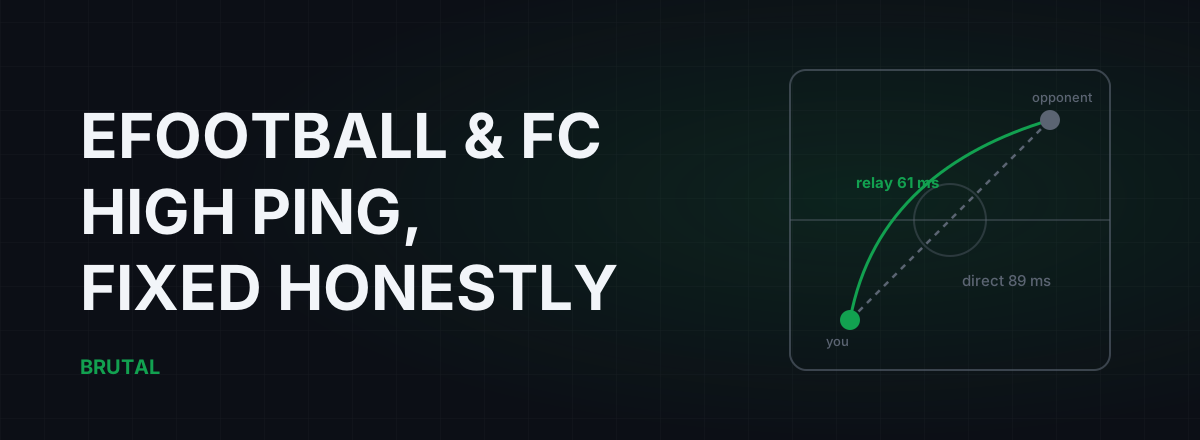
Here's the real shape of the problem, from a player in Mumbai landing in matches hosted toward Singapore. At 9 pm, the direct route averaged 89 ms with spikes past 120. The ISP's evening transit was congested and jitter sat near 30 ms, which is exactly the kind of instability that makes a football game's input buffer swell. Routed through a Chennai relay instead, the same traffic measured 61 ms with jitter under 5 ms. That's 28 ms saved, and honestly, the flat jitter mattered more than the headline number.
Same player, same route, 11 am the next day: direct measured 58 ms and the relay would have added 4 ms. So the relay stayed off. This is the part most ping tools skip. Whether a relay helps depends on your ISP, the hour and the match region, and it changes. It has to be measured per session, not assumed.
That's the entire design of Smart Route. It runs inside BRUTAL Optimizer for Windows, so it routes eFootball and FC when you play them on a PC. It reads the live game's server connection without touching the game (no injection, no hooks, no kernel driver), measures direct against nearby relays such as Chennai, Singapore or São Paulo, and engages only when the relay provably wins. Every session ends in a Route Receipt: milliseconds saved, or "Direct won", stated just as plainly.
When a ping reducer helps eFootball and FC, and when it can't
Because football matchmaking is regional and opponent-dependent, routing wins are less predictable here than in fixed-server games. A relay that won against a Singapore opponent might do nothing against one in Karachi, because the path changed. In modes that run through the publisher's servers the picture is steadier: if your ISP routes badly to that region during peak hours, a relay tends to keep winning at those same hours.
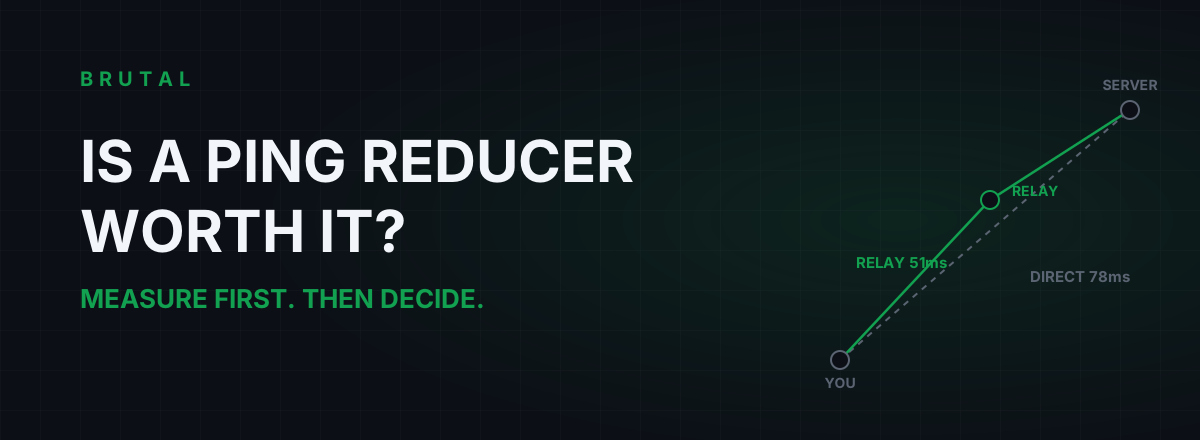
Set your expectations accordingly. On a decent ISP, direct wins most sessions, and any honest tool should say so out loud. The real wins cluster in two situations: evening congestion on your ISP's transit, and chronically bad routing to one specific region. If neither applies to you, save your money. We wrote a longer honest breakdown in is a ping reducer worth it.
And measure before you spend anything. The free tools in the free download include a ping test, a traceroute and a bufferbloat grade, which together answer the only question that matters here: is your half of the match connection actually the problem? Fix what the numbers point at, requeue away from one-bar opponents, and accept that the rest of the delay belongs to someone else's living room. That acceptance, oddly enough, is the eFootball high ping fix nobody sells: knowing which milliseconds are yours.
Frequently asked questions
Why is eFootball so laggy even with good internet?
Because the delay you feel is more than your ping. The game buffers inputs for several frames to keep both players in sync, your opponent's connection sets the pace as much as yours, and a TV outside Game Mode can add 40 to 100 ms on its own. Good internet fixes only one of those three.
Does a VPN or ping reducer lower ping in eFootball?
Sometimes, and less often than in fixed-server games. A relay only helps when your ISP's route to the match region is genuinely bad, which tends to happen during evening congestion. Because opponents change every match, measure each session instead of assuming. Most of the time, direct wins.
Why does EA FC feel delayed even at 20 ms ping?
Input buffering. Football netcode delays your inputs by a few frames (33 to 100 ms at 60 fps) to keep the match state consistent between both players, and jitter makes that buffer grow. Add display lag from a TV that isn't in Game Mode and a 20 ms connection can feel like 150 ms.
Which server region does eFootball connect me to?
Konami doesn't publish this, and matches often behave peer-to-peer, so the endpoint changes with your opponent. The reliable way to find out is to inspect the live connection during a match with a traceroute or connection inspector. Matchmaking generally pairs you within your broad region, and widens the search at off-peak hours.
Is Wi-Fi good enough for eFootball and FC?
It can be, but Ethernet is better for a specific reason: jitter. Football games grow their input buffer when latency wobbles, and Wi-Fi wobbles by nature. If you must use Wi-Fi, use 5 GHz in the same room as the router and keep other devices off it during matches.
Keep reading
 Network & Latency
What Is Jitter in Gaming? Why Stable 40ms Beats Spiky 25ms
Jitter is the variation in your ping, and it wrecks aim and hit registration more than raw latency does. Where it comes from, how to measure yours, and the fix ladder that actually works.
 Network & Latency
Is a Ping Reducer Worth It? A Decision You Can Test for Free
Most players don't need a ping reducer. Some genuinely do. A free ten-minute measurement tells you which one you are, before any subscription starts.
 Network & Latency
How to Reduce Ping in Online Games (Real Fixes)
Sort the ping you can fix - server, bufferbloat, Wi-Fi, routing - from the ping you can't, and skip the ping-booster snake oil.
Stop guessing. Measure it.
BRUTAL Optimizer is the honest way to speed up Windows — 17 free modules, a real FPS overlay, verified disk cleanup and drive health. No kernel driver of our own, no game hooks, and per-module undo for the settings it changes.